> ## Documentation Index
> Fetch the complete documentation index at: https://kb.snagr.co.uk/llms.txt
> Use this file to discover all available pages before exploring further.
# 表格可以以PDF格式导出么?
**网页版**
你可以将表格单张或者成批地导出成PDF格式。
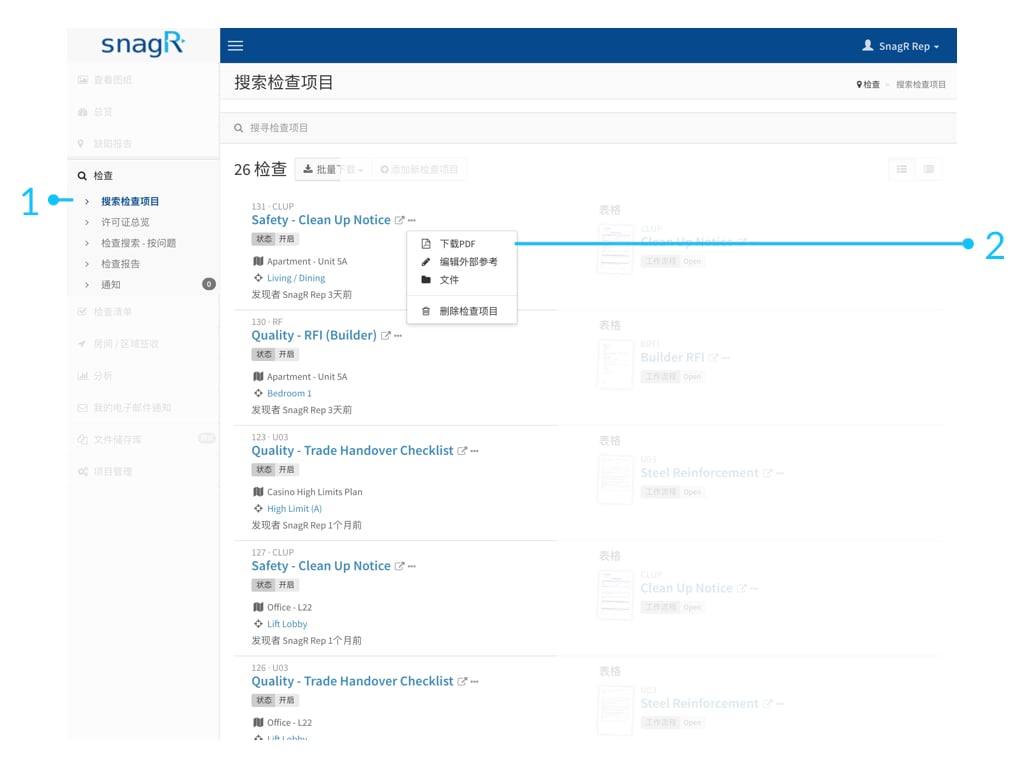
#### 单张导出成PDF
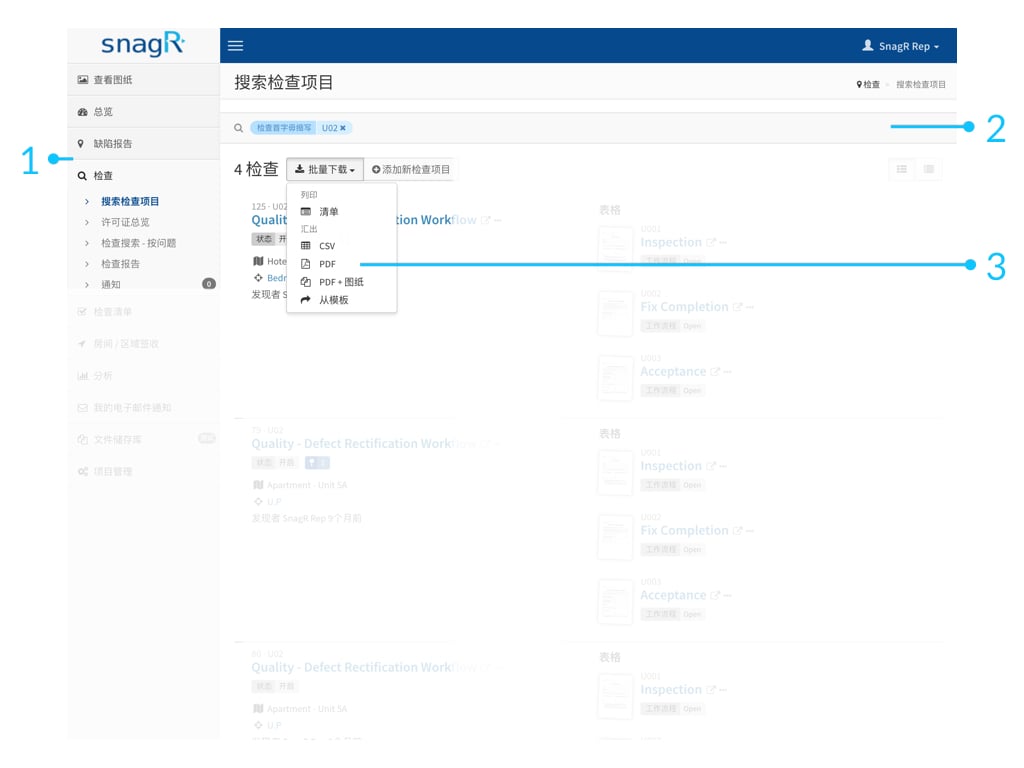
#### 批量导出成PDF
在你成批导出之前,最好先利用检查页面顶端的搜索框将一些筛选条件应用到搜索当中。例如,表格的名称:每日巡视纪录,表格的创建人。这些会让你的更为准确地下载你需要的表格,不然你就会将整个系统所有的表格全部下载。 😯
了解[如何将缺陷或者文档链接到表格。](/cn/forms/link-issues-and-documents-to-forms/305174)
 **网页版**
你可以将表格单张或者成批地导出成PDF格式。
#### 单张导出成PDF
**网页版**
你可以将表格单张或者成批地导出成PDF格式。
#### 单张导出成PDF
 #### 批量导出成PDF
在你成批导出之前,最好先利用检查页面顶端的搜索框将一些筛选条件应用到搜索当中。例如,表格的名称:每日巡视纪录,表格的创建人。这些会让你的更为准确地下载你需要的表格,不然你就会将整个系统所有的表格全部下载。 😯
#### 批量导出成PDF
在你成批导出之前,最好先利用检查页面顶端的搜索框将一些筛选条件应用到搜索当中。例如,表格的名称:每日巡视纪录,表格的创建人。这些会让你的更为准确地下载你需要的表格,不然你就会将整个系统所有的表格全部下载。 😯
 了解[如何将缺陷或者文档链接到表格。](/cn/forms/link-issues-and-documents-to-forms/305174)