> ## Documentation Index
> Fetch the complete documentation index at: https://kb.snagr.co.uk/llms.txt
> Use this file to discover all available pages before exploring further.

# Wie bearbeite ich Listen?

<img src="https://mintcdn.com/snagr/Fc-Qgss-VatVIL0b/images/uploads/123693-if_ic_tv_48px_352186.png?fit=max&auto=format&n=Fc-Qgss-VatVIL0b&q=85&s=06b23e0223986004fba7bbb6aa8febb3" alt="if ic tv 48px 352186" width="20" data-path="images/uploads/123693-if_ic_tv_48px_352186.png" /> **Webseite**

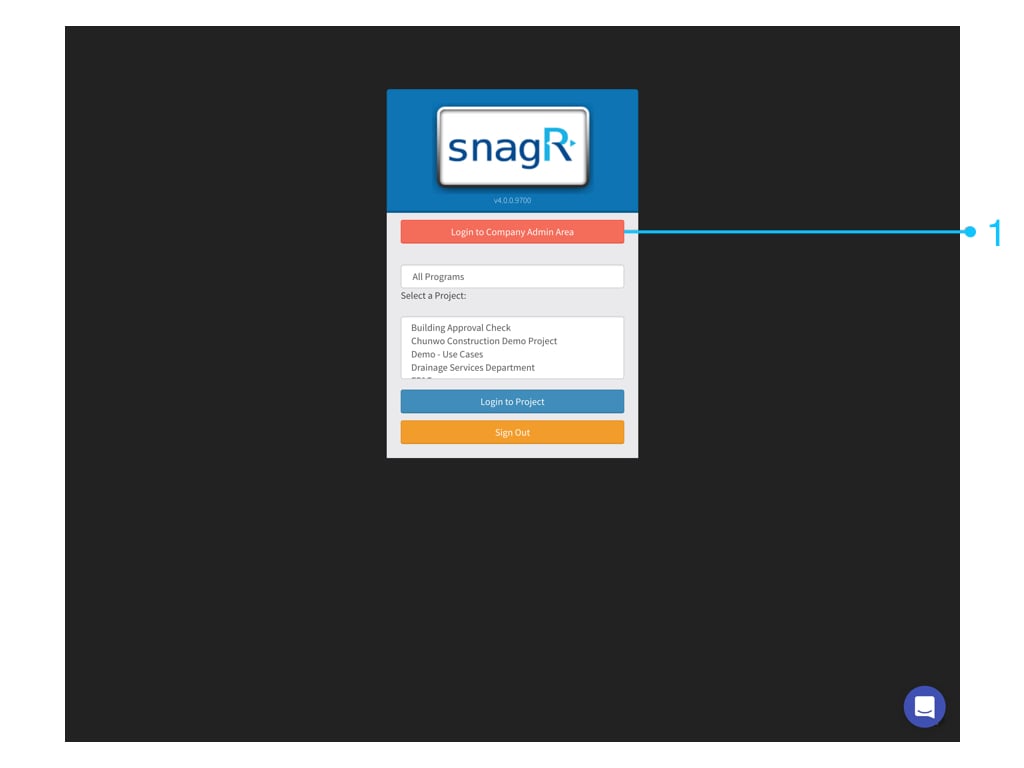
Melden Sie sich zunächst auf **Unternehmensebene** an. Nur Unternehmensmanager sehen diese Schaltfläche.
<img src="https://mintcdn.com/snagr/cq3DLfKmhQlF8uo8/images/direct/1521177204174-Admin_Website.001.jpeg?fit=max&auto=format&n=cq3DLfKmhQlF8uo8&q=85&s=6d2985ec052a2fa74ada43df067b076d" alt="Admin Website.001" width="1024" height="768" data-path="images/direct/1521177204174-Admin_Website.001.jpeg" />

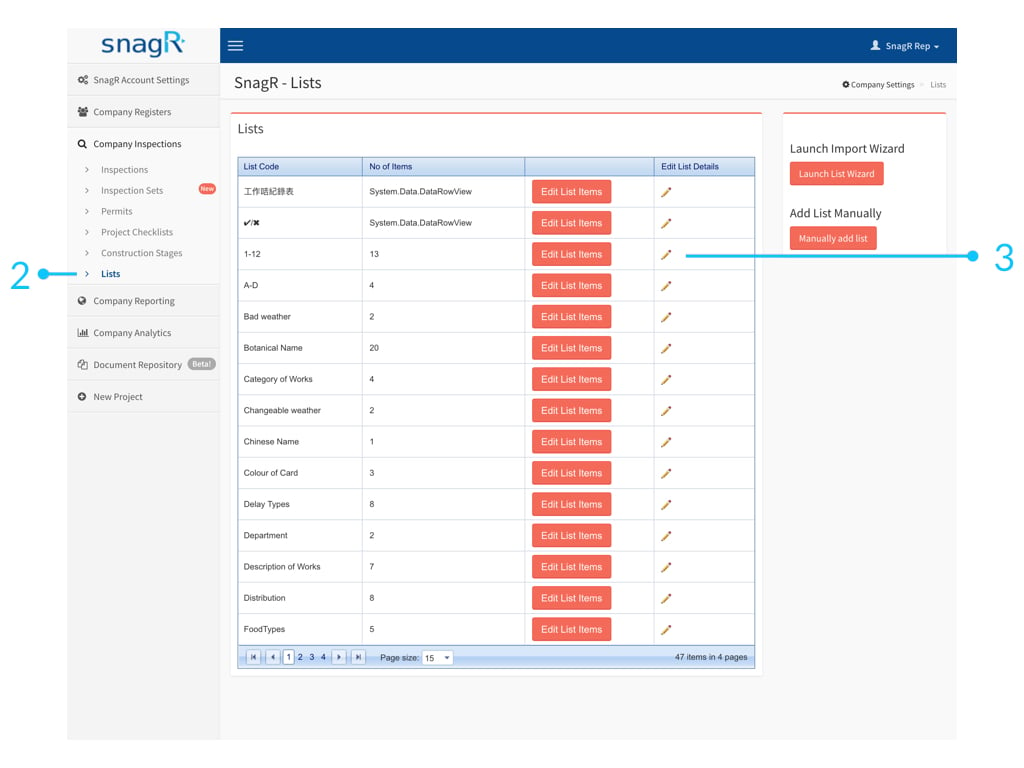
Gehen Sie zu **Unternehmensinspektionen> Listen**.

### **1. Bearbeiten Sie den Listennamen**

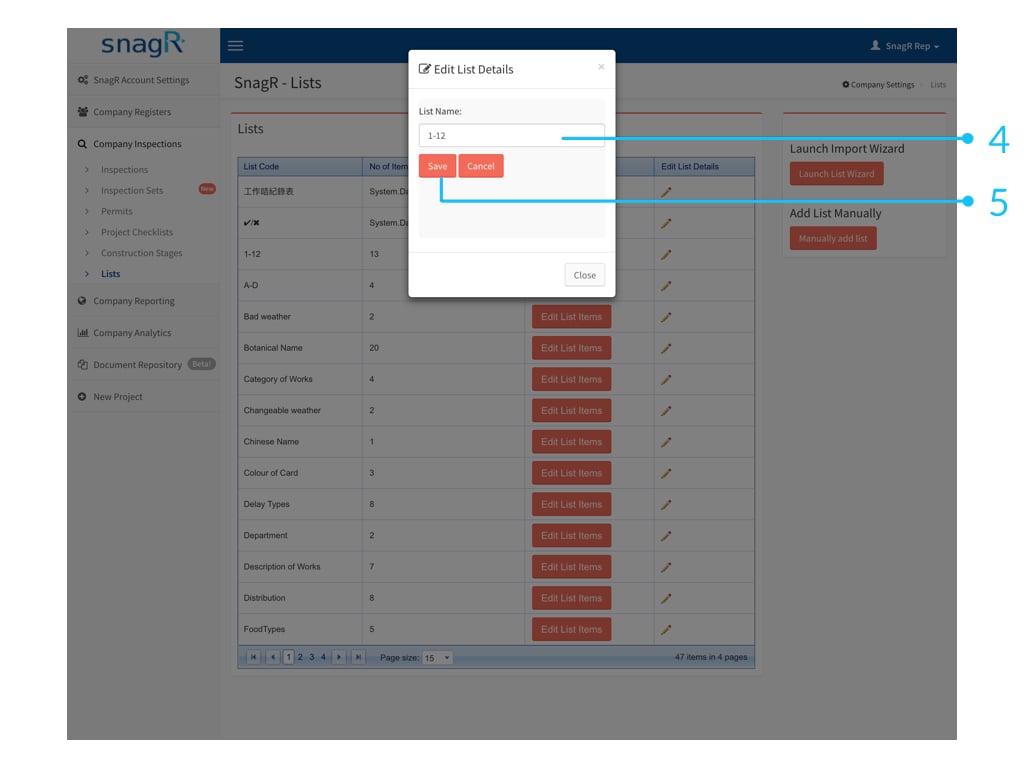
Klicken Sie auf das Stiftsymbol <img src="https://mintcdn.com/snagr/5Ct0kGva8U2RUSvy/images/direct/1523848840678-Screen-Shot-2018-04-16-at-11.19.54-AM.png?fit=max&auto=format&n=5Ct0kGva8U2RUSvy&q=85&s=f84beeb41f9ff85ffb380f12614d35b8" alt="Screen Shot 2018 04 16 at 11.19.54 AM" width="26" data-path="images/direct/1523848840678-Screen-Shot-2018-04-16-at-11.19.54-AM.png" /> um den **Listennamen** zu ändern.

<img src="https://mintcdn.com/snagr/5Ct0kGva8U2RUSvy/images/direct/1523850491638-Admin_Websiteeee.001.jpeg?fit=max&auto=format&n=5Ct0kGva8U2RUSvy&q=85&s=0e7fd9f9d21fd6217bb73b4731482355" alt="Admin Websiteeee.001" width="1024" height="768" data-path="images/direct/1523850491638-Admin_Websiteeee.001.jpeg" />

<img src="https://mintcdn.com/snagr/5Ct0kGva8U2RUSvy/images/direct/1523850514713-Admin_Websiteeee.002.jpeg?fit=max&auto=format&n=5Ct0kGva8U2RUSvy&q=85&s=9f68cfd1a8c16609b09e9b1a38049ce5" alt="Admin Websiteeee.002" width="1024" height="768" data-path="images/direct/1523850514713-Admin_Websiteeee.002.jpeg" />

### 2. Listenelemente bearbeiten

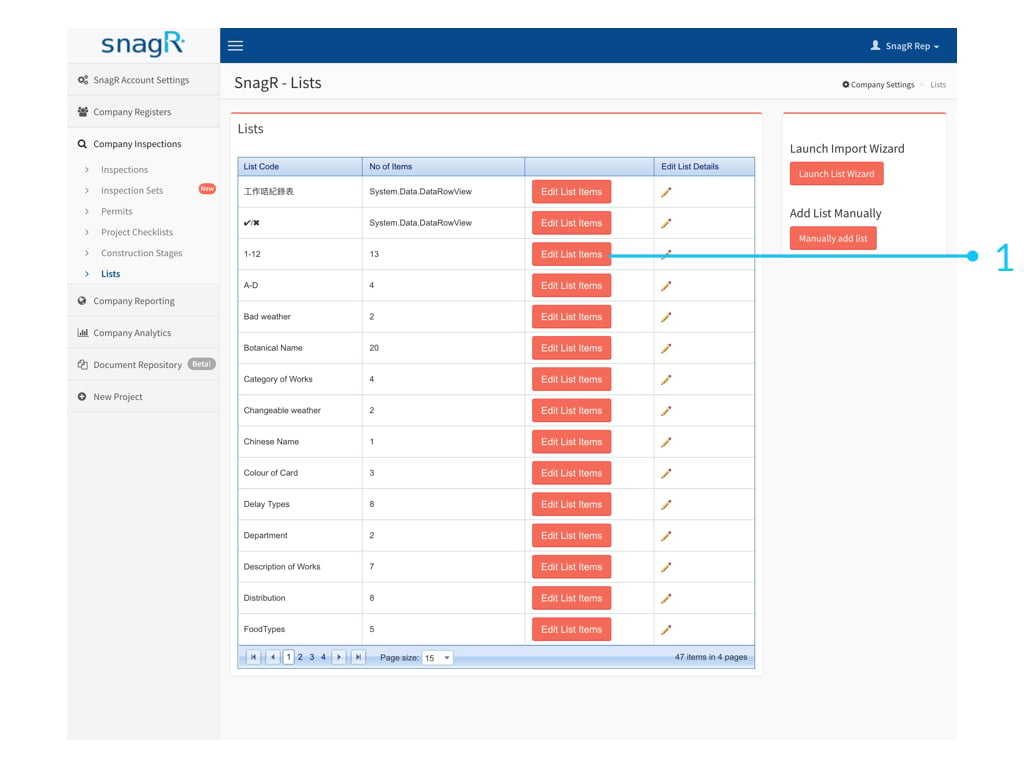
Klicken Sie auf **Listenelemente bearbeiten.**
<img src="https://mintcdn.com/snagr/5Ct0kGva8U2RUSvy/images/direct/1523850541986-Admin_Websiteeee.003.jpeg?fit=max&auto=format&n=5Ct0kGva8U2RUSvy&q=85&s=a90ee11bb0f821436d9e5c1ff9fc721c" alt="Admin Websiteeee.003" width="1024" height="768" data-path="images/direct/1523850541986-Admin_Websiteeee.003.jpeg" />

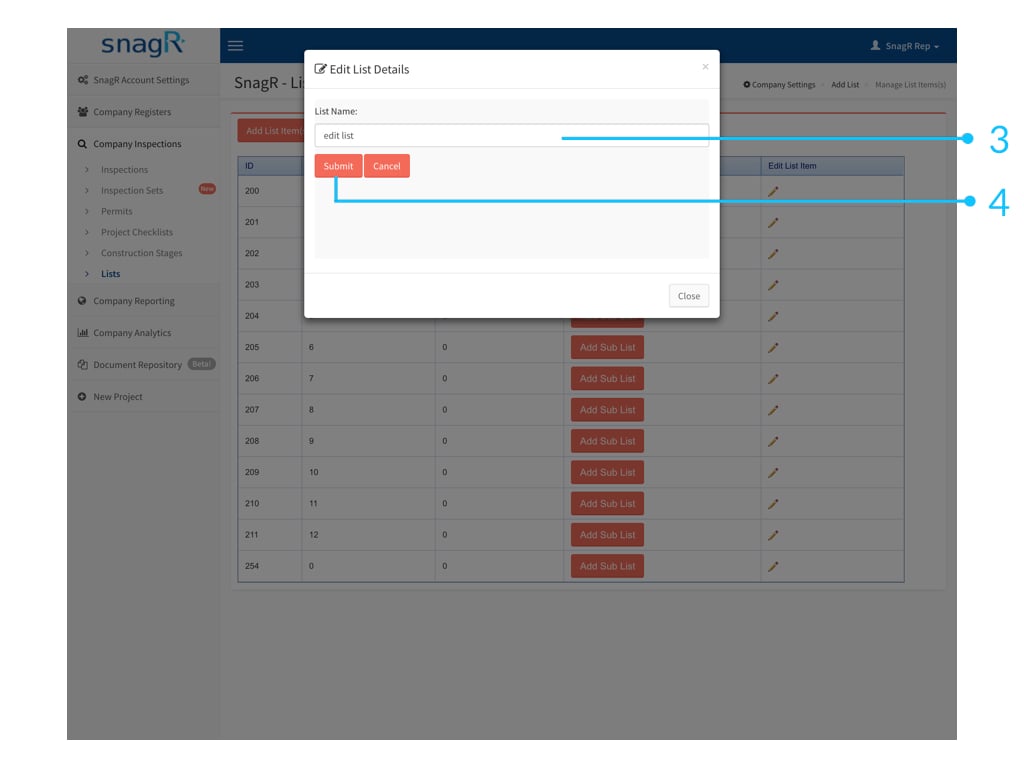
Klicken Sie auf das Stiftsymbol <img src="https://mintcdn.com/snagr/5Ct0kGva8U2RUSvy/images/direct/1523848840678-Screen-Shot-2018-04-16-at-11.19.54-AM.png?fit=max&auto=format&n=5Ct0kGva8U2RUSvy&q=85&s=f84beeb41f9ff85ffb380f12614d35b8" alt="Screen Shot 2018 04 16 at 11.19.54 AM" width="26" data-path="images/direct/1523848840678-Screen-Shot-2018-04-16-at-11.19.54-AM.png" /> um das **Element** zu bearbeiten.

<img src="https://mintcdn.com/snagr/5Ct0kGva8U2RUSvy/images/direct/1523850608498-Admin_Websiteeee.004.jpeg?fit=max&auto=format&n=5Ct0kGva8U2RUSvy&q=85&s=3739e0d3248315bba6eb15632987841c" alt="Admin Websiteeee.004" width="1024" height="768" data-path="images/direct/1523850608498-Admin_Websiteeee.004.jpeg" />

<img src="https://mintcdn.com/snagr/5Ct0kGva8U2RUSvy/images/direct/1523850629826-Admin_Websiteeee.005.jpeg?fit=max&auto=format&n=5Ct0kGva8U2RUSvy&q=85&s=c0149d1a48f8c713826f5d61d63b6881" alt="Admin Websiteeee.005" width="1024" height="768" data-path="images/direct/1523850629826-Admin_Websiteeee.005.jpeg" />

### 3. Listenelemente hinzufügen

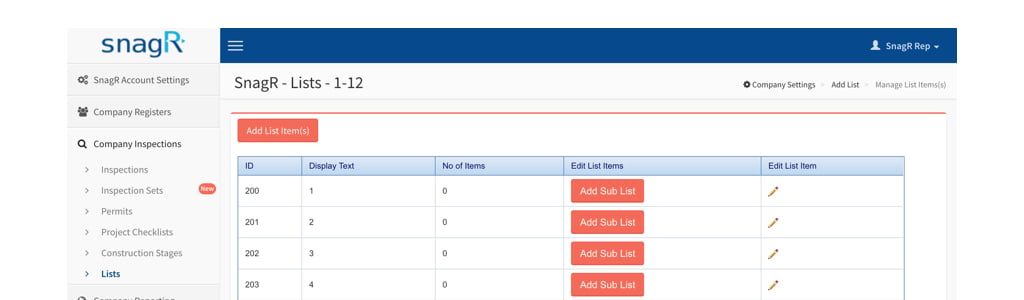
Klicken Sie oben auf der Seite auf **Element (e) hinzufügen**.
<img src="https://mintcdn.com/snagr/V8StriBwFl_CwQFJ/images/direct/1524724551076-1523850608498-Admin_Websiteeee.004.jpeg?fit=max&auto=format&n=V8StriBwFl_CwQFJ&q=85&s=8c6ebaf587655f5adc8f5aea41b0701f" alt="1523850608498 Admin Websiteeee.004" width="1024" height="300" data-path="images/direct/1524724551076-1523850608498-Admin_Websiteeee.004.jpeg" />

<img src="https://mintcdn.com/snagr/5Ct0kGva8U2RUSvy/images/direct/1523849567158-exclamation-mark.png?fit=max&auto=format&n=5Ct0kGva8U2RUSvy&q=85&s=5d94a5048b486adfe41754c8e4a49ae7" alt="exclamation mark" width="23" data-path="images/direct/1523849567158-exclamation-mark.png" />Beachten Sie, dass Sie nur Elemente umbenennen können. **Sie können keine Artikel löschen und die Reihenfolge nicht ändern**.