> ## Documentation Index
> Fetch the complete documentation index at: https://kb.snagr.co.uk/llms.txt
> Use this file to discover all available pages before exploring further.
# The app has been "Checking Credentials" for a long time. What is wrong?
These are likely related to a **mistaken URL input**. Please be sure to have the correct URL.
For example, the URL should not end with a slash (/).
E.g., [http://demo40.snagr.com.hk/training/](http://demo40.snagr.com.hk/training/) will prompt an error. [http://demo40.snagr.com.hk/training](http://demo40.snagr.com.hk/training) is correct.
**The project URL is long! This is hard for me.**
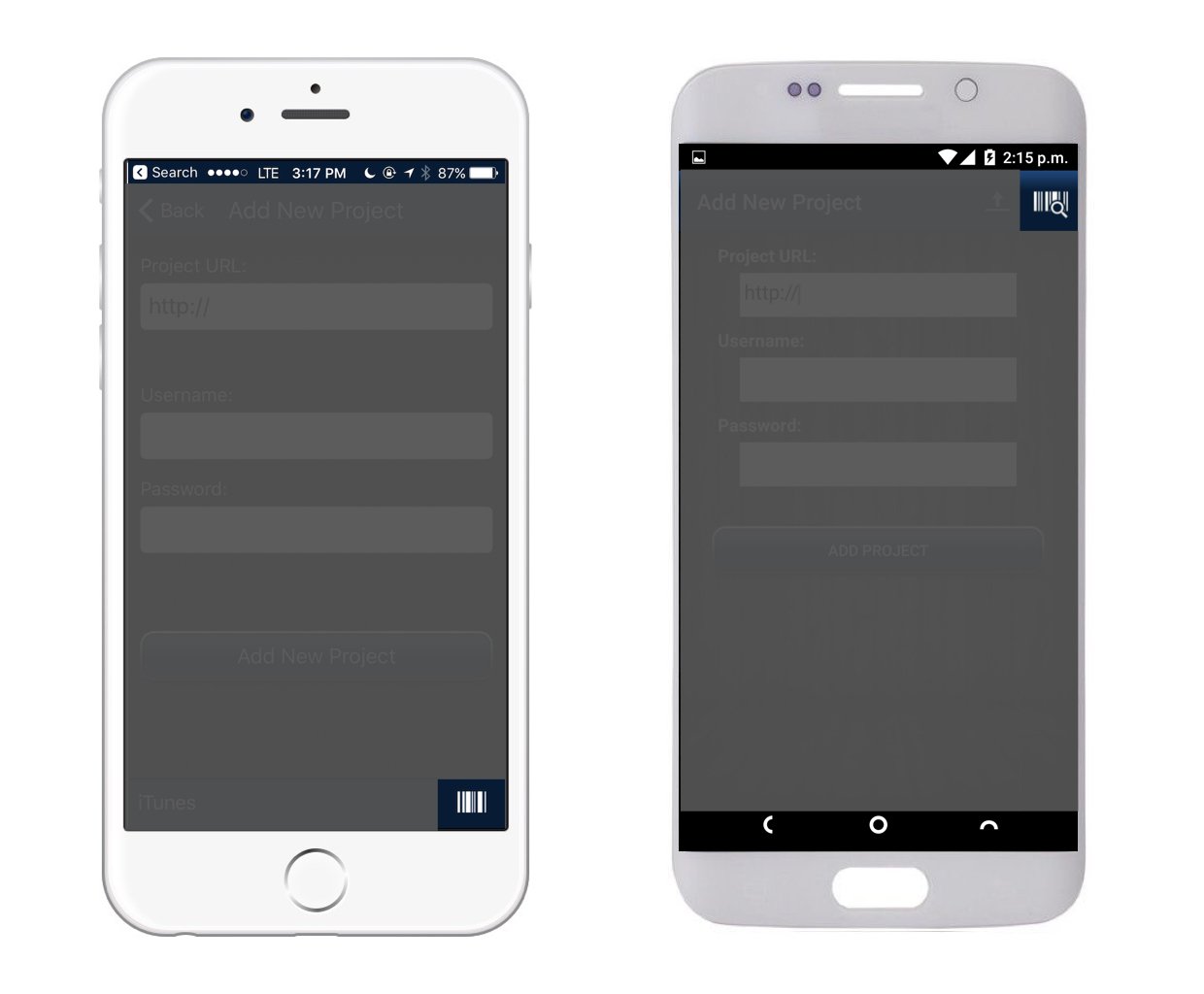
Simply pull up the QR code scanner so SnagR imports the project URL and your username for you.
You will find the QR code scanner here:
 Scan the QR code provided on the welcome email from SnagR, and your project URL and username should be in perfectly.
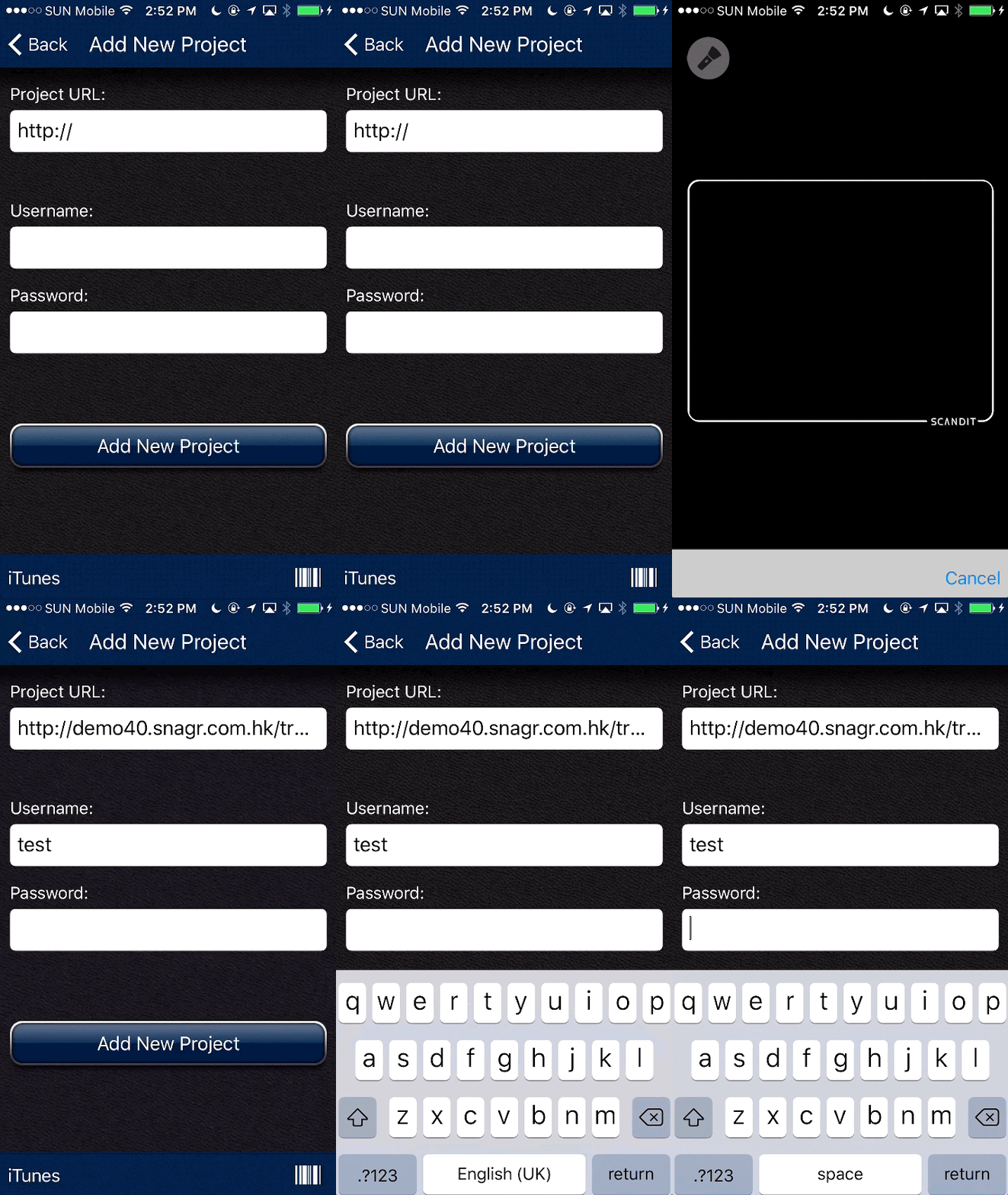 Simply type your password to proceed. You are good to go!