> ## Documentation Index
> Fetch the complete documentation index at: https://kb.snagr.co.uk/llms.txt
> Use this file to discover all available pages before exploring further.

# What is "Add Future Issue"?

<img src="https://mintcdn.com/snagr/Fc-Qgss-VatVIL0b/images/uploads/123669-if_icons_mobile_1564515.png?fit=max&auto=format&n=Fc-Qgss-VatVIL0b&q=85&s=33c23172e831246883598cbf05523c0d" alt="if icons mobile 1564515" width="18" data-path="images/uploads/123669-if_icons_mobile_1564515.png" /> **Device**

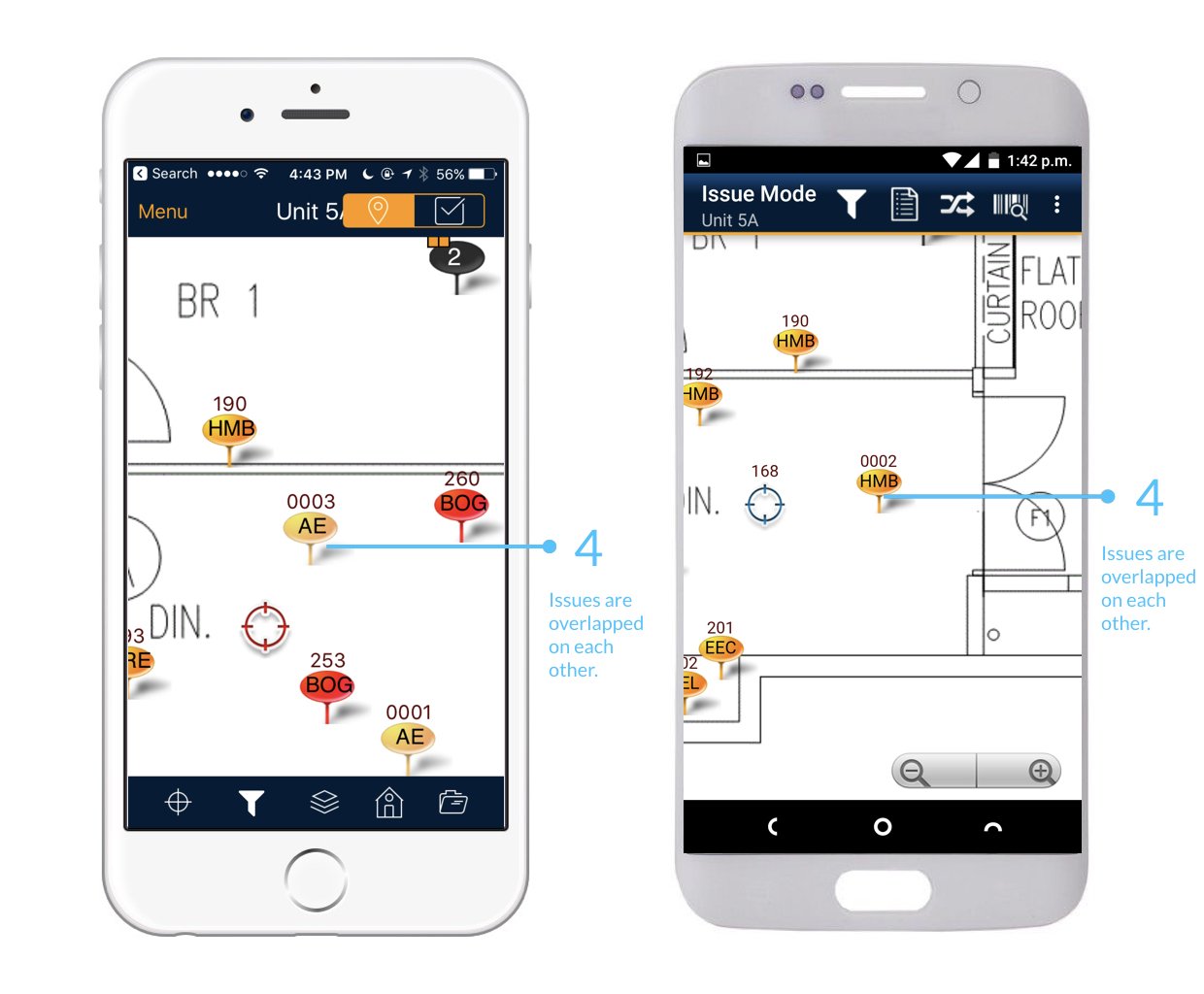
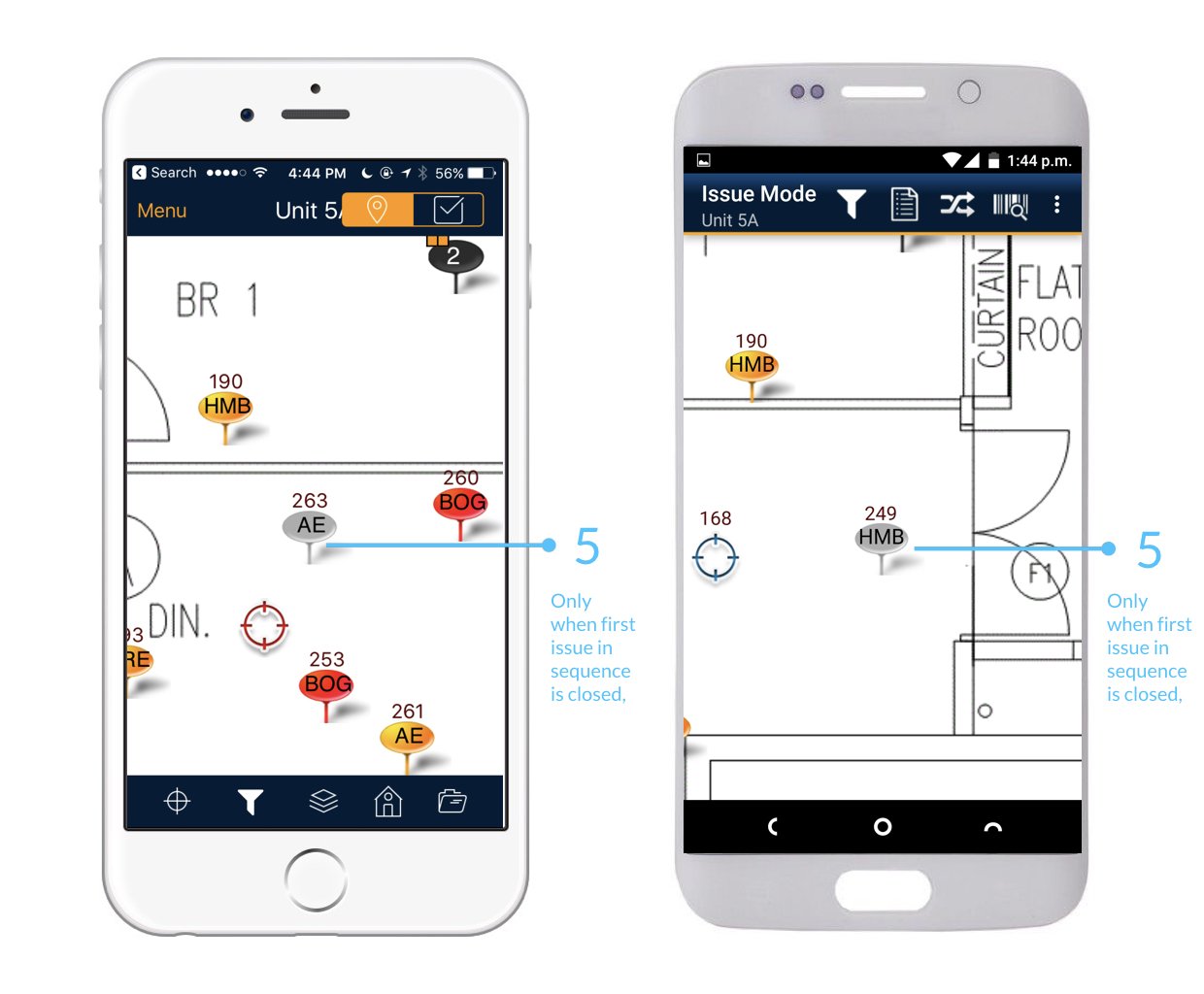
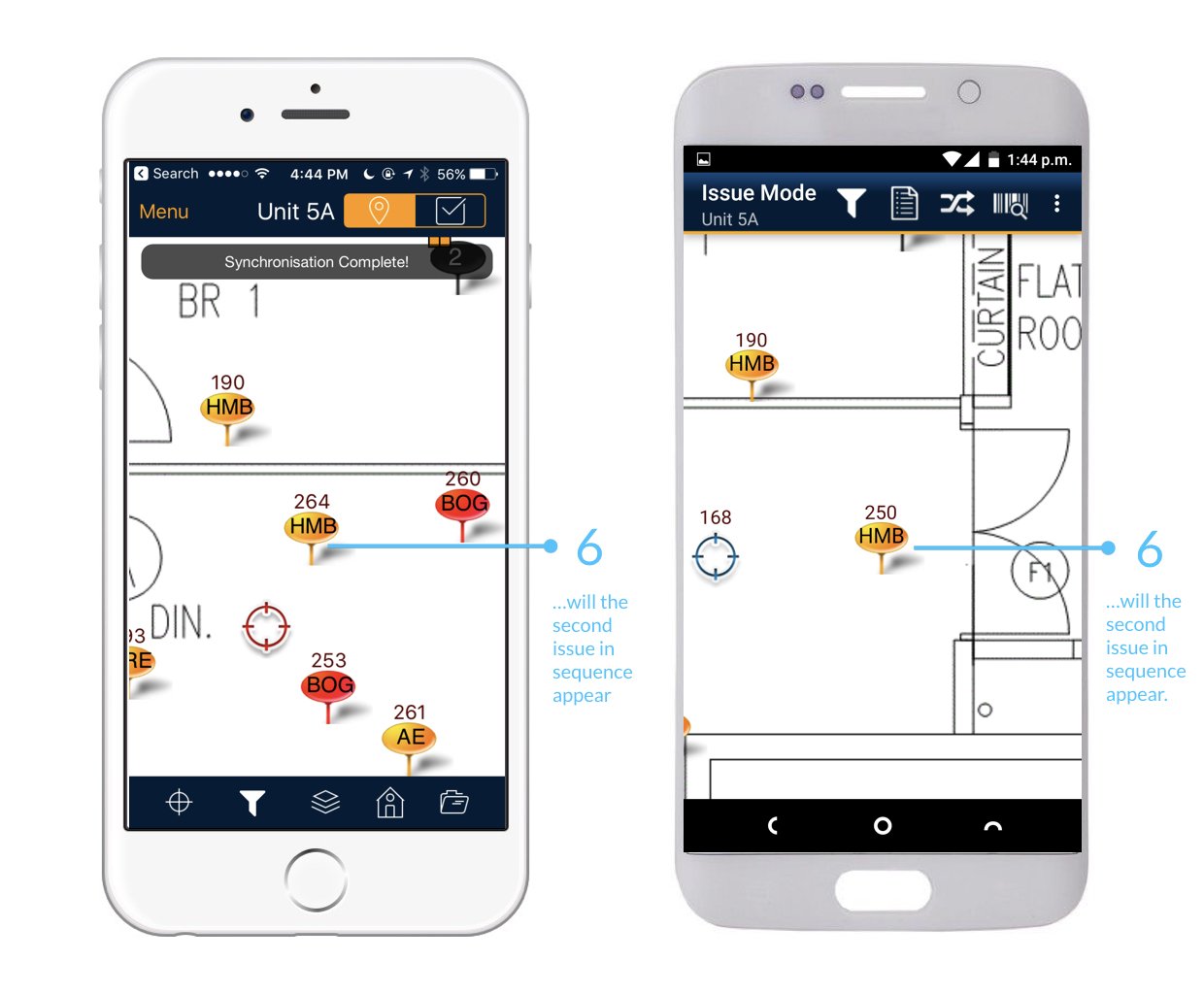
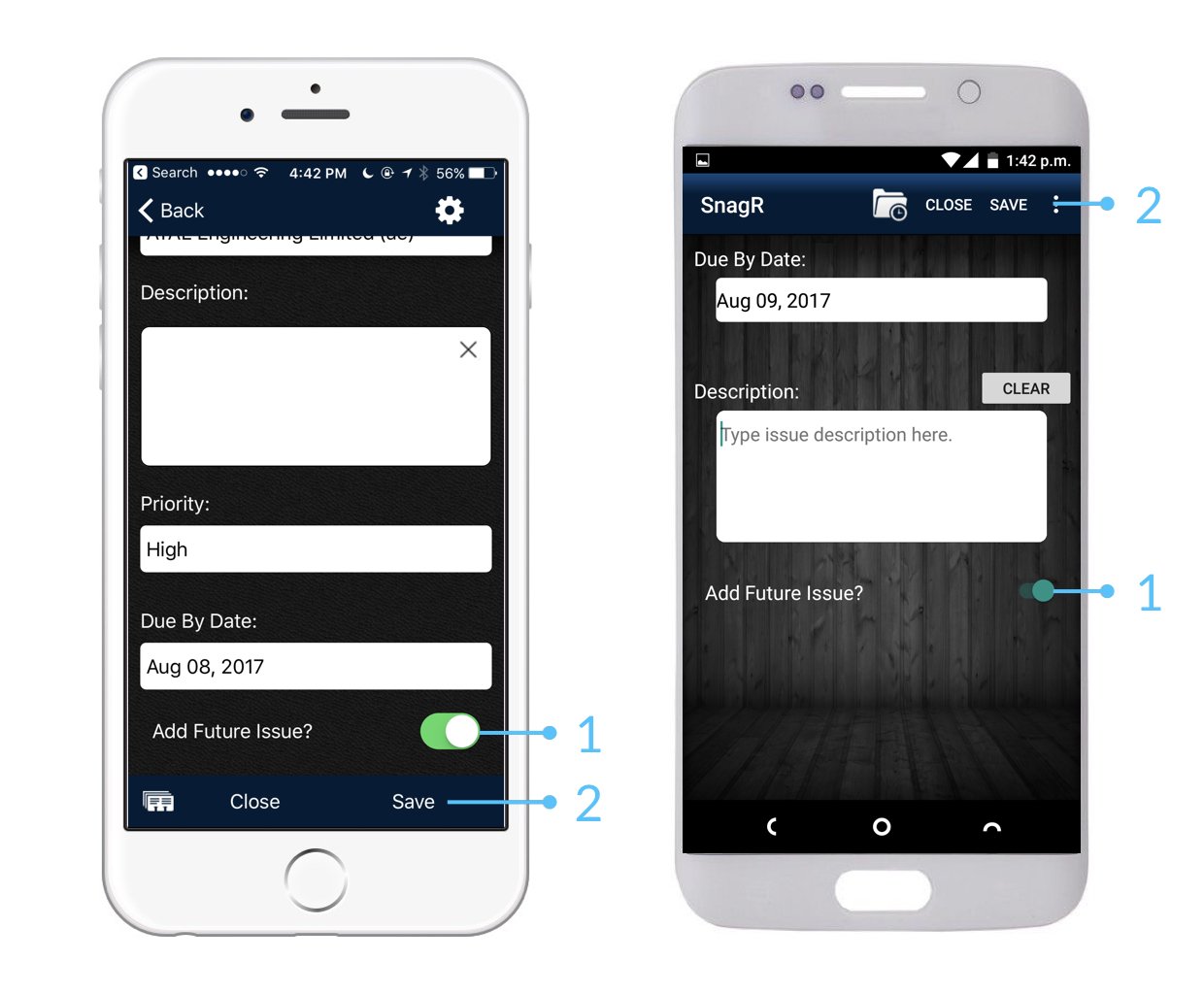
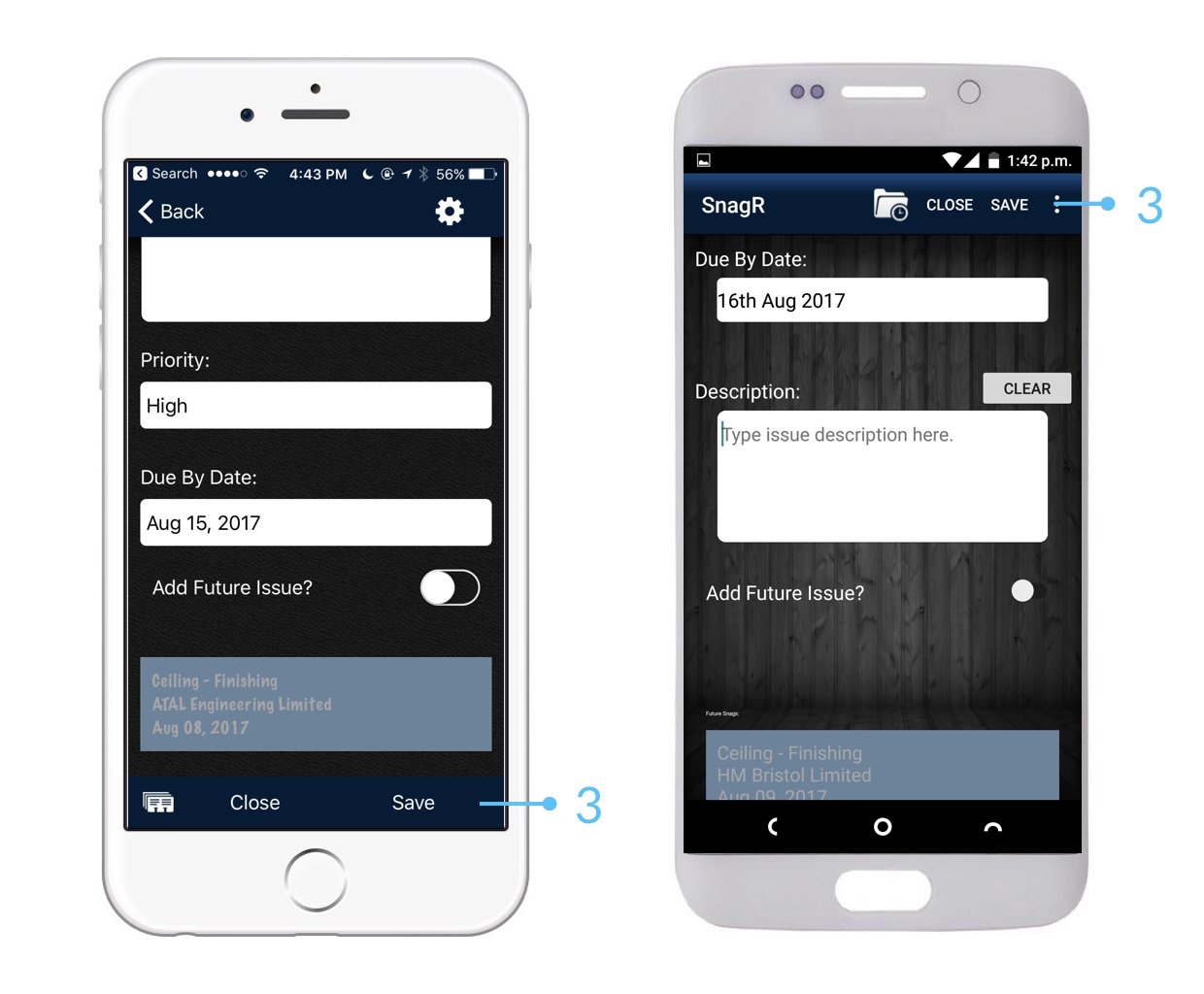
Add Future Issue allows you to add the details of an issue that will become evident once the initial issue has been fixed.

For example, if damage has been done to a wall and it must be plastered again, it ultimately causes a follow on issue in the form of requiring redecorating.
<img src="https://mintcdn.com/snagr/lG5zeW-JZpPjZFoL/images/uploads/127129-Issue_Mode_Device.040.jpeg?fit=max&auto=format&n=lG5zeW-JZpPjZFoL&q=85&s=f8d1384ff443f7b30119a17a3b1a20f5" alt="Issue Mode Device.040" width="1240" height="1024" data-path="images/uploads/127129-Issue_Mode_Device.040.jpeg" />

<img src="https://mintcdn.com/snagr/lG5zeW-JZpPjZFoL/images/uploads/127130-Issue_Mode_Device.041.jpeg?fit=max&auto=format&n=lG5zeW-JZpPjZFoL&q=85&s=29833ffdf132514eadd06613bfca1dda" alt="Issue Mode Device.041" width="1240" height="1024" data-path="images/uploads/127130-Issue_Mode_Device.041.jpeg" />

<img src="https://mintcdn.com/snagr/lG5zeW-JZpPjZFoL/images/uploads/127131-Issue_Mode_Device.042.jpeg?fit=max&auto=format&n=lG5zeW-JZpPjZFoL&q=85&s=8451fb49fd9fd9e95d2f3b770623dbc7" alt="Issue Mode Device.042" width="1240" height="1024" data-path="images/uploads/127131-Issue_Mode_Device.042.jpeg" />

<img src="https://mintcdn.com/snagr/lG5zeW-JZpPjZFoL/images/uploads/127132-Issue_Mode_Device.043.jpeg?fit=max&auto=format&n=lG5zeW-JZpPjZFoL&q=85&s=8693fac83f4c9310631065fa9f9064c4" alt="Issue Mode Device.043" width="1240" height="1024" data-path="images/uploads/127132-Issue_Mode_Device.043.jpeg" />

<img src="https://mintcdn.com/snagr/lG5zeW-JZpPjZFoL/images/uploads/127133-Issue_Mode_Device.044.jpeg?fit=max&auto=format&n=lG5zeW-JZpPjZFoL&q=85&s=34ce63b87c57757e02acdcb69bc3a4e4" alt="Issue Mode Device.044" width="1240" height="1024" data-path="images/uploads/127133-Issue_Mode_Device.044.jpeg" />

<img src="https://mintcdn.com/snagr/lG5zeW-JZpPjZFoL/images/uploads/127041-Red_Flag_Emoji.png?fit=max&auto=format&n=lG5zeW-JZpPjZFoL&q=85&s=122220a995f6a719dddaffb5de76ce80" alt="Red Flag Emoji" width="20" data-path="images/uploads/127041-Red_Flag_Emoji.png" /> Follow up issues only become apparent after the initial issue is closed. If you would like to see follow up issues all at the same time, click [here](/en/issues/add-issues/how-to-add-multiple-issues-on-the-same-spot) to see how you can do it.