> ## Documentation Index
> Fetch the complete documentation index at: https://kb.snagr.co.uk/llms.txt
> Use this file to discover all available pages before exploring further.
# How to batch edit User(s) Role / Enabled?
Something you need to know before batch edits the user(s) role / enabled:
* [ How to set permissions? (Issues)](/en/set-up-project/accounts-and-permissions-project-level/how-to-set-permissions-issues)
*
How to set permissions? (Issues)](/en/set-up-project/accounts-and-permissions-project-level/how-to-set-permissions-issues)
*  User role will directly affect the inspection & form permission of the user, you should never update the user role after updated inspection/form permission.
*
User role will directly affect the inspection & form permission of the user, you should never update the user role after updated inspection/form permission.
*  What's **Enabled?** If you would like the user to access the system, check enabled. If you would not like the user to have access anymore, uncheck the box. They would not be able to login to the system then. Note a user can be disabled but cannot be deleted. This is to protect the project data such that if a user has created any issues or forms previously the record always remain.
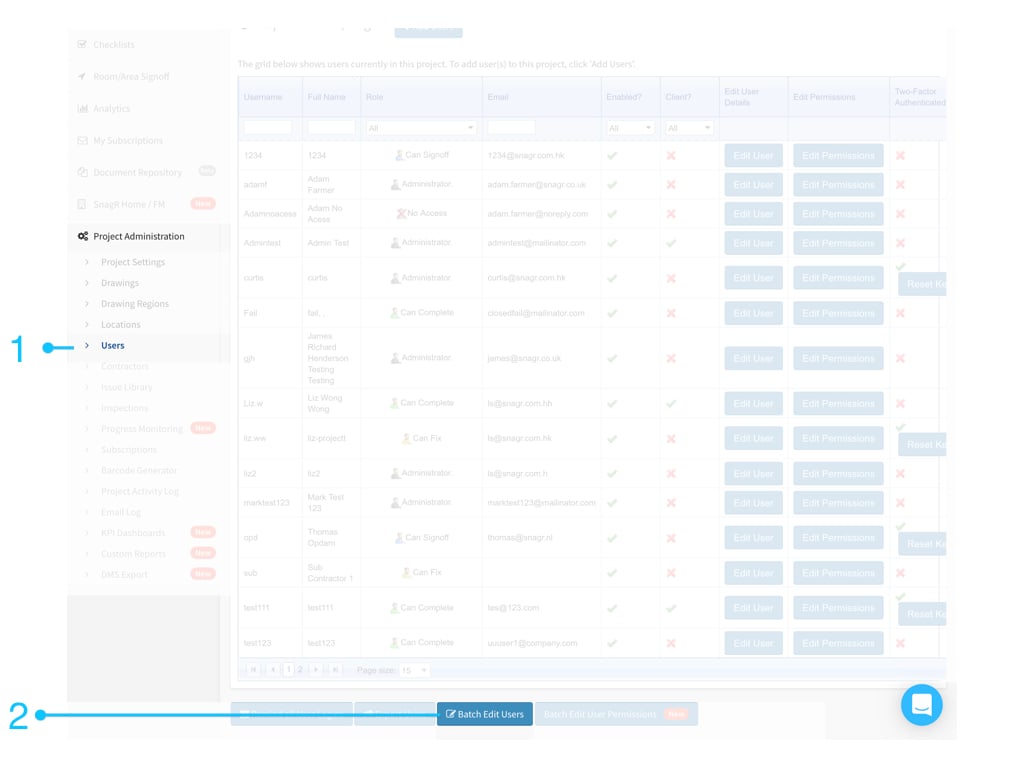 "Project Administration" > "Users" > "Batch Edit Users"
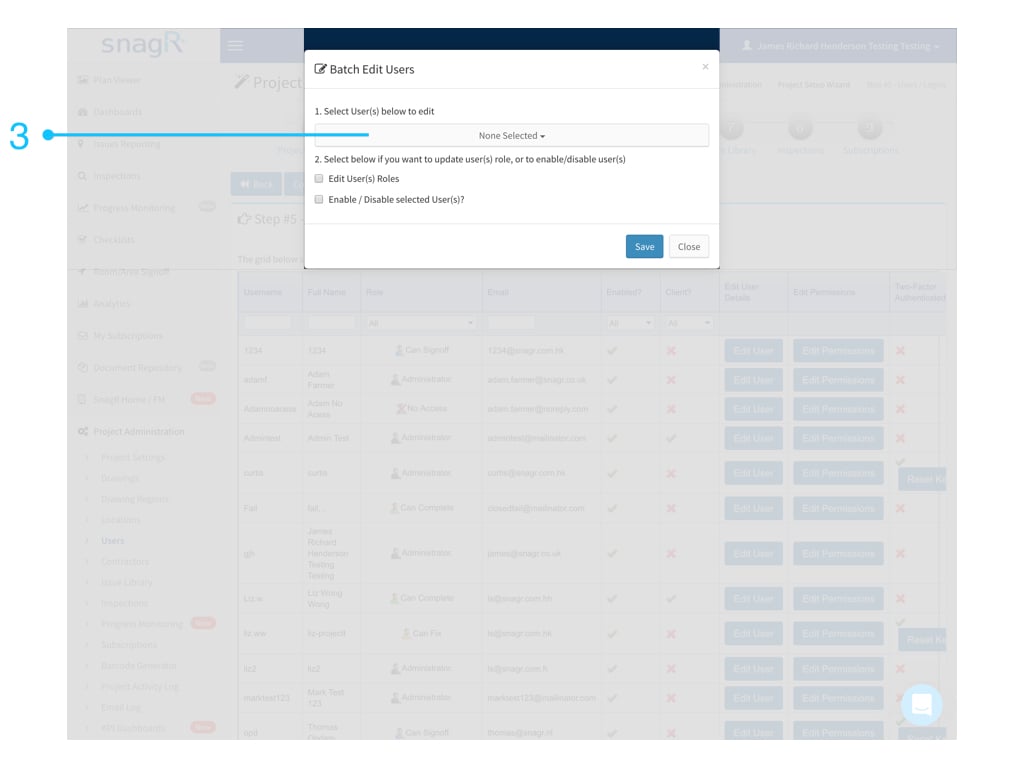 Select User(s) to edit
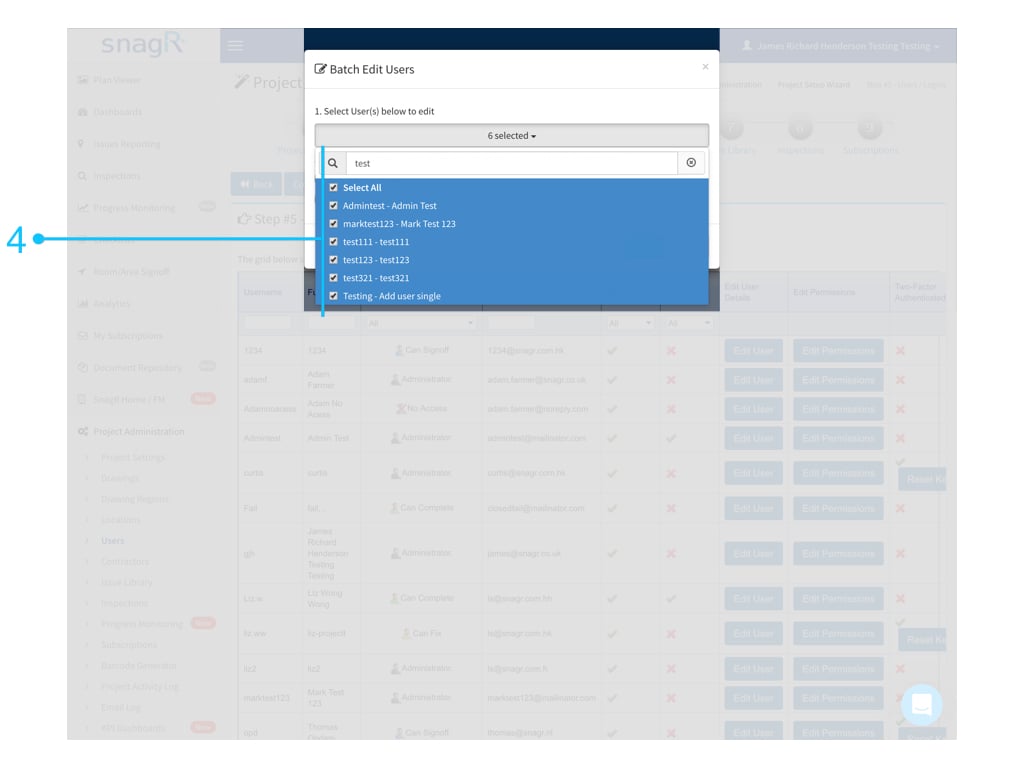 You can select multiple users by the search for a keyword.
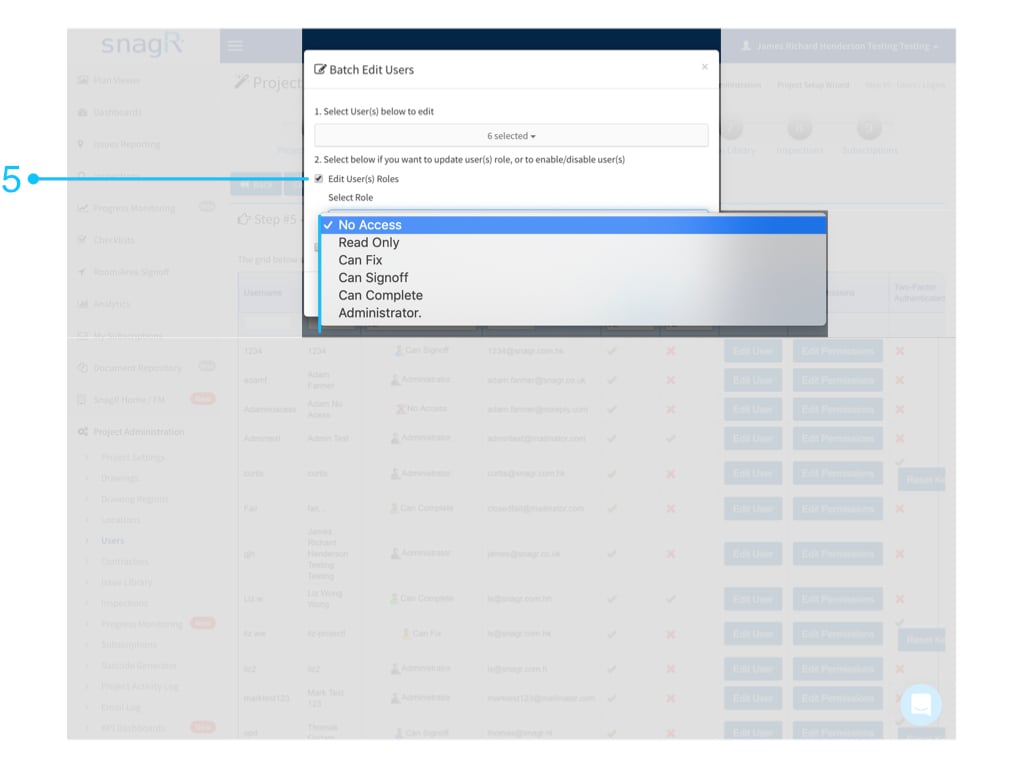 Check the "Edit User(s) Roles" box to edit user(s) role.
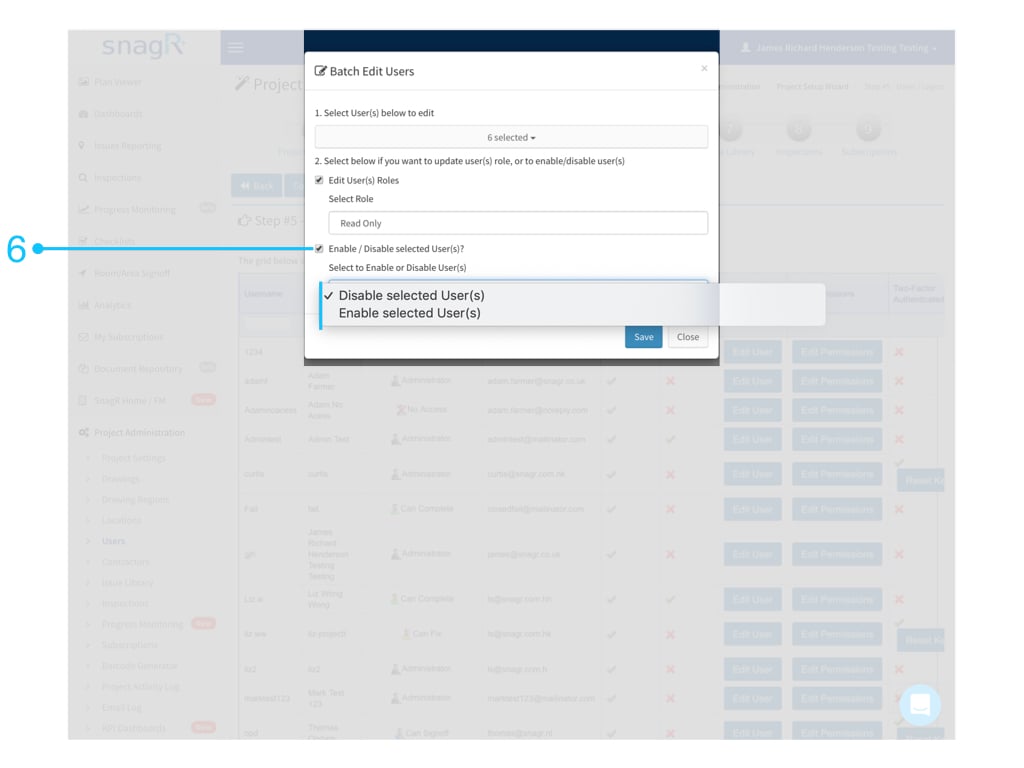 Check the "Enable / Disable selected User(s)?" box to Enable/Disable user(s).
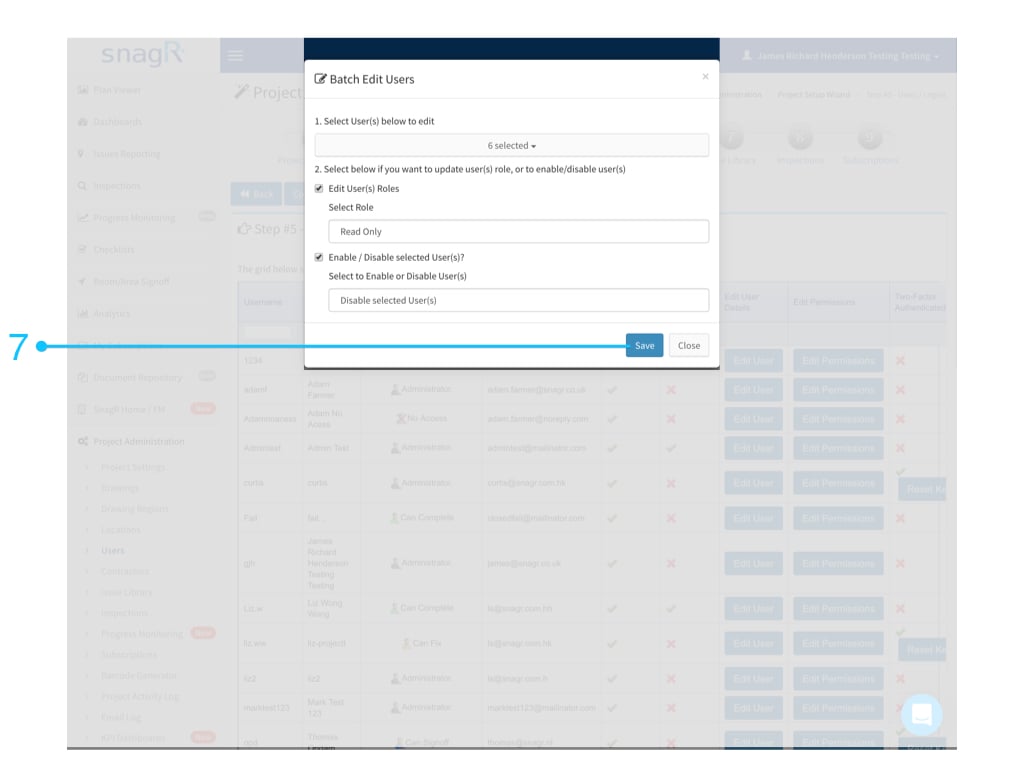 "Save"!!!