> ## Documentation Index
> Fetch the complete documentation index at: https://kb.snagr.co.uk/llms.txt
> Use this file to discover all available pages before exploring further.
# How to edit users and contractors?
 **Website**
**Edit Users**
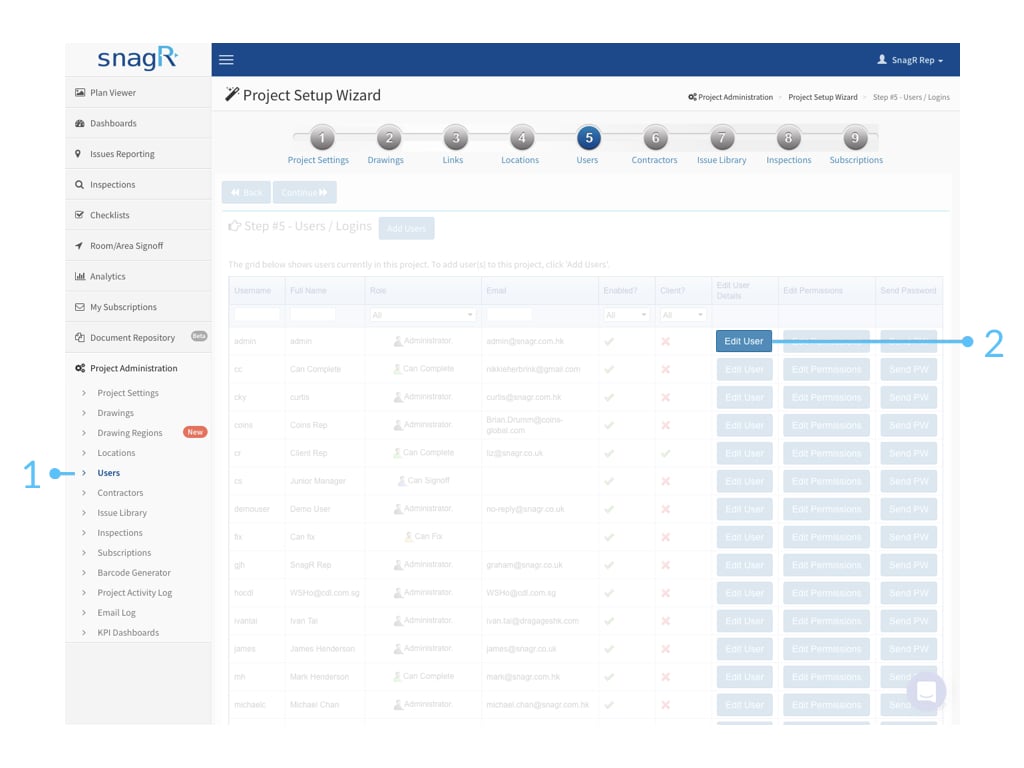
Go to Project Administration > Users.
To make changes to user account, click Edit User.
**Website**
**Edit Users**
Go to Project Administration > Users.
To make changes to user account, click Edit User.
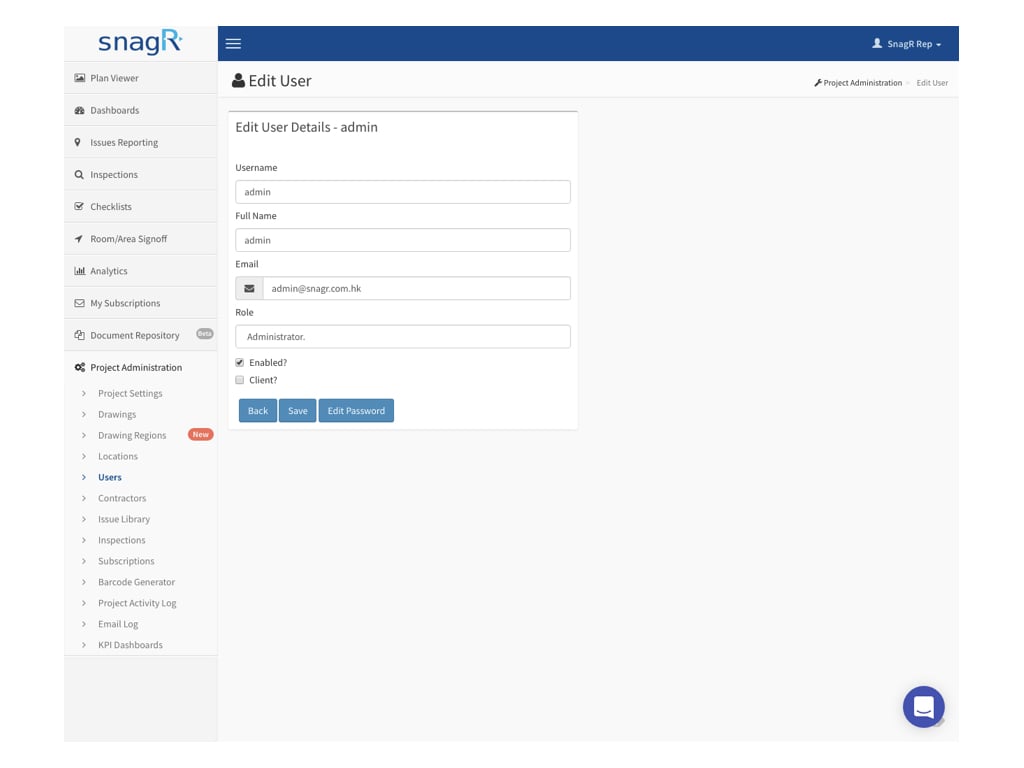 From there you are able to edit the username, full name, email address, user permission, enable/disable the user account on this project and reset user password.
*
From there you are able to edit the username, full name, email address, user permission, enable/disable the user account on this project and reset user password.
*  What's **Enabled?** If you would like the user to access the system, check enabled. If you would not like the user to have access anymore, uncheck the box. They would not be able to login to the system then. Note a user can be disabled but cannot be deleted. This is to protect the project data such that if a user has created any issues or forms previously the record always remain.
**Edit Contractors**
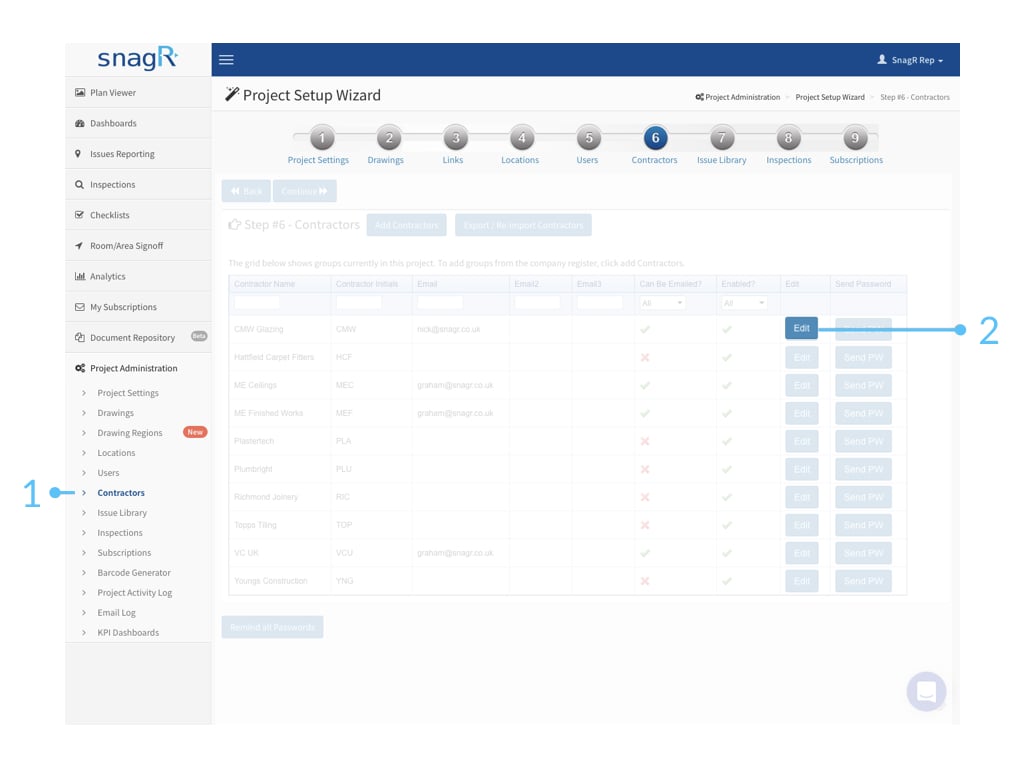
Go to Project Administration > Contractors.
To make changes to contractor account, click Edit.
What's **Enabled?** If you would like the user to access the system, check enabled. If you would not like the user to have access anymore, uncheck the box. They would not be able to login to the system then. Note a user can be disabled but cannot be deleted. This is to protect the project data such that if a user has created any issues or forms previously the record always remain.
**Edit Contractors**
Go to Project Administration > Contractors.
To make changes to contractor account, click Edit.
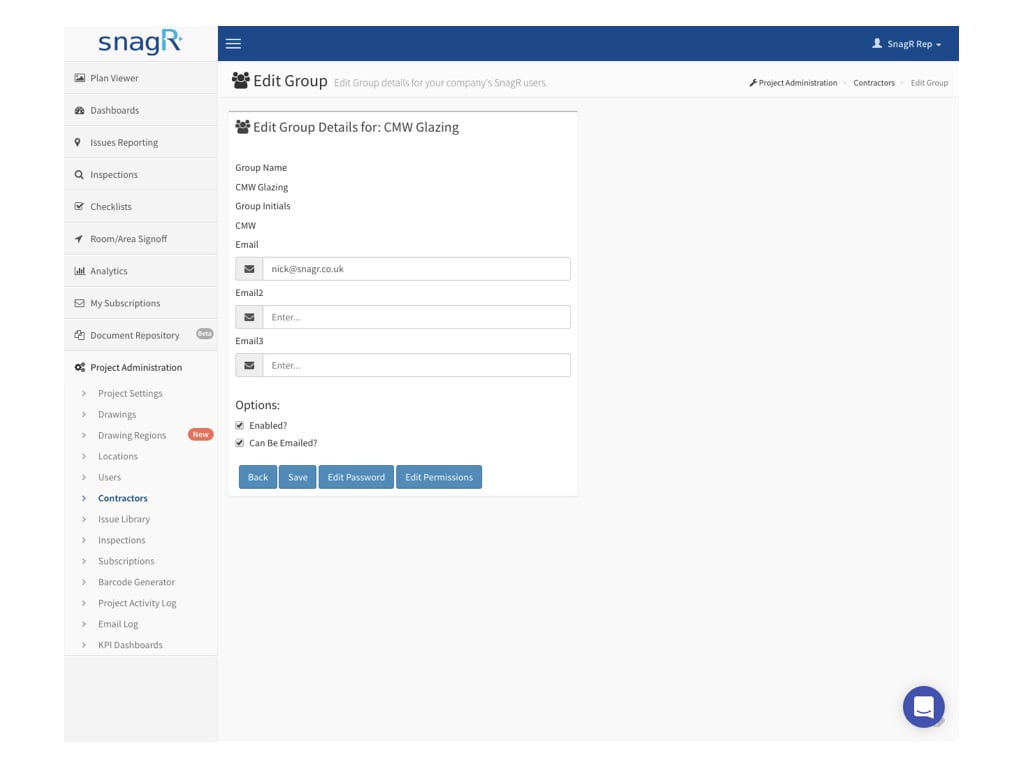 From there you are able to edit contractor email contact, Edit password, enable/disable the contractor on this project and Inspection form permissions. Note by default contractor permission in issue mode is Can Fix and this cannot be changed.
* What's **Enabled?** If you would like the user to access the system, check enabled. If you would not like the user to have access anymore, uncheck the box. They would not be able to login to the system then. Note a user can be disabled but cannot be deleted. This is to protect the project data such that if a user has created any issues or forms previously the record always remain.
From there you are able to edit contractor email contact, Edit password, enable/disable the contractor on this project and Inspection form permissions. Note by default contractor permission in issue mode is Can Fix and this cannot be changed.
* What's **Enabled?** If you would like the user to access the system, check enabled. If you would not like the user to have access anymore, uncheck the box. They would not be able to login to the system then. Note a user can be disabled but cannot be deleted. This is to protect the project data such that if a user has created any issues or forms previously the record always remain.
 To change the contractor name and initials you need to be the company administrator to do so.