> ## Documentation Index
> Fetch the complete documentation index at: https://kb.snagr.co.uk/llms.txt
> Use this file to discover all available pages before exploring further.
# How to create drawing sets / folders?
Drawings sets work like folders. By having drawing sets, it helps to:
1. Search for drawings efficiently and manage drawing updates
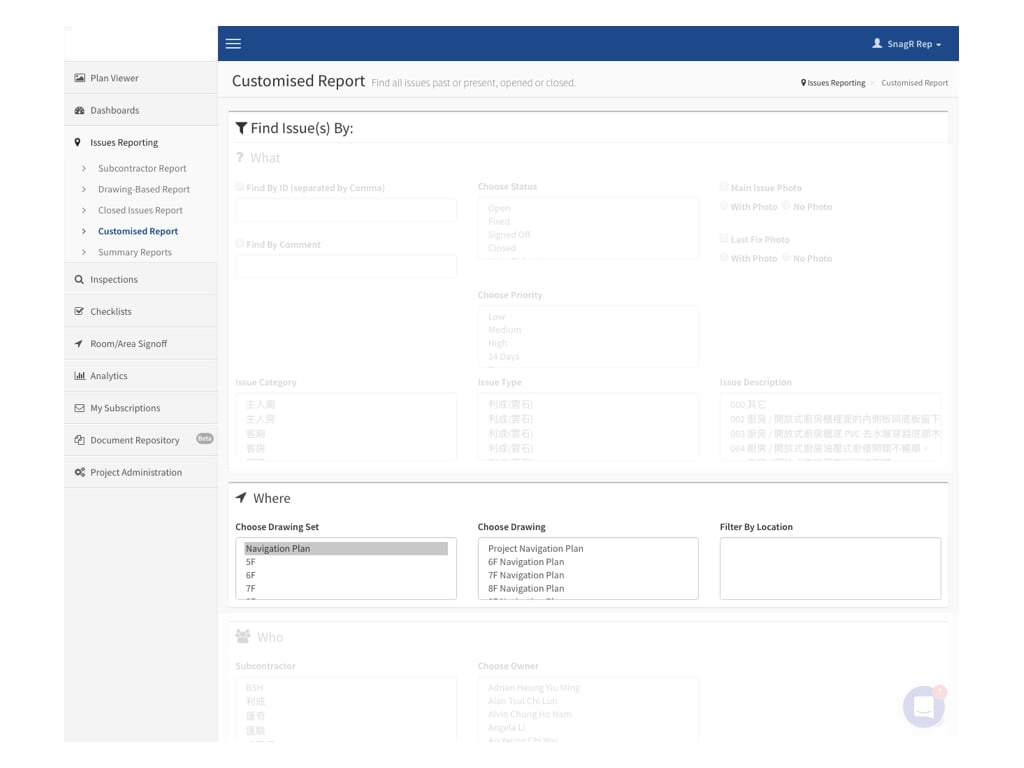
2. Use as a report filter (generate issue report based on drawing sets)
 **Website**
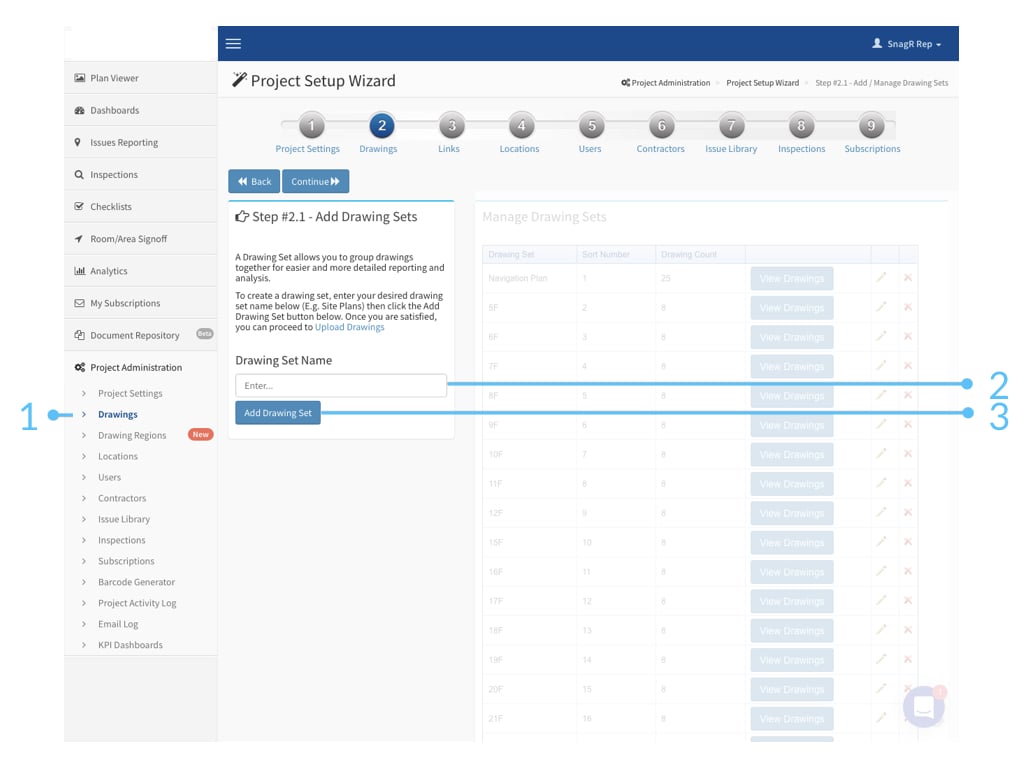
Go to Project Administration > Drawings
**Type** in drawing set name > Click **Add Drawing Set**
**Website**
Go to Project Administration > Drawings
**Type** in drawing set name > Click **Add Drawing Set**
 ***Example***
If it is a building project, you may want to create drawing sets by floor, i.e., 5F, 6F, 7F...etc.
When generating reports, you can easily create an issue report by floor by choosing a drawing set.
***Example***
If it is a building project, you may want to create drawing sets by floor, i.e., 5F, 6F, 7F...etc.
When generating reports, you can easily create an issue report by floor by choosing a drawing set.