> ## Documentation Index
> Fetch the complete documentation index at: https://kb.snagr.co.uk/llms.txt
> Use this file to discover all available pages before exploring further.
# How do I set up a digital form?
 **Website**
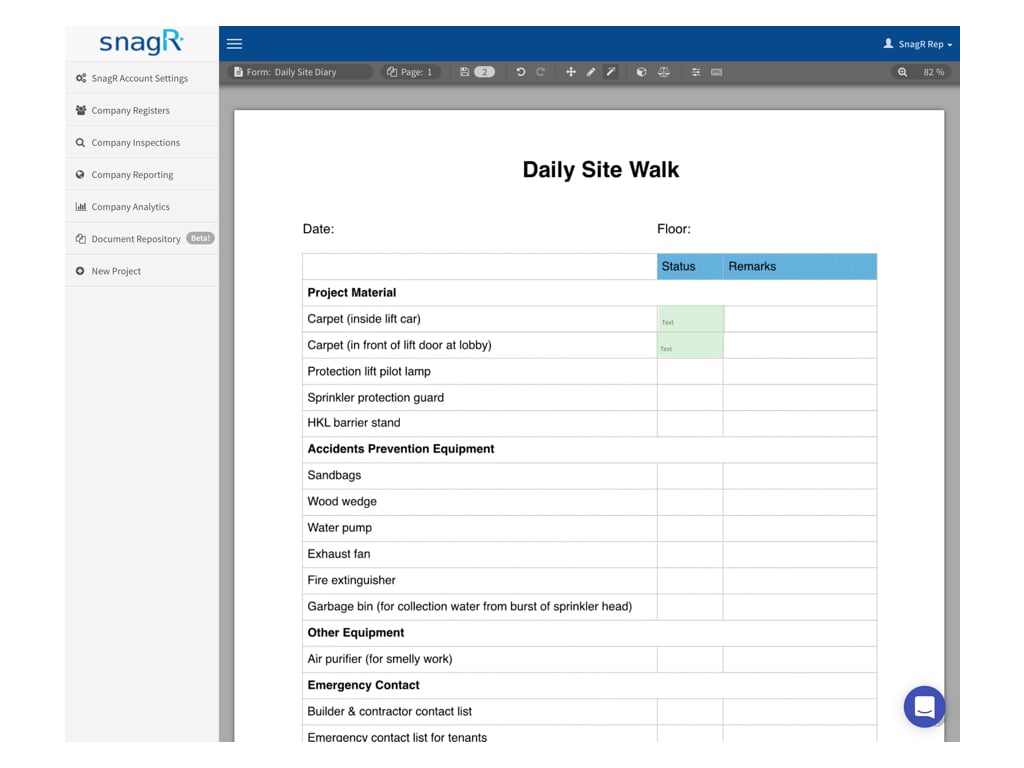
Once you upload the form image, you will proceed to the page below.\
We call it "Form wizard".
**Website**
Once you upload the form image, you will proceed to the page below.\
We call it "Form wizard".
 To set up the form, you have to:
1. **Create** hotspots (i.e., an area to fill in data)
2. **Name** hotspots and **assign** the data type
### 1. Create hotspots
To set up the form, you have to:
1. **Create** hotspots (i.e., an area to fill in data)
2. **Name** hotspots and **assign** the data type
### 1. Create hotspots
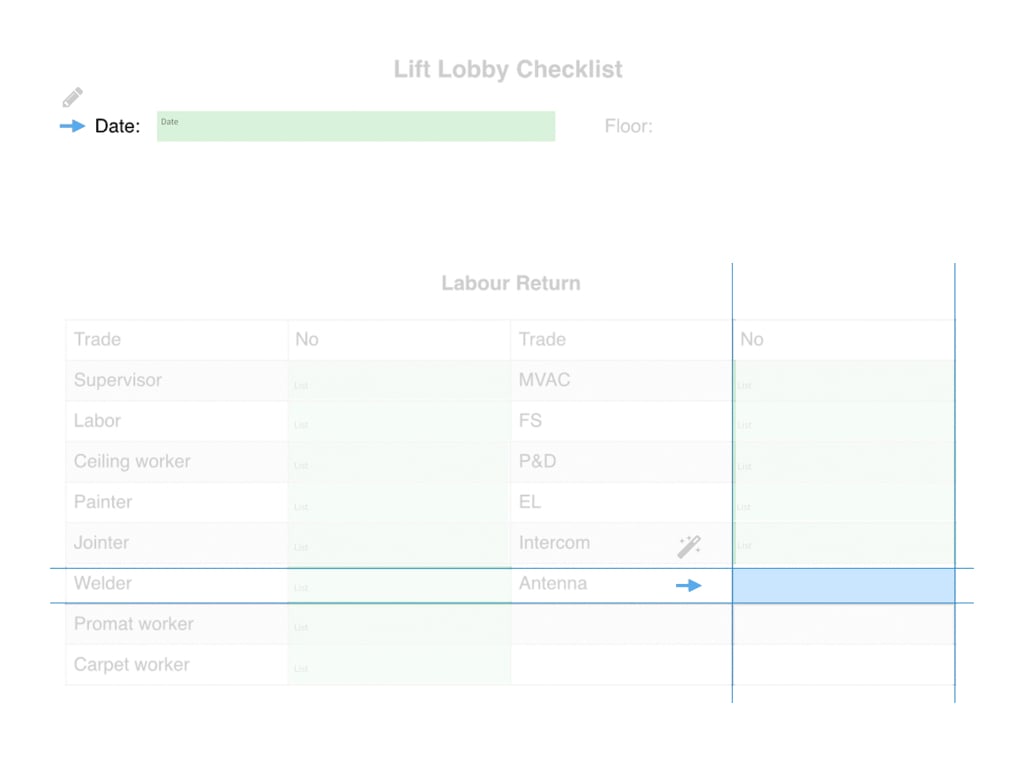
 Click this icon (or Ctrl 2) to create hotspots **as specified**.
 Click this icon (or Ctrl 3) to create hotspots **by edge detection.**
 *Why does the wizard **fail to detect edges**?*\
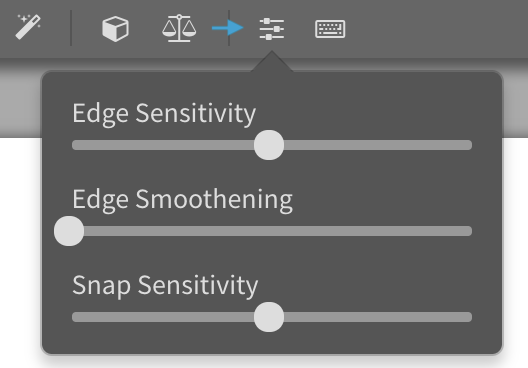
If the lines are less solid and obvious, this may happen. You can click this icon to **adjust edge sensitivity**.
*Why does the wizard **fail to detect edges**?*\
If the lines are less solid and obvious, this may happen. You can click this icon to **adjust edge sensitivity**.
 ### 2. Name hotspots and assign data type
 Click this icon (or Ctrl 4) to bring up **Properties**.
At Properties, **name the hotspot** at Title and **assign data type** at Type.
Click this icon (or Ctrl 4) to bring up **Properties**.
At Properties, **name the hotspot** at Title and **assign data type** at Type.
 Here are the **data types** available:
1. Text
2. Checkbox\*
3. Pass/Fail/NA
4. List of all users (users and subcontractors) #
5. List of users #
6. List of subcontractors #
7. Customised list *(click [here](/en/set-up-project/forms-company-level/how-to-create-custom-list) to learn more)*
8. Date
9. Date Time (i.e. 2 April 2018 15:03:20)
10. Time
11. Photo
12. Signature
13. Notify all user *(send to \ at specified \)*
14. Notify user *(same as above)*
15. Notify subcontractor *(same as above)*
\#On the List of all users, List of users and List of subcontractors data type field, the users who have the permission of access to that inspection form will be listed for selection.
\*If you want to restrict the user to **select one option among n number of options**, you can set this up: select the hotspots, change datatype to checkbox, right click and select link. To unlink, select the hotspots, right click and select unlink. If the hotspots do not have checkbox as datatype, you will not see link or unlink when you right click at the hotspots.
*What is the **difference between list and notify list**?*\
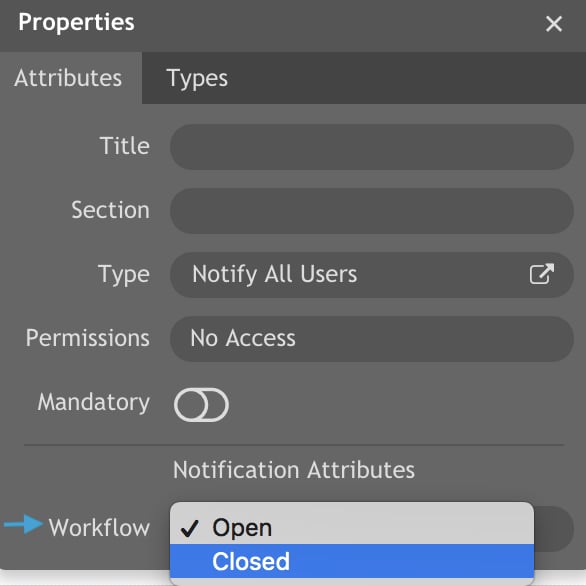
The difference between List field (no. 4,5,6 above) and Notify field (no.13,14,15 above) is that notify field **triggers a notification** to the selected user account when the form reach **a specified workflow stage**.\
List and Notify field both display the full list of all users/users/subcontractors.
Here are the **data types** available:
1. Text
2. Checkbox\*
3. Pass/Fail/NA
4. List of all users (users and subcontractors) #
5. List of users #
6. List of subcontractors #
7. Customised list *(click [here](/en/set-up-project/forms-company-level/how-to-create-custom-list) to learn more)*
8. Date
9. Date Time (i.e. 2 April 2018 15:03:20)
10. Time
11. Photo
12. Signature
13. Notify all user *(send to \ at specified \)*
14. Notify user *(same as above)*
15. Notify subcontractor *(same as above)*
\#On the List of all users, List of users and List of subcontractors data type field, the users who have the permission of access to that inspection form will be listed for selection.
\*If you want to restrict the user to **select one option among n number of options**, you can set this up: select the hotspots, change datatype to checkbox, right click and select link. To unlink, select the hotspots, right click and select unlink. If the hotspots do not have checkbox as datatype, you will not see link or unlink when you right click at the hotspots.
*What is the **difference between list and notify list**?*\
The difference between List field (no. 4,5,6 above) and Notify field (no.13,14,15 above) is that notify field **triggers a notification** to the selected user account when the form reach **a specified workflow stage**.\
List and Notify field both display the full list of all users/users/subcontractors.
 *Can some data be **automatically filled in**?*\
Yes, you can set up **read only fields**. Once the form is created, the data will be automatically generated and displayed on the form. User **cannot edit** read only fields:
1. Contract name
2. Contract no.
3. Date stamp *(of when the form is created)*
4. Drawing title *(of where the form is created)*
5. Inspection external reference
6. Inspection ID
7. Inspection Type ID
8. Inpsection Type No.
9. Location *(of where the form is created)*
10. Location external reference
11. Company logo
12. Project logo
13. Username *(of whom created the form)*
### Make hotspots mandatory (Optional)
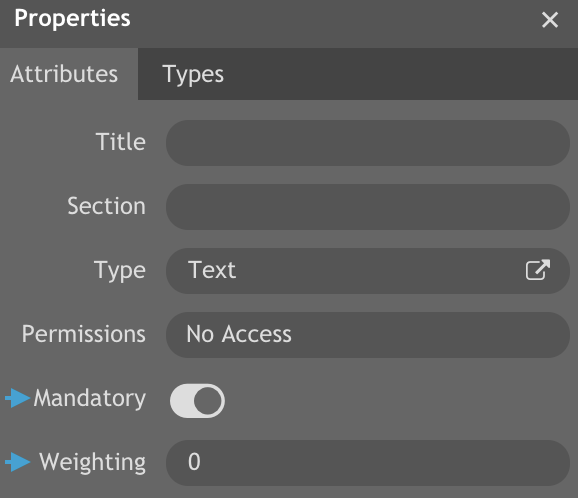
At Properties, if you enable a hotspot to be mandatory:
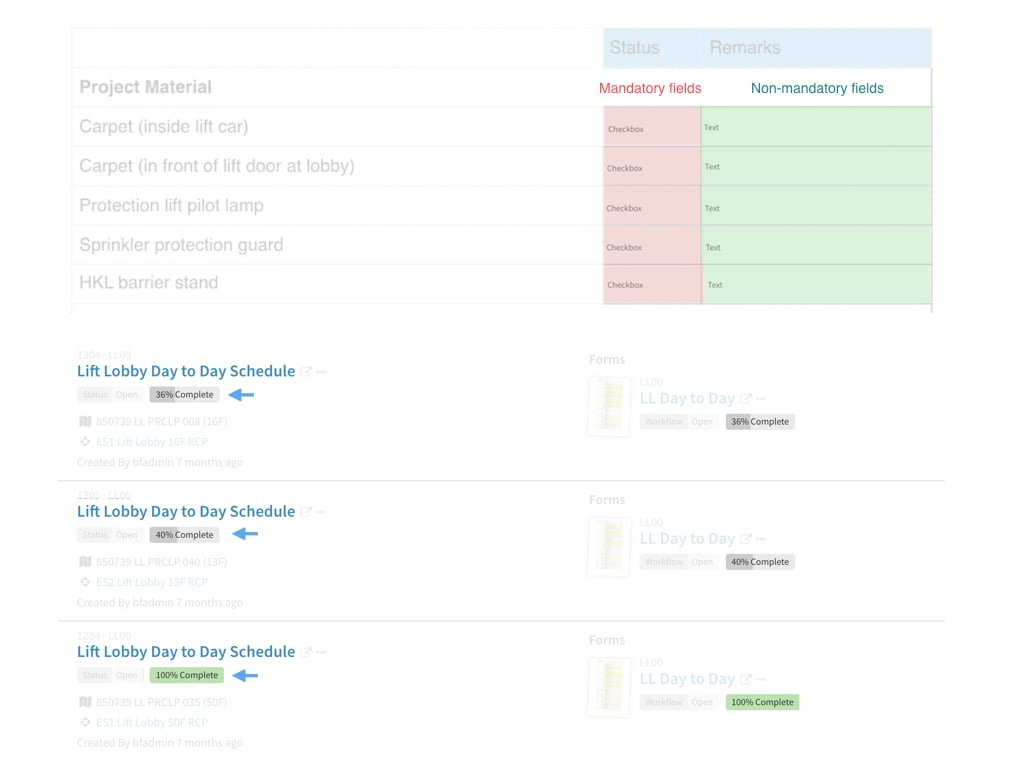
1. SnagR **alert** users if they attempt to close the form without filling out mandatory fields
2. SnagR **calculates the percentage complete** of the form **based on the weighting** given to each mandatory field
*Can some data be **automatically filled in**?*\
Yes, you can set up **read only fields**. Once the form is created, the data will be automatically generated and displayed on the form. User **cannot edit** read only fields:
1. Contract name
2. Contract no.
3. Date stamp *(of when the form is created)*
4. Drawing title *(of where the form is created)*
5. Inspection external reference
6. Inspection ID
7. Inspection Type ID
8. Inpsection Type No.
9. Location *(of where the form is created)*
10. Location external reference
11. Company logo
12. Project logo
13. Username *(of whom created the form)*
### Make hotspots mandatory (Optional)
At Properties, if you enable a hotspot to be mandatory:
1. SnagR **alert** users if they attempt to close the form without filling out mandatory fields
2. SnagR **calculates the percentage complete** of the form **based on the weighting** given to each mandatory field
 ***What value** should I put in for **weighting**?*\
If you have two mandatory fields, and the weighting is 1 for each field, the total value will be 2. If one field is completed and another is not, the completion percentage will be 50% (1/2).
***What value** should I put in for **weighting**?*\
If you have two mandatory fields, and the weighting is 1 for each field, the total value will be 2. If one field is completed and another is not, the completion percentage will be 50% (1/2).
 ### Select hotspots
 Click this icon to **multi-select** hotspots.
This allows you to **make changes** to hotspots **in batch**.
*Example*
1. Copy (Ctrl C) and paste (Ctrl V) hotspots from one page / form to another page / form
2. Update hotspots data type from one type to another
3. Update hotspots title
### Can the Form template be used in more than one Inspections?
Yes, once the form is set up, the form template can be used across multiple inspections.
*Example*
The form template "RFI (Electrical)" is used across two Inspection templates. Both inspections has identical "RFI (Electrical)" as a cover sheet.
Click this icon to **multi-select** hotspots.
This allows you to **make changes** to hotspots **in batch**.
*Example*
1. Copy (Ctrl C) and paste (Ctrl V) hotspots from one page / form to another page / form
2. Update hotspots data type from one type to another
3. Update hotspots title
### Can the Form template be used in more than one Inspections?
Yes, once the form is set up, the form template can be used across multiple inspections.
*Example*
The form template "RFI (Electrical)" is used across two Inspection templates. Both inspections has identical "RFI (Electrical)" as a cover sheet.
