> ## Documentation Index
> Fetch the complete documentation index at: https://kb.snagr.co.uk/llms.txt
> Use this file to discover all available pages before exploring further.

# How to the SnagR Home user request an appointment?

To request an appointment please log in to the SnagR Home APP.

<img src="https://mintcdn.com/snagr/oAfVEwXIu3-FimgO/images/direct/1597045072805-1597045072805.png?fit=max&auto=format&n=oAfVEwXIu3-FimgO&q=85&s=90b9e97485b6e61ed07fb98ca423280e" alt="1597045072805" width="128" height="128" data-path="images/direct/1597045072805-1597045072805.png" />**Device**

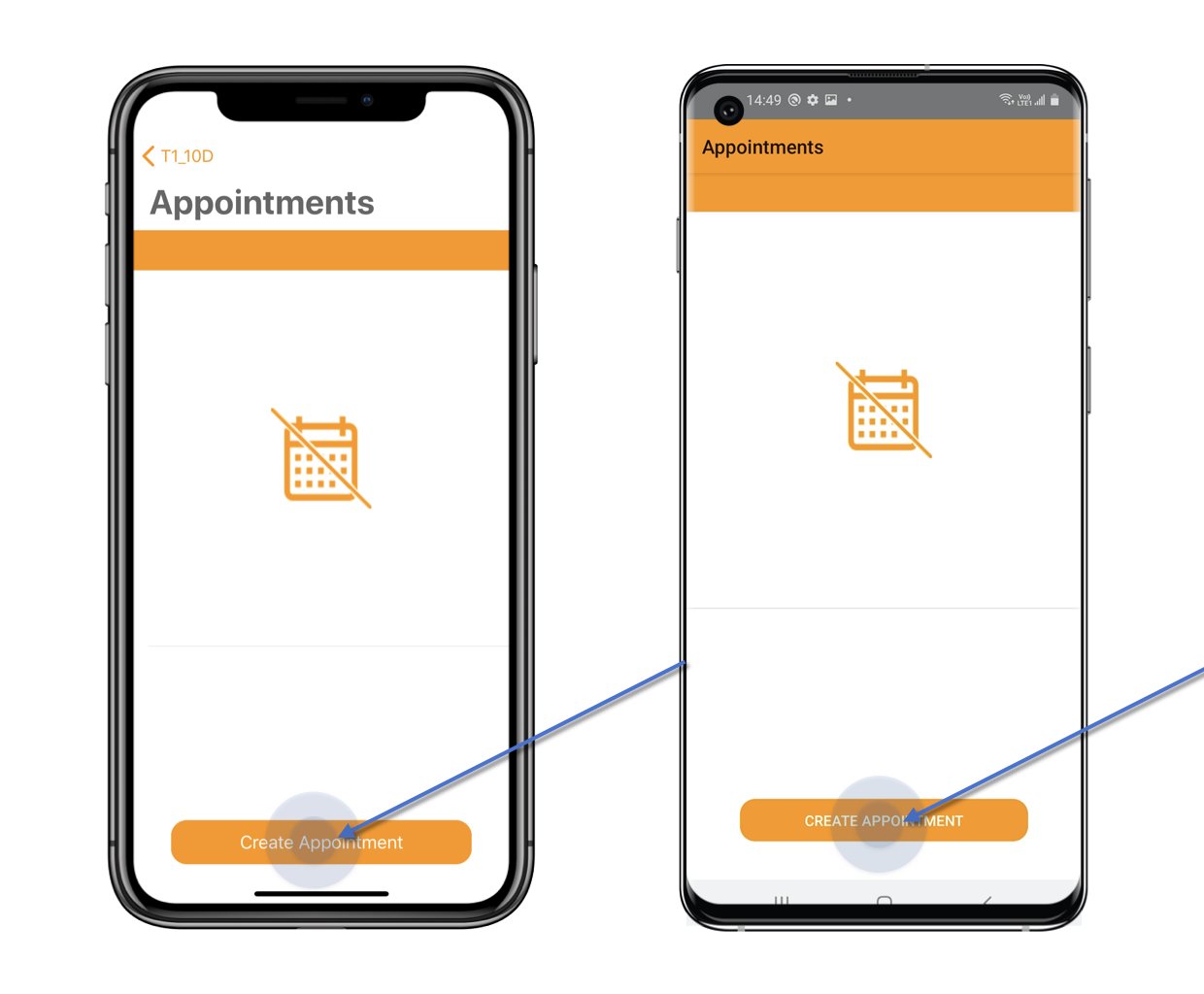
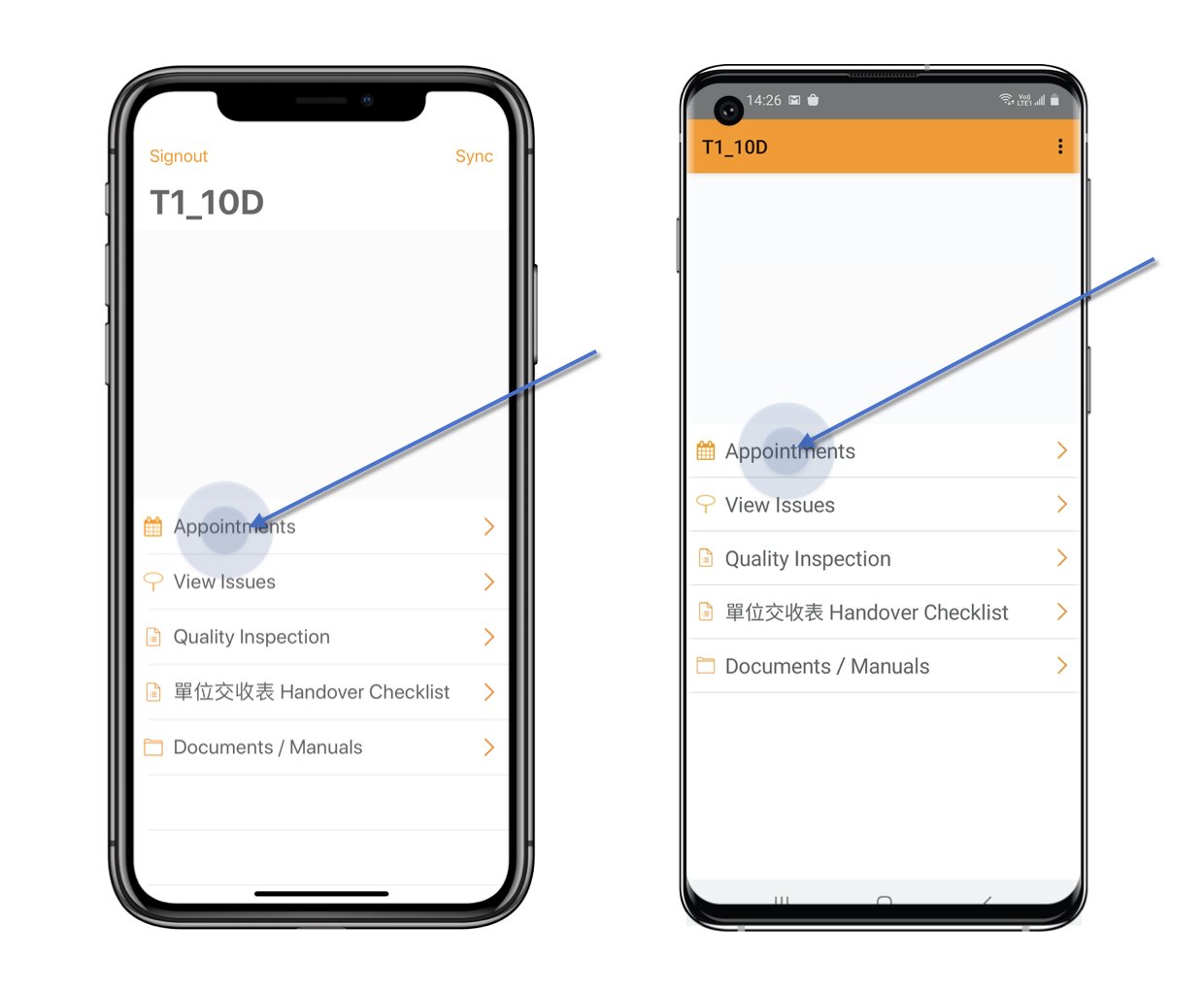
Click **Appointment** from the main menu > **Create Appointment**.
<img src="https://mintcdn.com/snagr/oAfVEwXIu3-FimgO/images/direct/1597045112685-SnagR-Home.001.jpeg?fit=max&auto=format&n=oAfVEwXIu3-FimgO&q=85&s=d440f703a8112957322261230676e612" alt="SnagR Home.001" width="1240" height="1024" data-path="images/direct/1597045112685-SnagR-Home.001.jpeg" />

<img src="https://mintcdn.com/snagr/oAfVEwXIu3-FimgO/images/direct/1597045127614-SnagR-Home.002.jpeg?fit=max&auto=format&n=oAfVEwXIu3-FimgO&q=85&s=2b288bd674e4dfe429a43ff428a09e4a" alt="SnagR Home.002" width="1240" height="1024" data-path="images/direct/1597045127614-SnagR-Home.002.jpeg" />

Select the **Date** and **time** for when would you like to have an appointment.\
*(You are able to request the appointment in a month, the time slot is controlled by the project admin.)*\
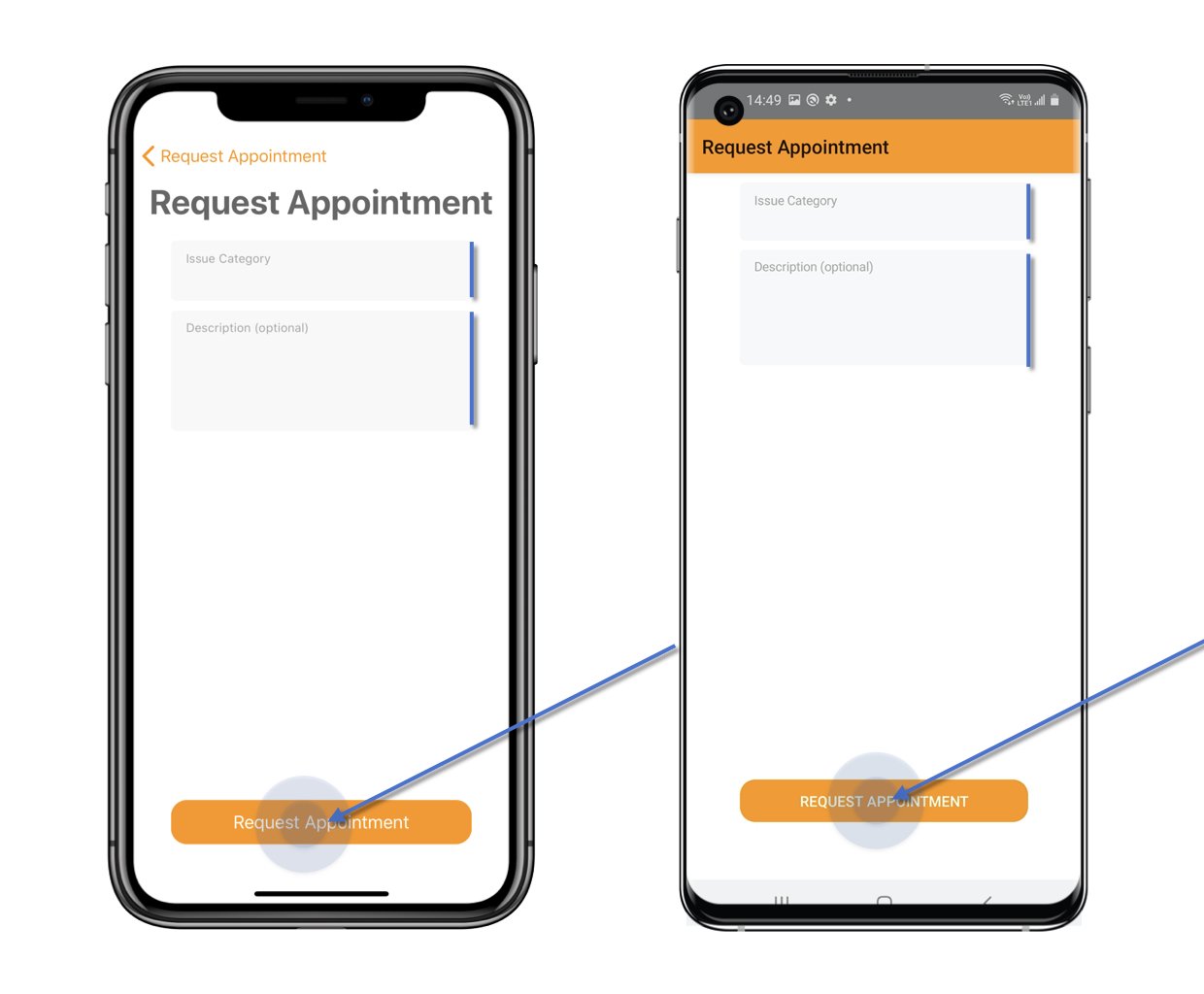
<img src="https://mintcdn.com/snagr/oAfVEwXIu3-FimgO/images/direct/1597045169948-1597045169948.png?fit=max&auto=format&n=oAfVEwXIu3-FimgO&q=85&s=eaf5a4785ae734b65e5daec55ed138d7" alt="1597045169948" width="1240" height="1024" data-path="images/direct/1597045169948-1597045169948.png" />Select **Category** and enter the **Description** if need.\
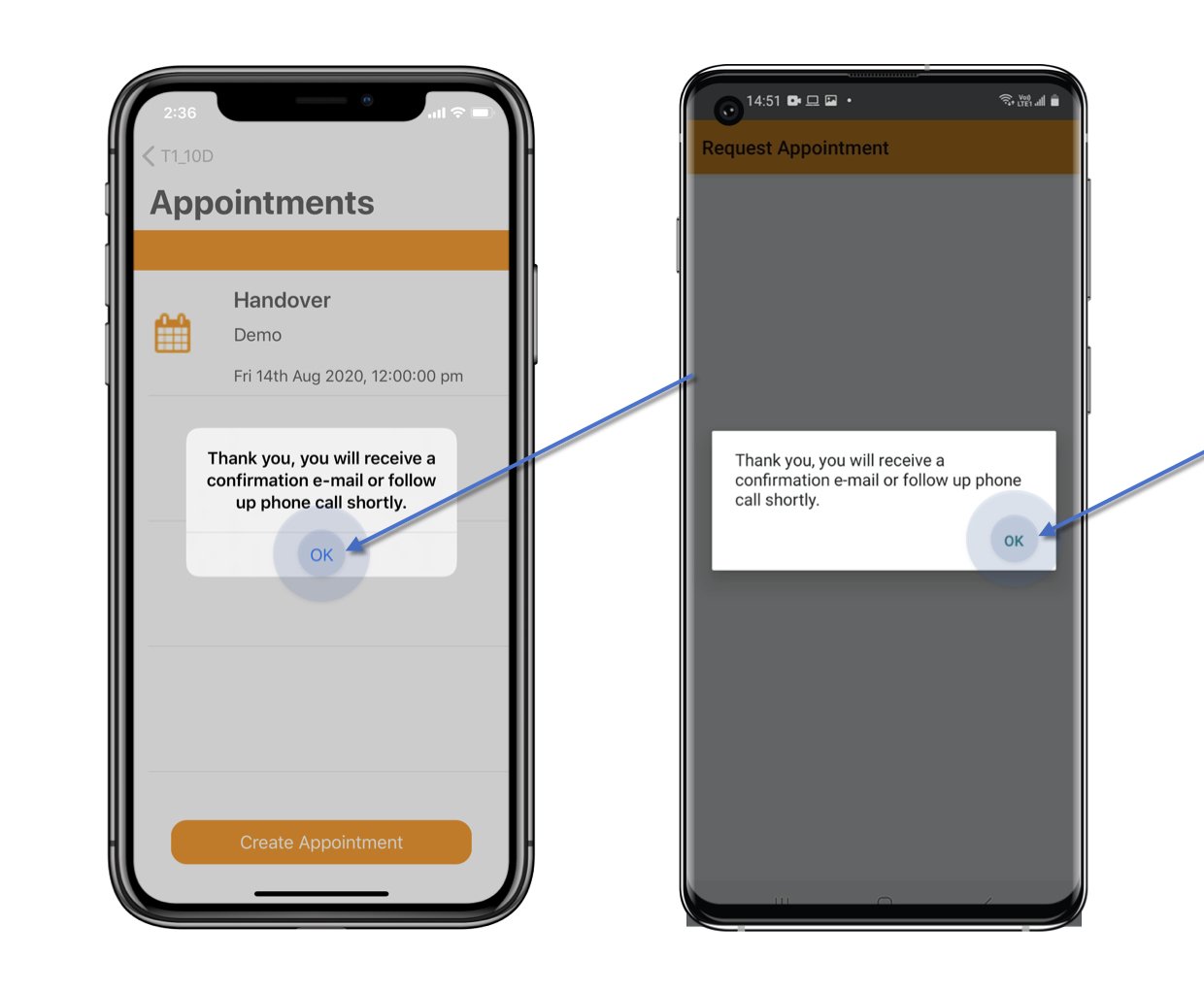
Then click **Request Appointment**.
<img src="https://mintcdn.com/snagr/oAfVEwXIu3-FimgO/images/direct/1597045183340-SnagR-Home.004.jpeg?fit=max&auto=format&n=oAfVEwXIu3-FimgO&q=85&s=157f72b3930e20c6530d15ebaa6f22e1" alt="SnagR Home.004" width="1240" height="1024" data-path="images/direct/1597045183340-SnagR-Home.004.jpeg" />

<img src="https://mintcdn.com/snagr/oAfVEwXIu3-FimgO/images/direct/1597045200573-SnagR-Home.005.jpeg?fit=max&auto=format&n=oAfVEwXIu3-FimgO&q=85&s=2a22a81a6f68fb64d3afa9425a50f8db" alt="SnagR Home.005" width="1240" height="1024" data-path="images/direct/1597045200573-SnagR-Home.005.jpeg" />

<img src="https://mintcdn.com/snagr/oAfVEwXIu3-FimgO/images/direct/1597045213949-SnagR-Home.006.jpeg?fit=max&auto=format&n=oAfVEwXIu3-FimgO&q=85&s=0e455c7eb67b8d8fdf119705bef5f1d1" alt="SnagR Home.006" width="1240" height="1024" data-path="images/direct/1597045213949-SnagR-Home.006.jpeg" />

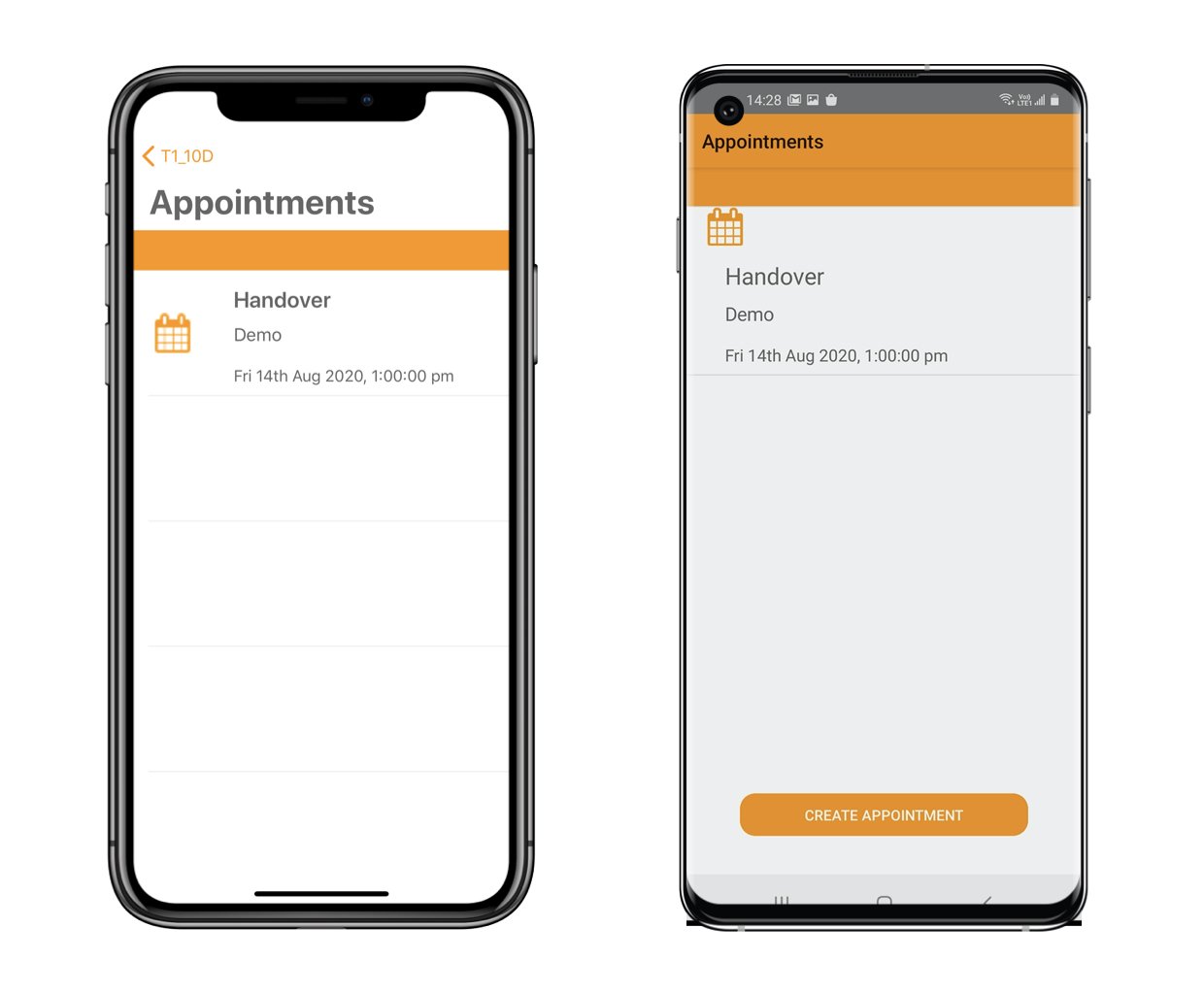
You are successful to request an appointment!\
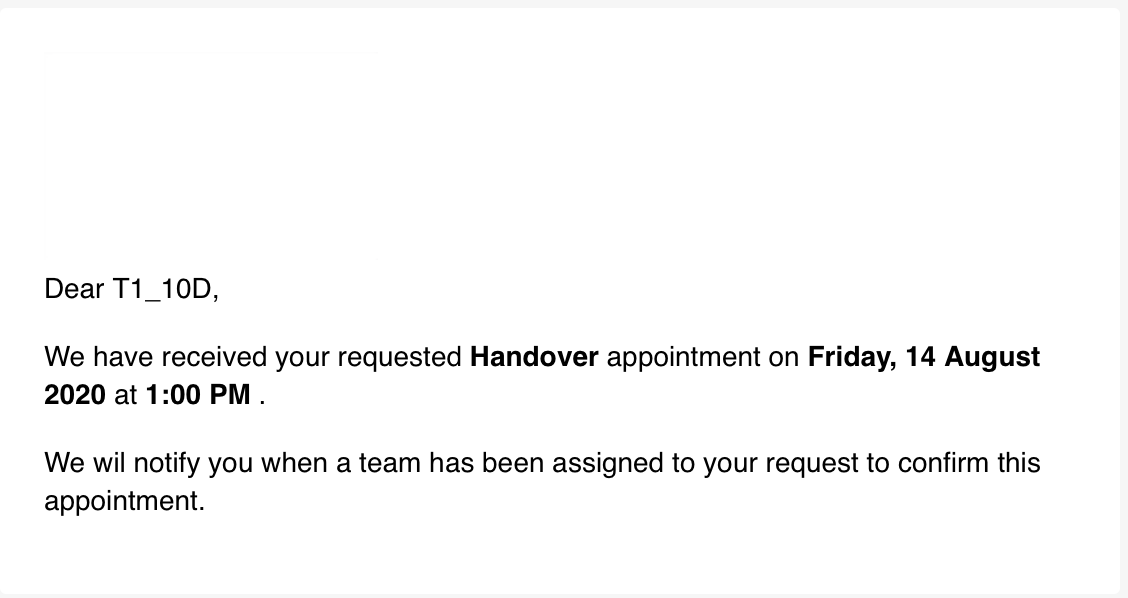
The appointment request received email will send to you.\
Sample as below.
<img src="https://mintcdn.com/snagr/oAfVEwXIu3-FimgO/images/direct/1597047299554-Screenshot-2020-08-10-at-2.33.39-PM.png?fit=max&auto=format&n=oAfVEwXIu3-FimgO&q=85&s=26dc8e4fb8baa6a50e5c2664d42f3f0a" alt="Screenshot 2020 08 10 at 2.33.39 PM" width="1128" height="598" data-path="images/direct/1597047299554-Screenshot-2020-08-10-at-2.33.39-PM.png" />

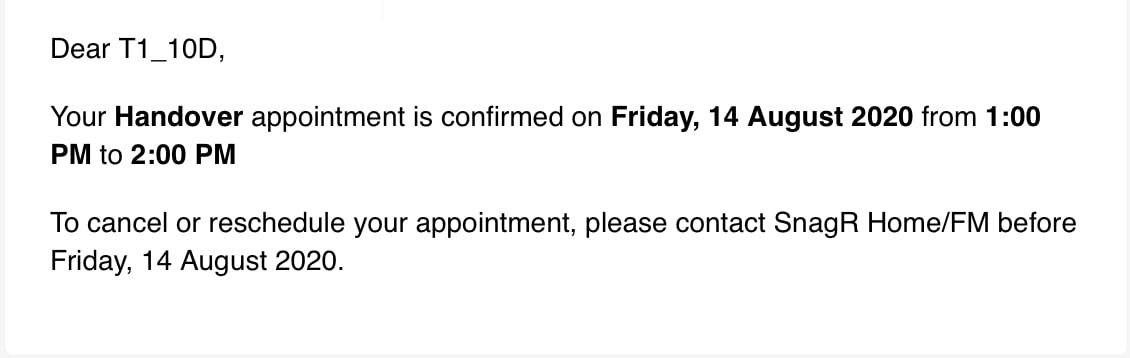
You will also receive an email for confirmation once the team accepted the request.\
Sample as below.
<img src="https://mintcdn.com/snagr/Fc-Qgss-VatVIL0b/images/direct/1597055358429-Screenshot-2020-08-10-at-6.26.50-PM.png?fit=max&auto=format&n=Fc-Qgss-VatVIL0b&q=85&s=2bd59be4b342a391694b741a2d0bbc81" alt="Screenshot 2020 08 10 at 6.26.50 PM" width="1130" height="358" data-path="images/direct/1597055358429-Screenshot-2020-08-10-at-6.26.50-PM.png" />