> ## Documentation Index
> Fetch the complete documentation index at: https://kb.snagr.co.uk/llms.txt
> Use this file to discover all available pages before exploring further.

# To batch assign the appointment?

Only the <u>appointment</u> <u>administrators</u> can assign appointments in batches.

**<img src="https://mintcdn.com/snagr/Fc-Qgss-VatVIL0b/images/direct/1597061899258-1597061899258.png?fit=max&auto=format&n=Fc-Qgss-VatVIL0b&q=85&s=aa86e578cbd2dd47669b3428cfd5731b" alt="1597061899258" width="128" height="128" data-path="images/direct/1597061899258-1597061899258.png" /> Website**

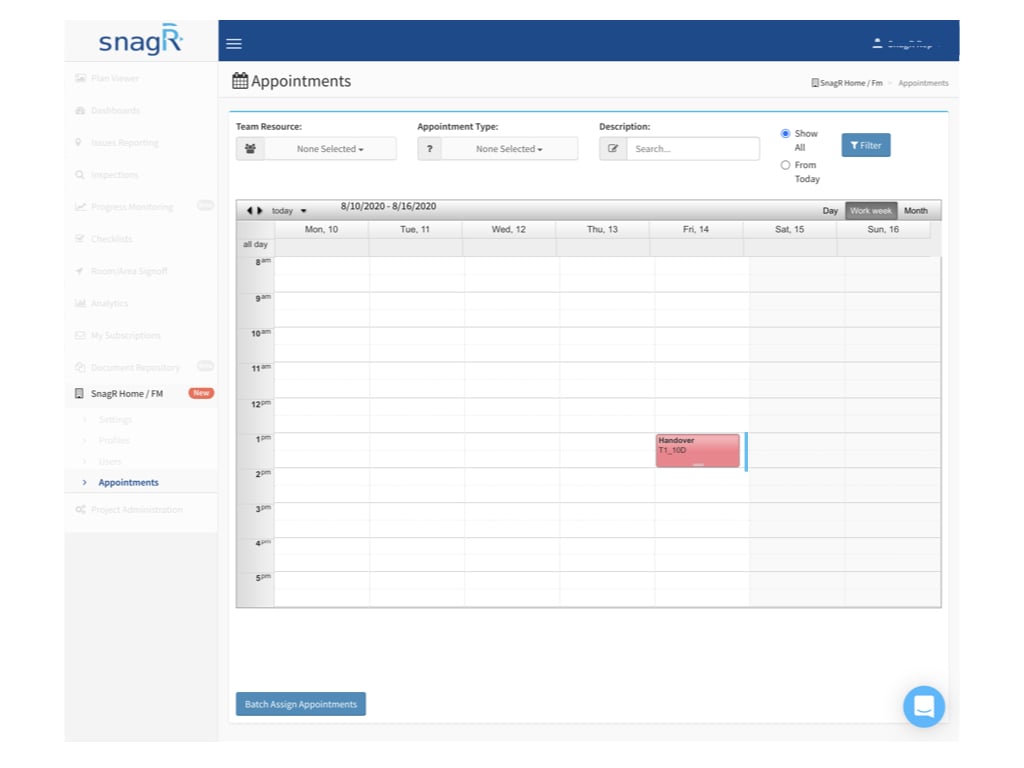
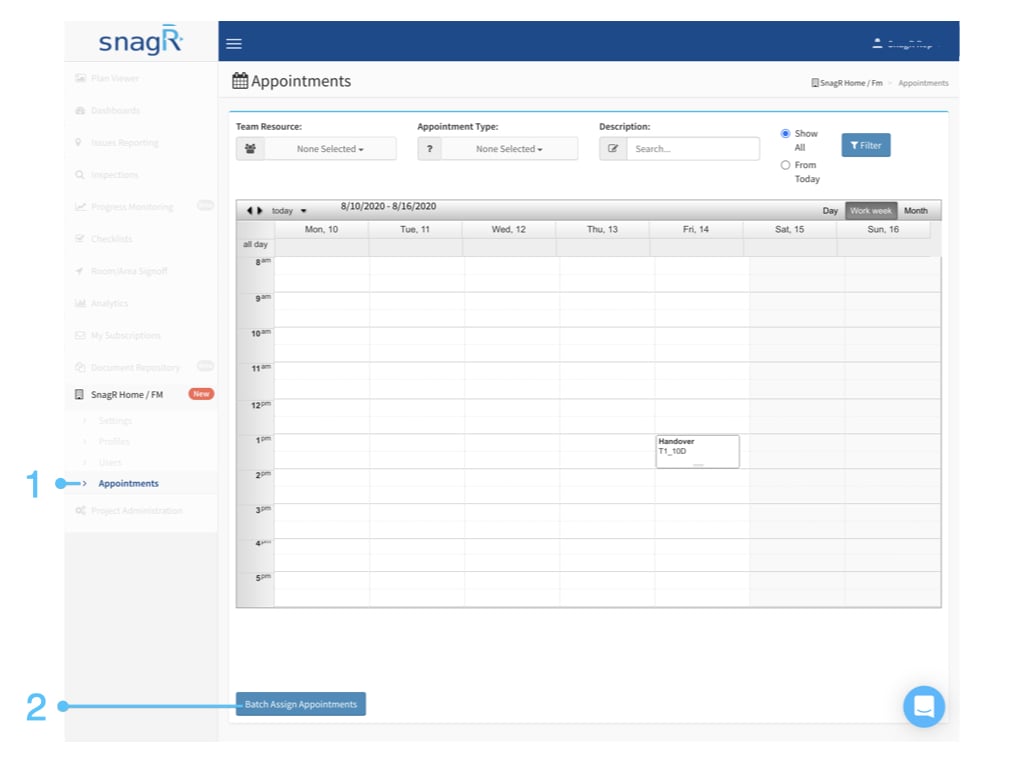
Login to the website, access the **Appointment** page in SnagR Home/FM.\
Click the **Batch Assign Appointments** button at the bottom.
<img src="https://mintcdn.com/snagr/Fc-Qgss-VatVIL0b/images/direct/1597061933622-SnagR-Home_Website.009.jpeg?fit=max&auto=format&n=Fc-Qgss-VatVIL0b&q=85&s=2cd467f2bd1fa0a063595c2fca9f4222" alt="SnagR Home Website.009" width="1024" height="768" data-path="images/direct/1597061933622-SnagR-Home_Website.009.jpeg" />

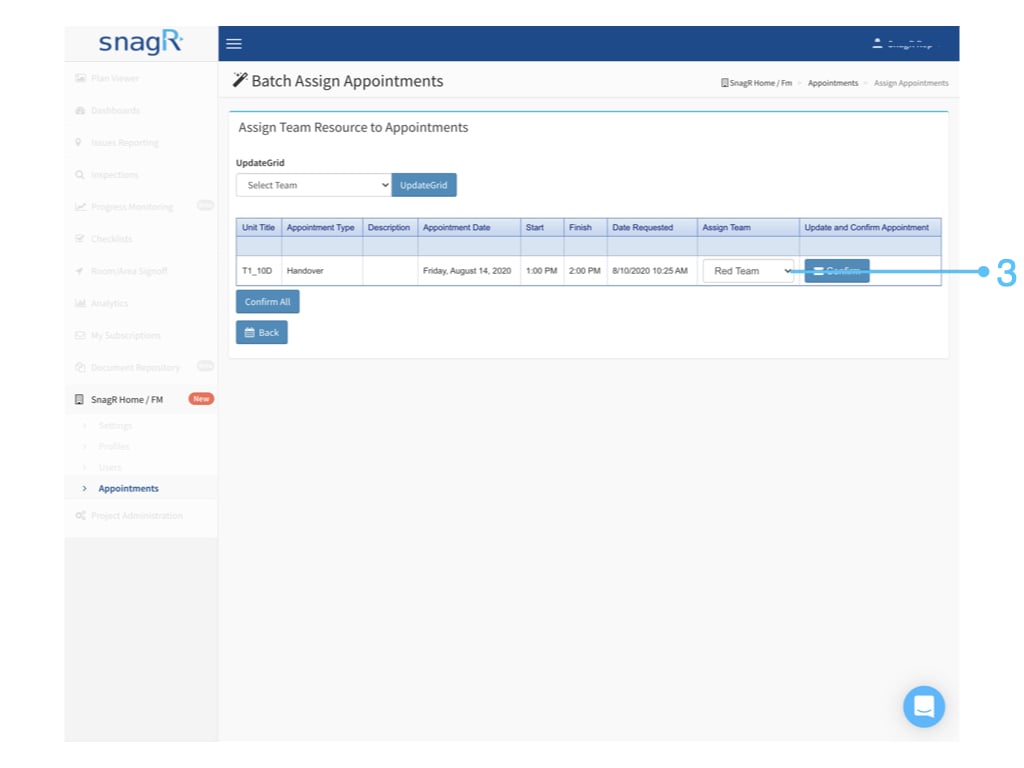
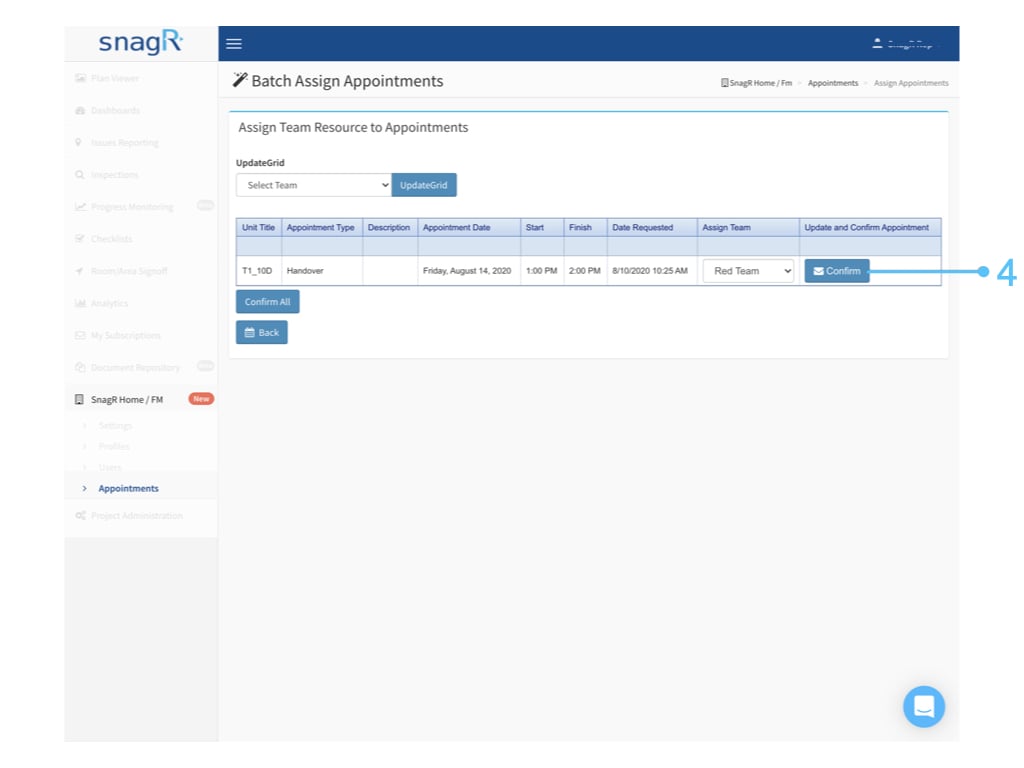
To assign one by one to the different team, you can:

Select the related **team** for each appointment, click **Confirm** to save and send out the confirmation email.
<img src="https://mintcdn.com/snagr/Fc-Qgss-VatVIL0b/images/direct/1597061955068-SnagR-Home_Website.010.jpeg?fit=max&auto=format&n=Fc-Qgss-VatVIL0b&q=85&s=fa8896a59aa5759db6addb64a03bfa5a" alt="SnagR Home Website.010" width="1024" height="768" data-path="images/direct/1597061955068-SnagR-Home_Website.010.jpeg" />

<img src="https://mintcdn.com/snagr/Fc-Qgss-VatVIL0b/images/direct/1597061977039-1597061977039.png?fit=max&auto=format&n=Fc-Qgss-VatVIL0b&q=85&s=5cf5c2a88c727dc9c008261b623c40da" alt="1597061977039" width="1024" height="768" data-path="images/direct/1597061977039-1597061977039.png" />

<img src="https://mintcdn.com/snagr/Fc-Qgss-VatVIL0b/images/direct/1597061988106-1597061988106.png?fit=max&auto=format&n=Fc-Qgss-VatVIL0b&q=85&s=9eba3e01d9cca94567e995b08d7bd007" alt="1597061988106" width="1024" height="768" data-path="images/direct/1597061988106-1597061988106.png" />

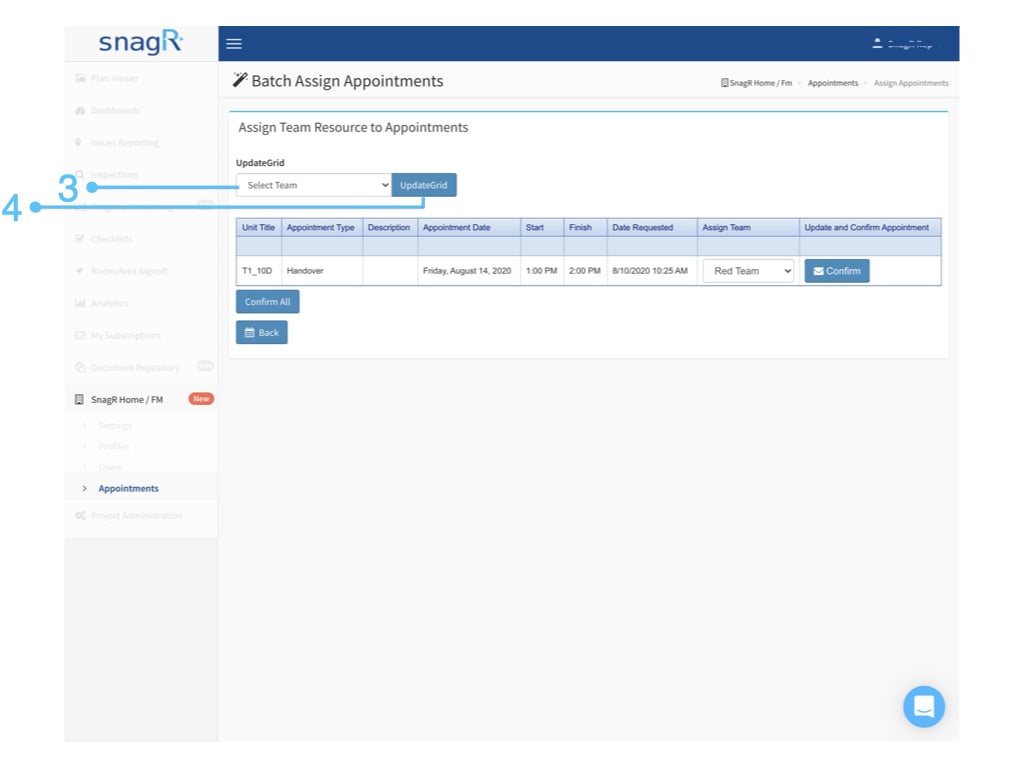
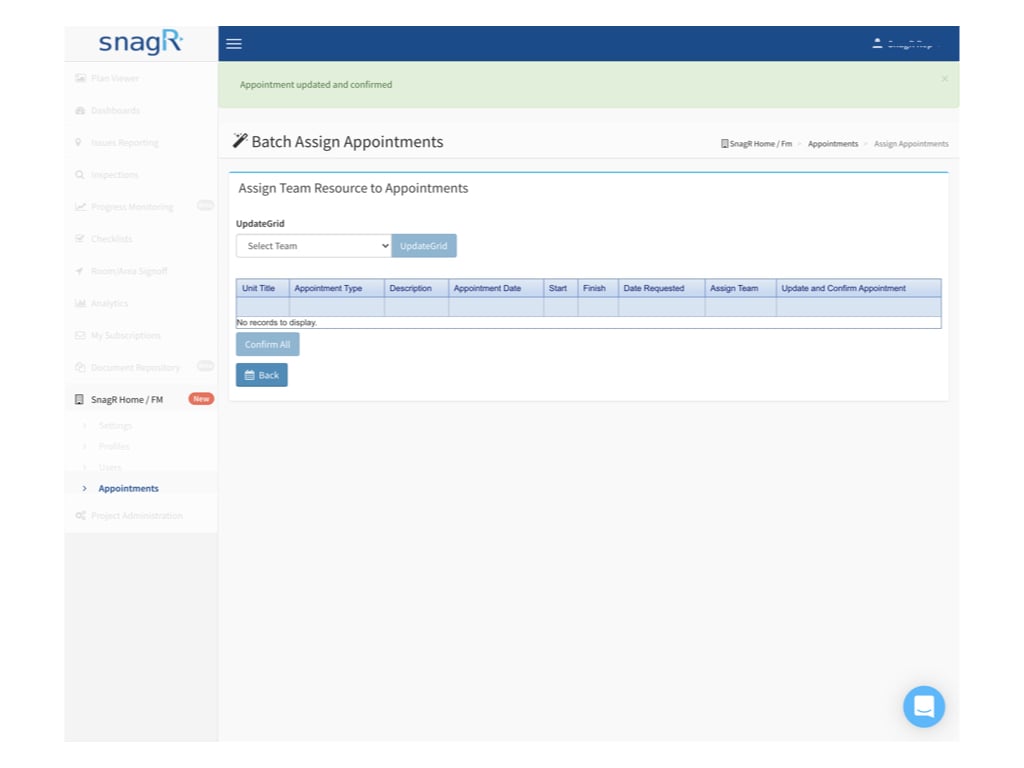
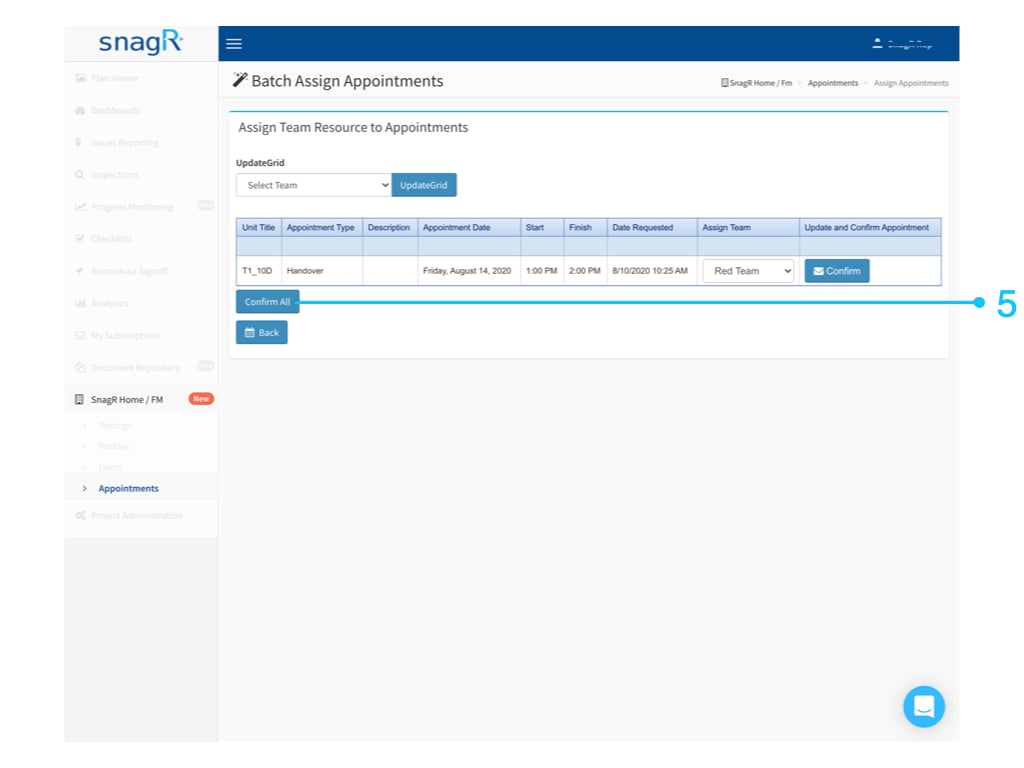
To assign in batch to the same team, you can:

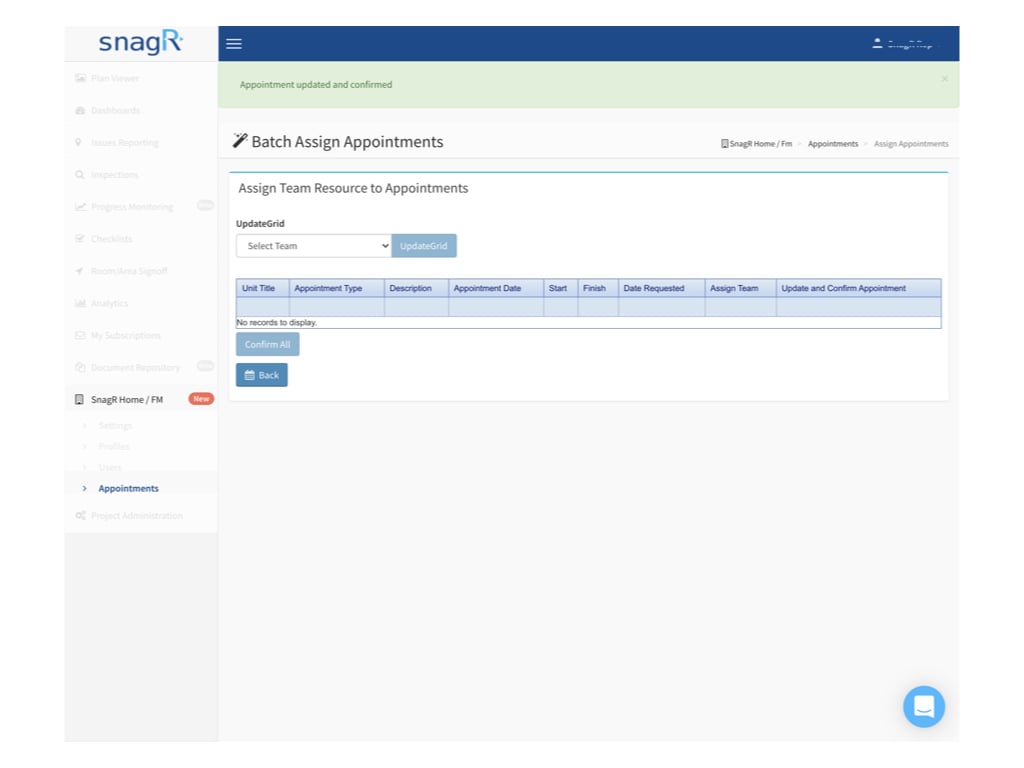
Select the related **team** at the UpdateGrid and click the **UpdateGrid** button to batch updated the assign team for all unassigned appointment, click **Confirm** **All** to save and send out the confirmation email.
<img src="https://mintcdn.com/snagr/Fc-Qgss-VatVIL0b/images/direct/1597062845265-SnagR-Home_Website.013.jpeg?fit=max&auto=format&n=Fc-Qgss-VatVIL0b&q=85&s=5d30f71e192454e1aa54edbd48e215d2" alt="SnagR Home Website.013" width="1024" height="768" data-path="images/direct/1597062845265-SnagR-Home_Website.013.jpeg" />

<img src="https://mintcdn.com/snagr/Fc-Qgss-VatVIL0b/images/direct/1597062857770-SnagR-Home_Website.014.jpeg?fit=max&auto=format&n=Fc-Qgss-VatVIL0b&q=85&s=f533db3f86bfa10e01d6da36db819661" alt="SnagR Home Website.014" width="1024" height="768" data-path="images/direct/1597062857770-SnagR-Home_Website.014.jpeg" />

<img src="https://mintcdn.com/snagr/Fc-Qgss-VatVIL0b/images/direct/1597062872458-SnagR-Home_Website.015.jpeg?fit=max&auto=format&n=Fc-Qgss-VatVIL0b&q=85&s=d713ee2a6f16514a7f3f4c2f5226d9d8" alt="SnagR Home Website.015" width="1024" height="768" data-path="images/direct/1597062872458-SnagR-Home_Website.015.jpeg" />

Done.

<img src="https://mintcdn.com/snagr/Fc-Qgss-VatVIL0b/images/direct/1597062885048-SnagR-Home_Website.016.jpeg?fit=max&auto=format&n=Fc-Qgss-VatVIL0b&q=85&s=984cc5a0debf85a3781a441d82e50225" alt="helpjuice production/uploads/upload/image/3577/direct/1597062885048 SnagR Home Website.016" width="1024" height="768" data-path="images/direct/1597062885048-SnagR-Home_Website.016.jpeg" />

The owner will receive an email for the confirmation.
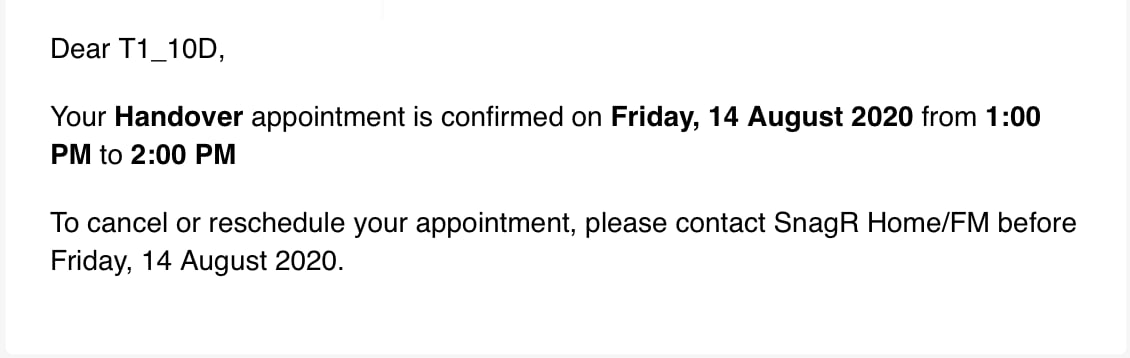
<img src="https://mintcdn.com/snagr/Fc-Qgss-VatVIL0b/images/direct/1597061581455-1597061581455.png?fit=max&auto=format&n=Fc-Qgss-VatVIL0b&q=85&s=634818e6340d6ad126574559559e7c9f" alt="1597061581455" width="1130" height="358" data-path="images/direct/1597061581455-1597061581455.png" />

The team member(s) will receive an email of New Appointment as a notification.
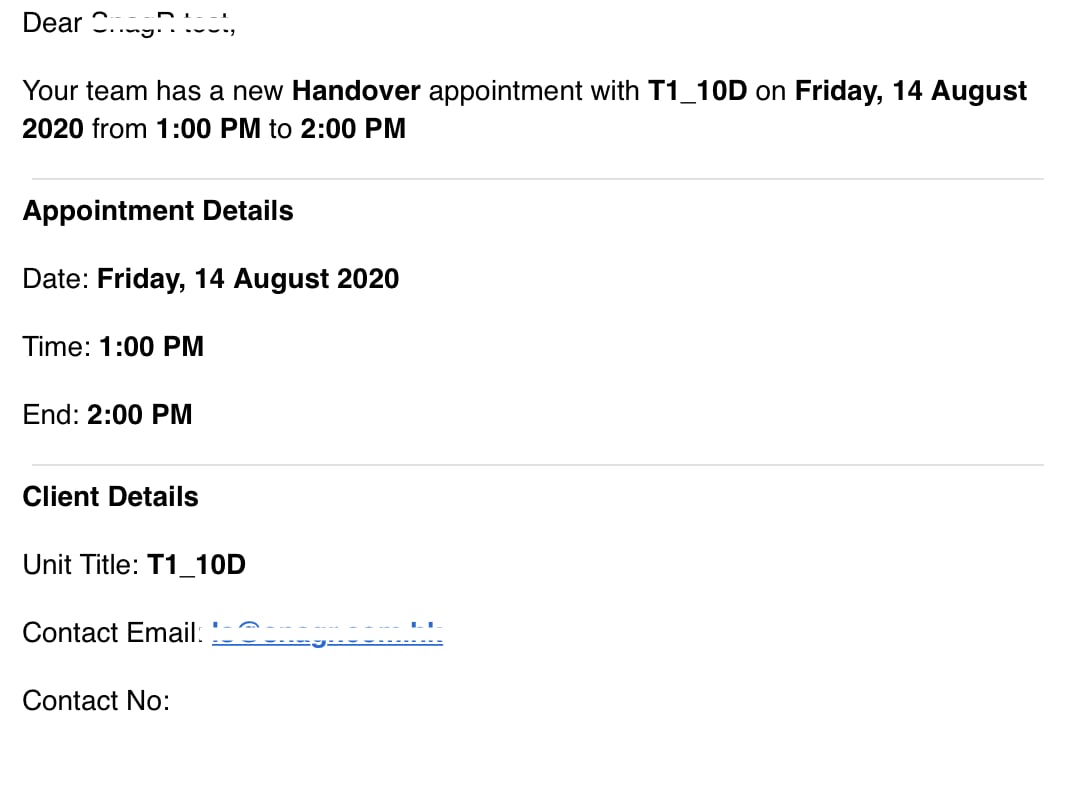
<img src="https://mintcdn.com/snagr/Fc-Qgss-VatVIL0b/images/direct/1597058508594-1597058508594.png?fit=max&auto=format&n=Fc-Qgss-VatVIL0b&q=85&s=6f23ae75266bf7ea38fc2ad756cdafb9" alt="1597058508594" width="1080" height="790" data-path="images/direct/1597058508594-1597058508594.png" />