> ## Documentation Index
> Fetch the complete documentation index at: https://kb.snagr.co.uk/llms.txt
> Use this file to discover all available pages before exploring further.
# Defect Management
**What were the challenges?**
1. Heavy administrative work in the write up of defect reports
2. Difficult to trace progress through messaging apps, emails and paper-based reports
3. Limited analysis of defects for and across projects as a result of paper based process and unstructured data input
**Before** Implementing SnagR
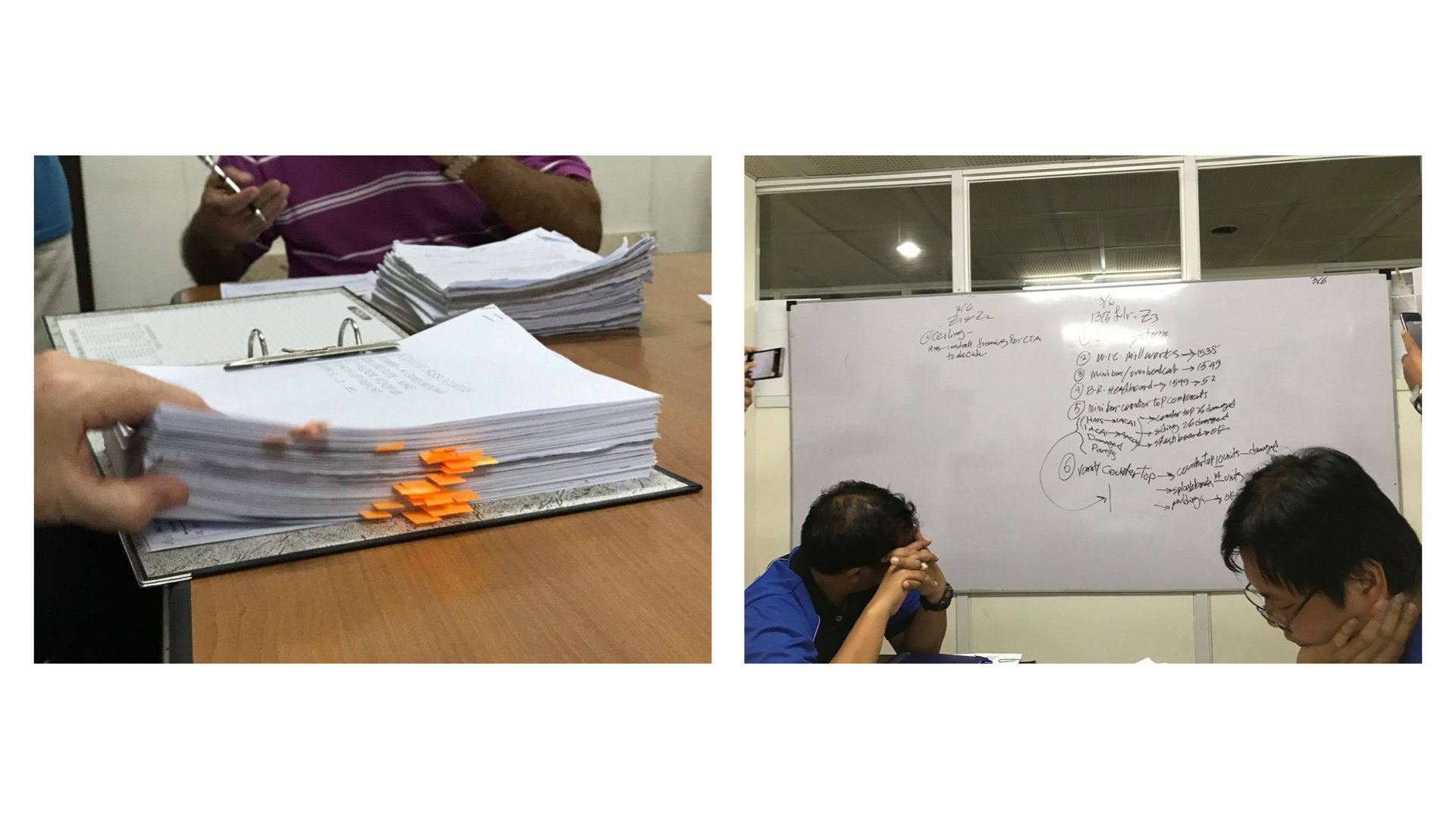
The inspection team takes pictures on site using a camera, load them onto the computer, write up a report on Word or Excel and print it to distribute to relevant parties. These reports serve as a basis for discussion in regular meetings. Progress on defect rectification are shared in daily or weekly meetings and information is updated on a white board. Information remains fragmented during the cycle.
 **How did SnagR help?**
1. [Capture defects via mobile app](/en/issues/add-issues/how-to-add-an-issue) and [generate issue reports](/en/issues/report-and-analytics/how-to-generate-an-issue-report) in a click
2. Trace issues rectification progress through [dashboard](/en/issues/find-issues/how-do-i-search-issues-on-device) and [automated email notification](/en/issues/find-issues/where-do-i-see-issue-notifications)
3. Access up-to-date and [automated](/en/issues/report-and-analytics/how-do-i-view-analytics) [analytics](/en/issues/report-and-analytics/how-do-i-view-analytics) anytime anywhere
**A\*\*\*\*fter** Implementing SnagR
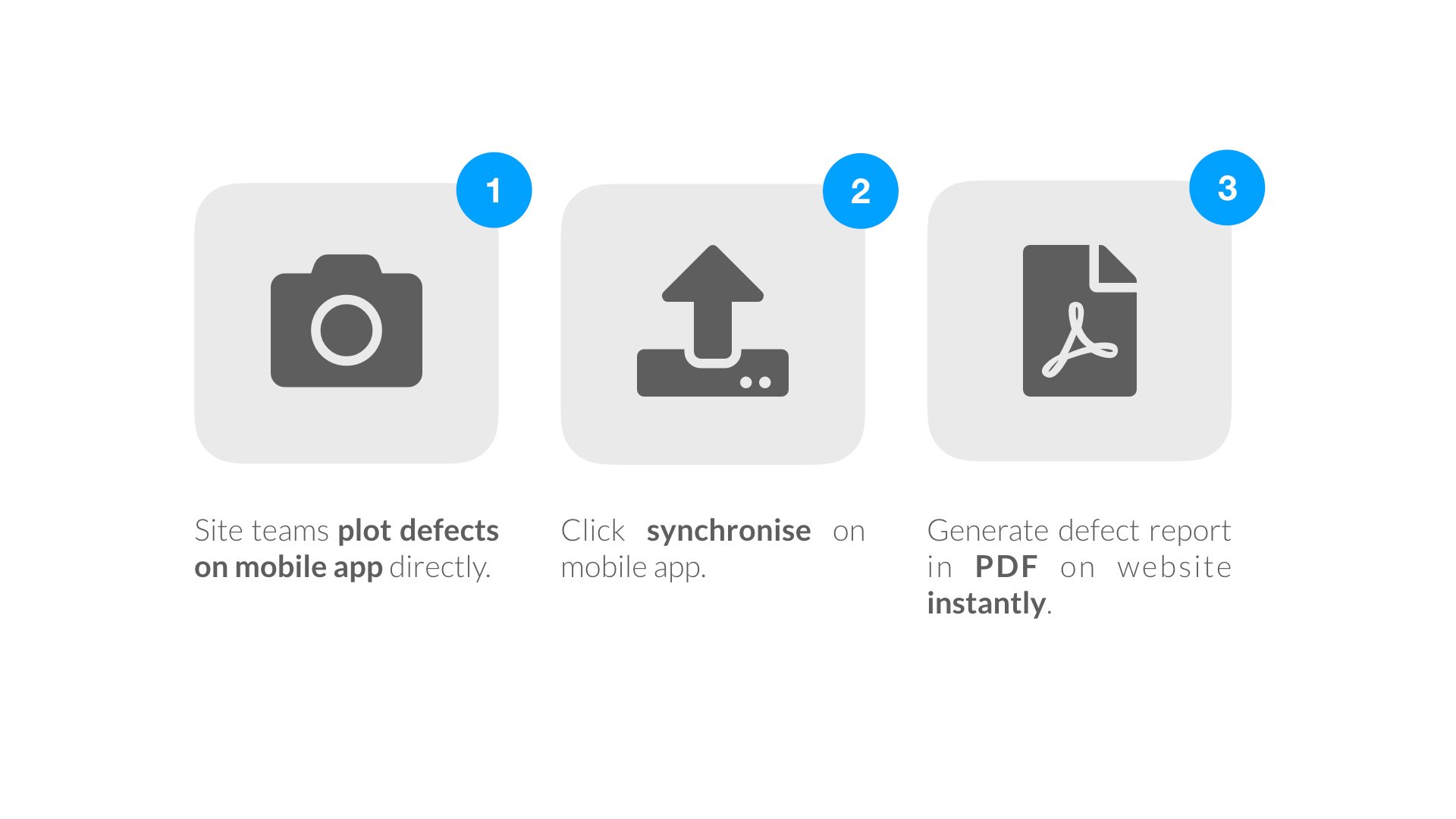
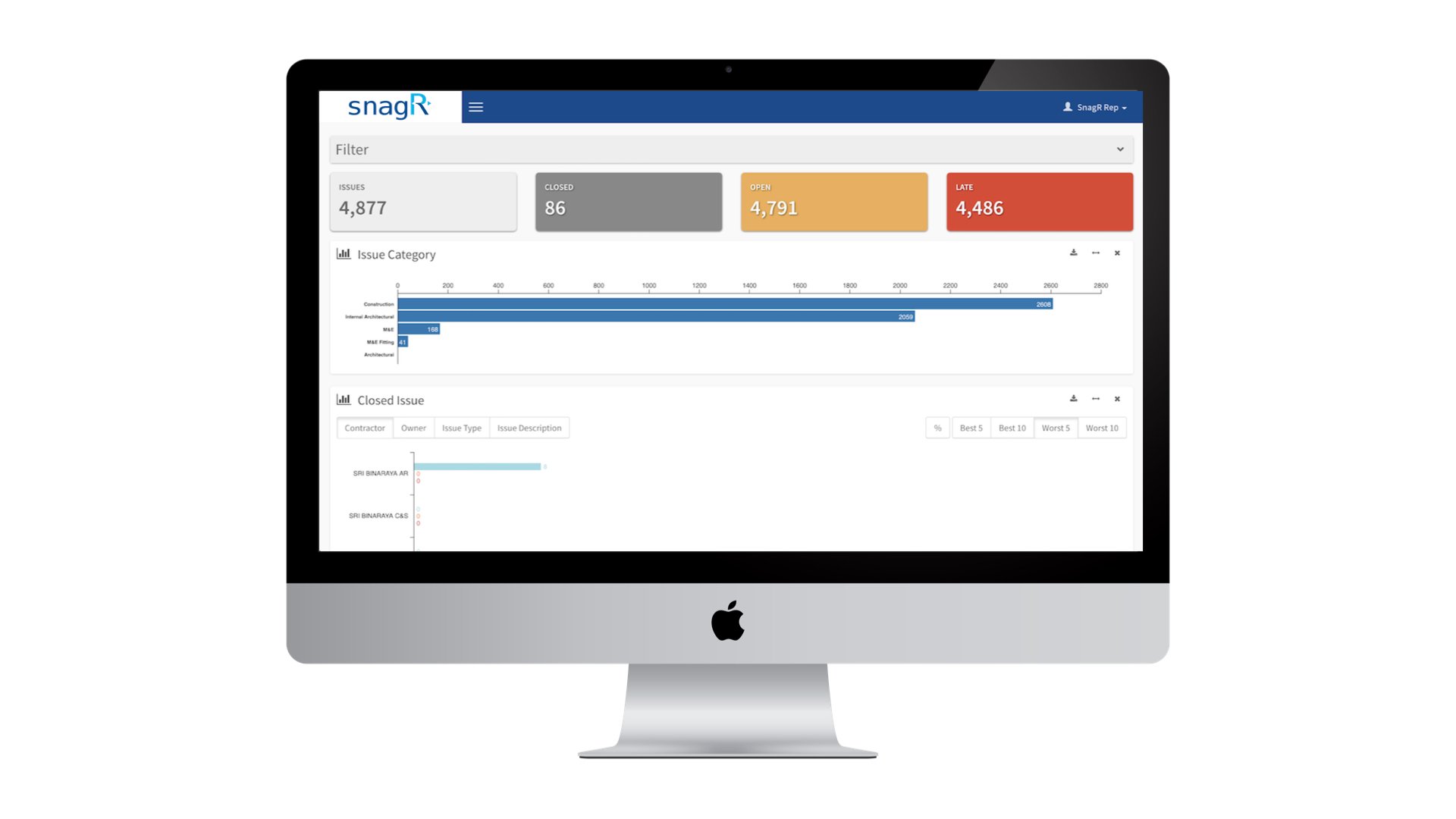
As soon as the site team has captured issues and synchronised them from the mobile app, they can generate a safety issue report in a click via the website. The data also feeds into an automated dashboard that analyses all issues recorded overtime.
**How did SnagR help?**
1. [Capture defects via mobile app](/en/issues/add-issues/how-to-add-an-issue) and [generate issue reports](/en/issues/report-and-analytics/how-to-generate-an-issue-report) in a click
2. Trace issues rectification progress through [dashboard](/en/issues/find-issues/how-do-i-search-issues-on-device) and [automated email notification](/en/issues/find-issues/where-do-i-see-issue-notifications)
3. Access up-to-date and [automated](/en/issues/report-and-analytics/how-do-i-view-analytics) [analytics](/en/issues/report-and-analytics/how-do-i-view-analytics) anytime anywhere
**A\*\*\*\*fter** Implementing SnagR
As soon as the site team has captured issues and synchronised them from the mobile app, they can generate a safety issue report in a click via the website. The data also feeds into an automated dashboard that analyses all issues recorded overtime.
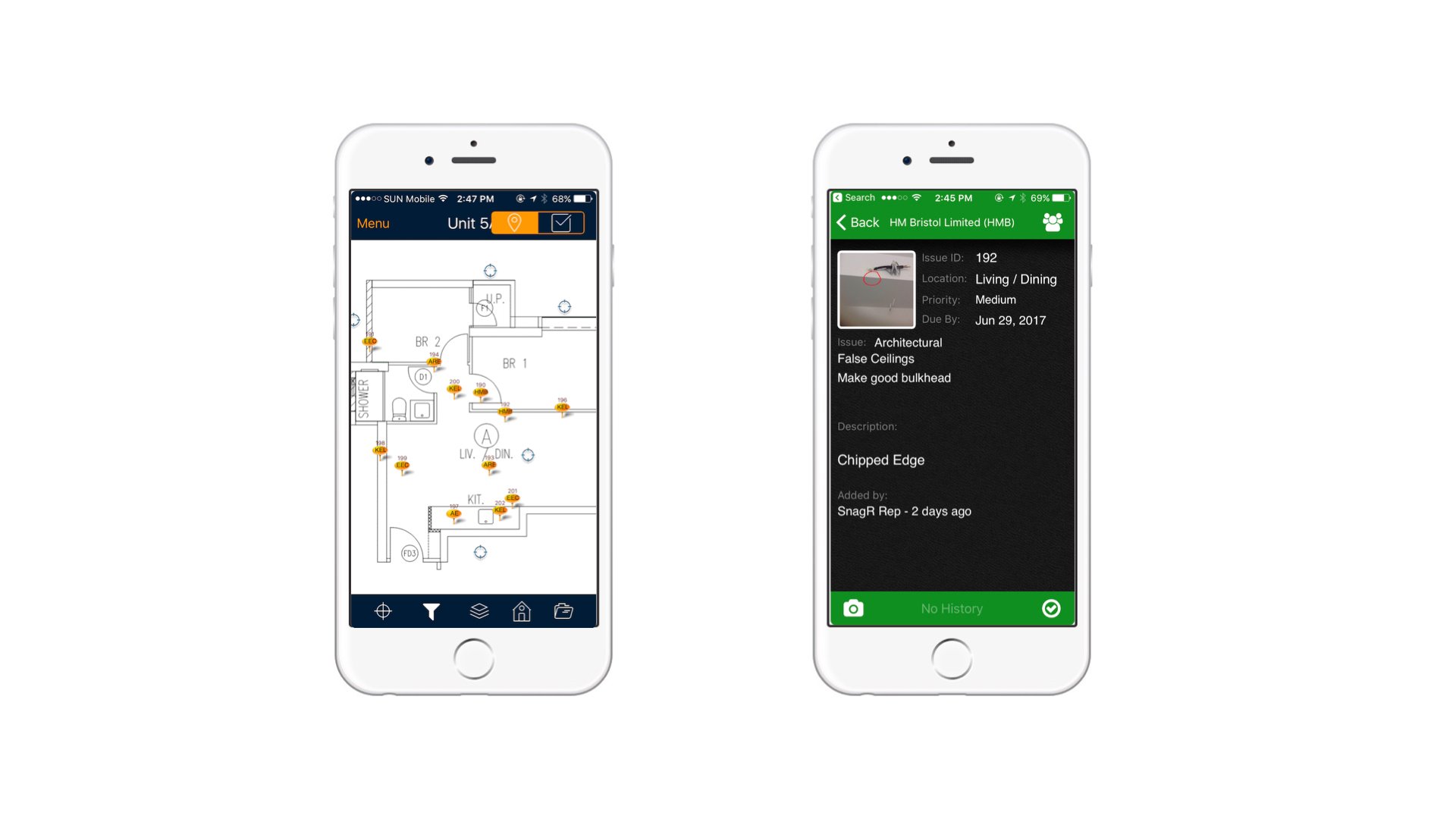
 This is an example of capturing a defect through SnagR app:
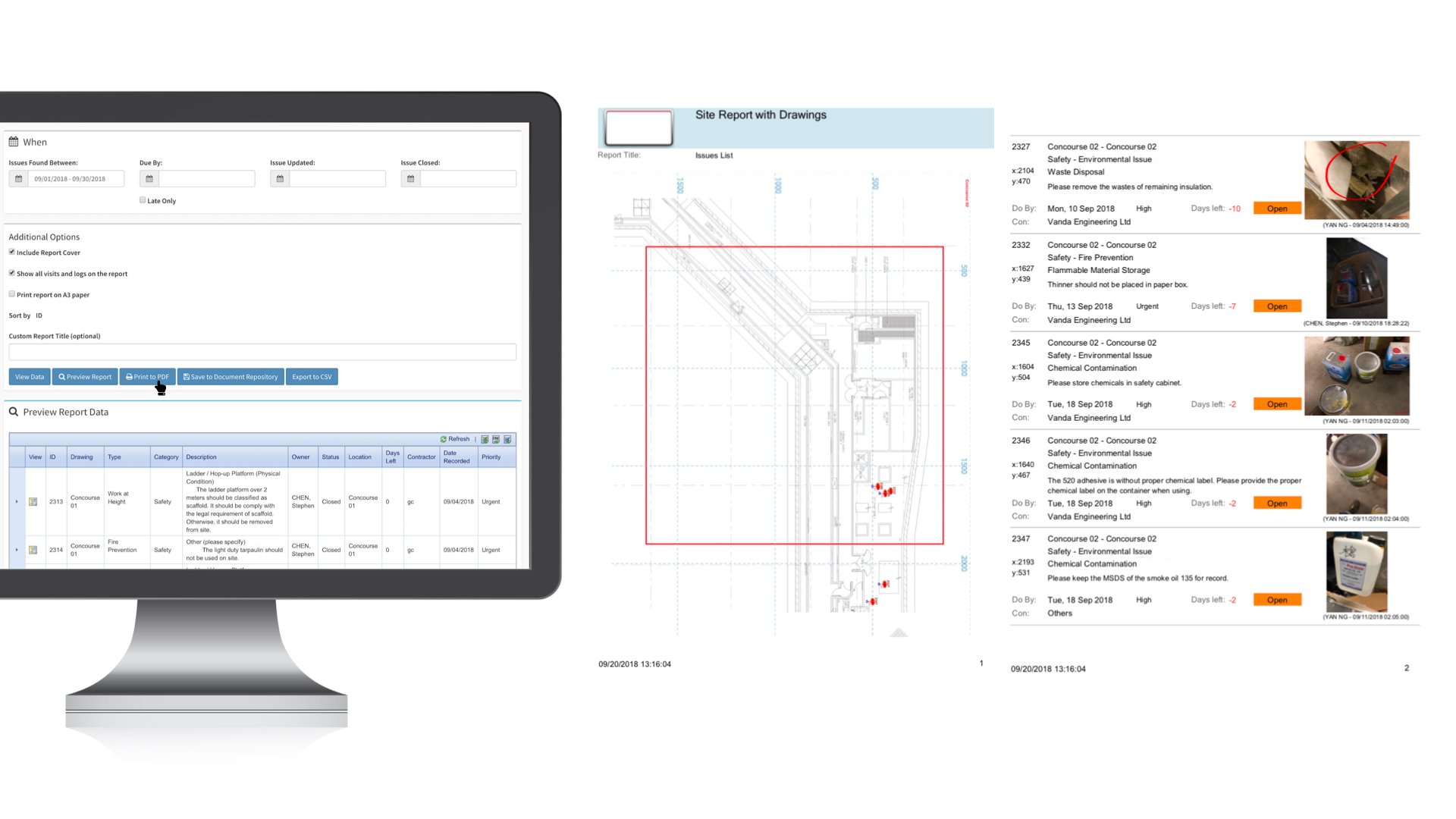
 To generate a defect report, the team can apply any filters they need, e.g. created date range, subcontractor, issue category, priority, etc, then simply click Print to PDF. Here is an example of a defect report:
 This is a standard issue analytics dashboard:
 **What is required to set this up?**
1. [A 2 or 3 tier drop down list of photo categories and descriptions](/en/set-up-project/standard-issue-list-company-level/how-to-design-the-issue-list)
2. [List of users and contractors](/en/set-up-project/accounts-and-permissions-project-level/how-to-add-users-to-project)
3. [Layout plans to reference defects to locations](/en/set-up-project/drawings-project-level/how-to-upload-drawings)
***Note***
Here are the main features used in SnagR:
1. [Capture issues](/en/issues/add-issues/how-to-add-an-issue)
2. [Update issues](/en/issues/update-issues/how-to-update-issues)
3. [Generate defect report](/en/issues/report-and-analytics/how-to-generate-an-issue-report)
**What is required to set this up?**
1. [A 2 or 3 tier drop down list of photo categories and descriptions](/en/set-up-project/standard-issue-list-company-level/how-to-design-the-issue-list)
2. [List of users and contractors](/en/set-up-project/accounts-and-permissions-project-level/how-to-add-users-to-project)
3. [Layout plans to reference defects to locations](/en/set-up-project/drawings-project-level/how-to-upload-drawings)
***Note***
Here are the main features used in SnagR:
1. [Capture issues](/en/issues/add-issues/how-to-add-an-issue)
2. [Update issues](/en/issues/update-issues/how-to-update-issues)
3. [Generate defect report](/en/issues/report-and-analytics/how-to-generate-an-issue-report)