> ## Documentation Index
> Fetch the complete documentation index at: https://kb.snagr.co.uk/llms.txt
> Use this file to discover all available pages before exploring further.
# Non Conformance Report
**What were the challenges?**
1. Difficult to keep track of follow up activities after an NCR has been raised; specifically if rework or replacement is required
2. High effort and workload to compile statistical report by any time dimensions or categories
**Before** Implementing SnagR
The contractor receive or raise an NCR internally by paper forms. The engineers or site admin team input data into a master Excel spreadsheet. The information on spreadsheet can often fall behind due to delayed update. The spreadsheet is used to generate summary and progress report on NCR follow ups.
**How did SnagR help?**
1. Digitalise Non Conformance Report (NCR)
2. Automate reports to summarise NCR statuses and costs involved, that can be filtered by time range and various categories
**A\*\*\*\*fter** Implementing SnagR
The Request for Inspection form is [digitalised](/en/set-up-project/forms-company-level/how-do-i-digitalise-a-form) on SnagR. Engineers submit NCR mostly through the website as there can be some heavy typing. It is possible to link issues to NCR, when engineers or managers would like to escalate an issue onsite.
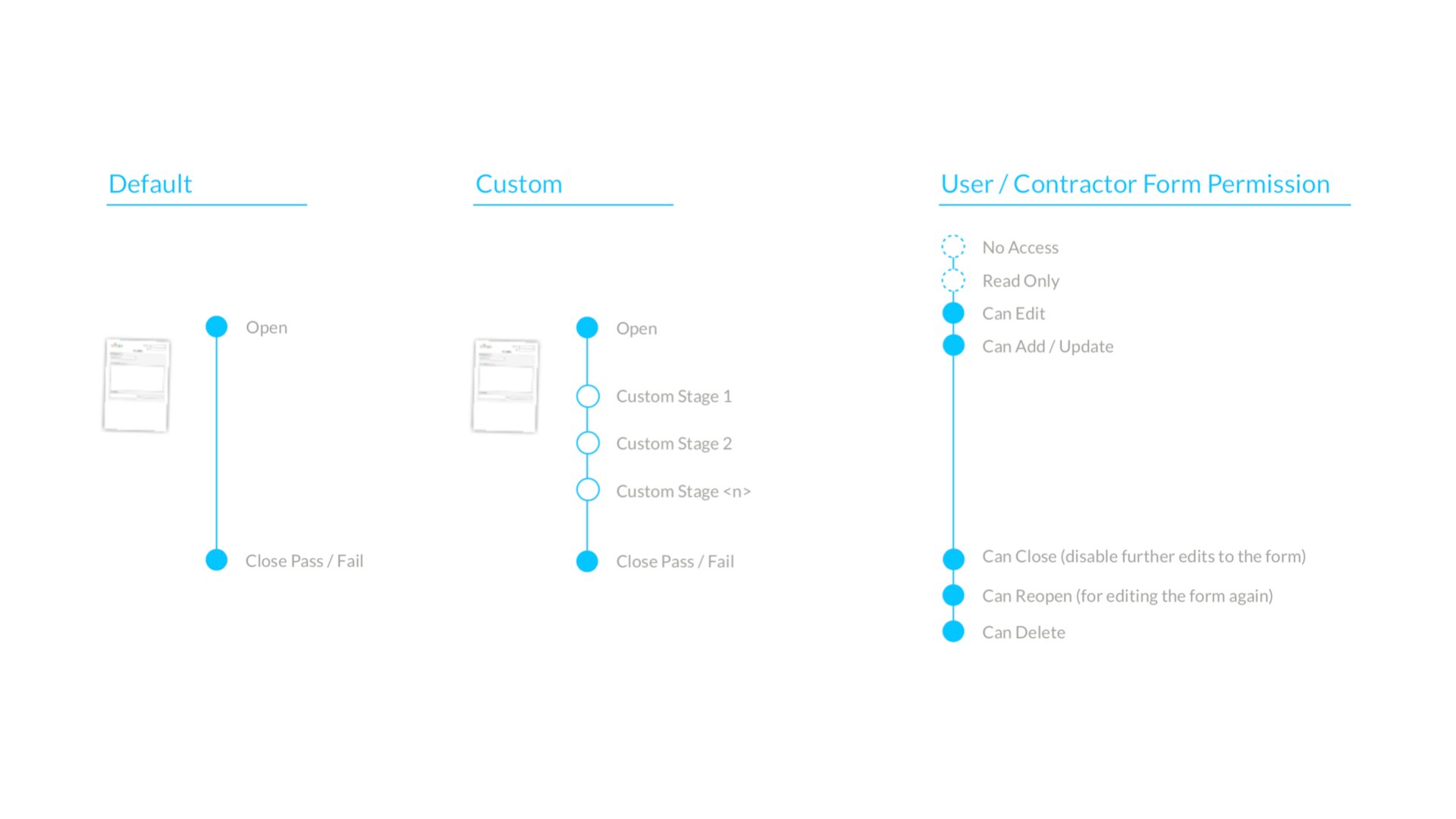
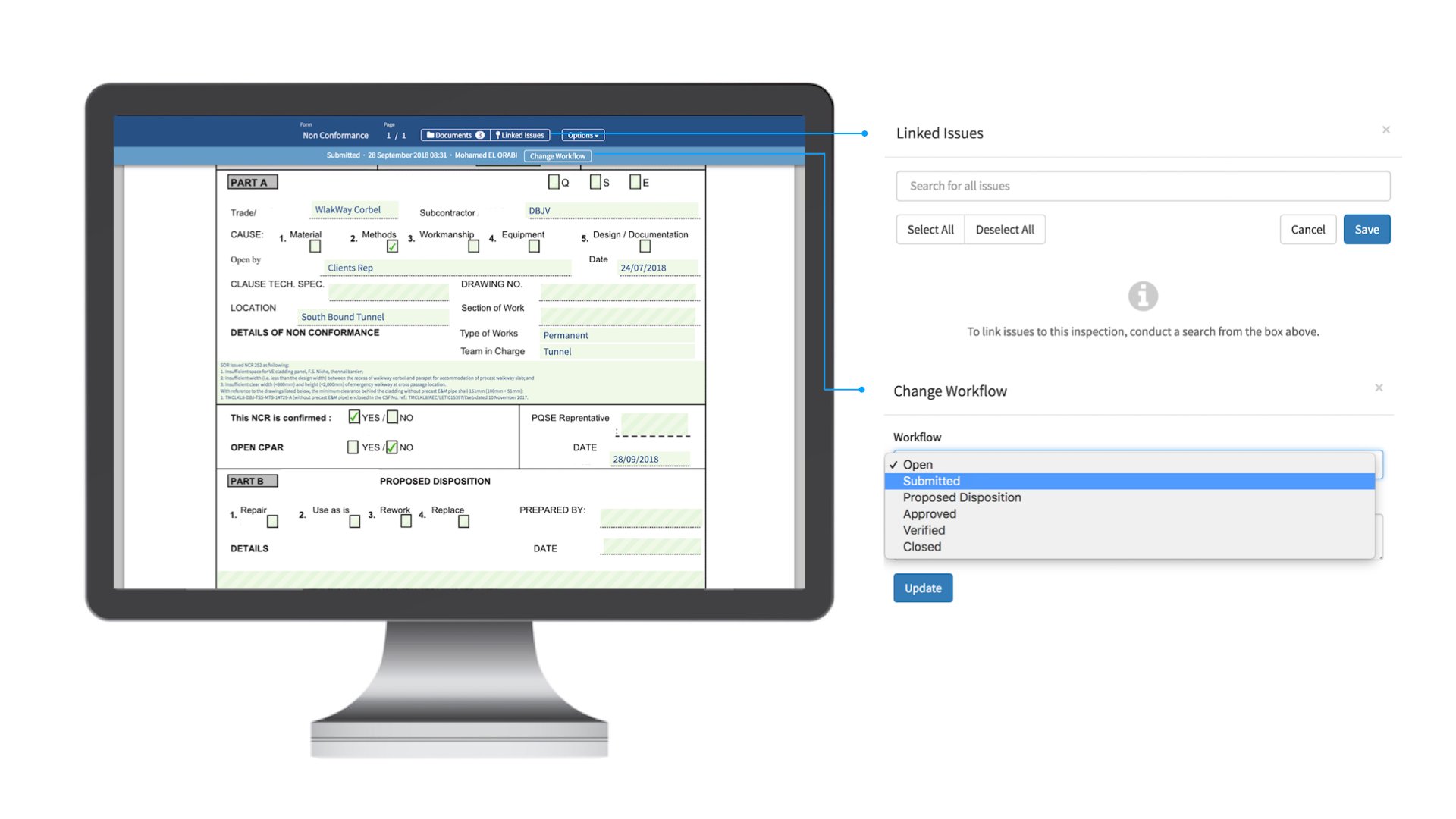 Collaboration takes place, and multiple parties are involved in the process. Teams are configured with a permission set to protect data integrity.
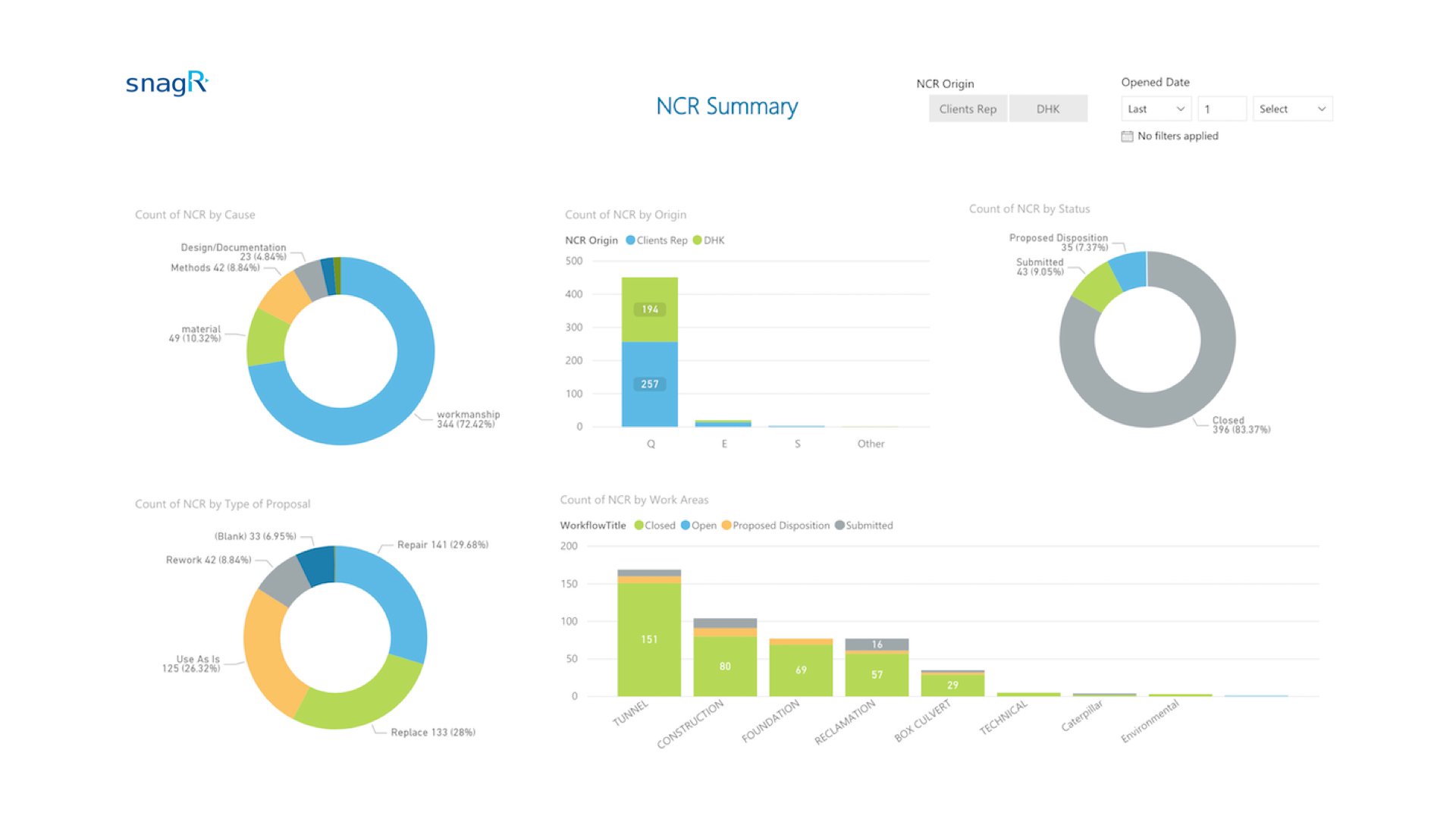
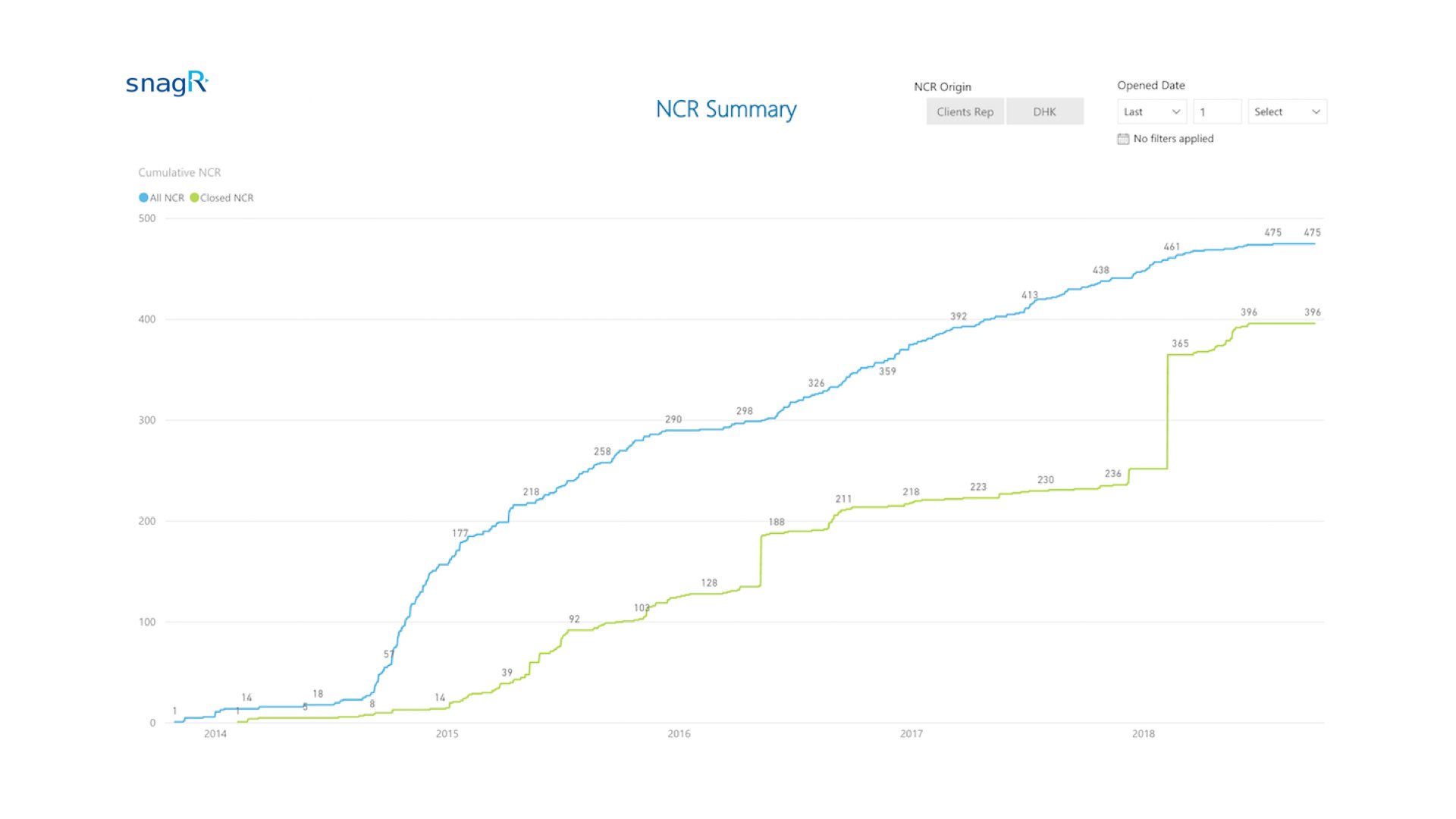
 Here are some examples of automated reporting:
 **What is required to set this up?**
1. [NCR form](/en/set-up-project/forms-company-level/how-do-i-digitalise-a-form) in PDF, png or jpeg
2. List of [users](/en/set-up-project/accounts-and-permissions-project-level/how-to-add-users-to-project) and [contractors](/en/set-up-project/accounts-and-permissions-project-level/how-to-add-contractors-to-project) who will have to submit NCR
3. List of [current workflow stages](/en/set-up-project/forms-company-level/how-to-design-inspections-in-snagr) and mappings to permission sets for teams or users
4. List of [locations](/en/set-up-project/locations-project-level/how-to-set-up-locations-on-drawings) that an NCR may be raised against
5. Existing statistical reports (if any)
***Note***
Here are the main features used in SnagR:
1. [Submit forms](/en/forms/submit-forms/how-to-complete-forms-on-device)
2. [Search forms](/en/forms/find-and-edit-forms/how-can-i-search-for-forms)
3. [Custom Dashboard](/en/reporting/analytics/how-do-i-see-custom-dashboard)
**What is required to set this up?**
1. [NCR form](/en/set-up-project/forms-company-level/how-do-i-digitalise-a-form) in PDF, png or jpeg
2. List of [users](/en/set-up-project/accounts-and-permissions-project-level/how-to-add-users-to-project) and [contractors](/en/set-up-project/accounts-and-permissions-project-level/how-to-add-contractors-to-project) who will have to submit NCR
3. List of [current workflow stages](/en/set-up-project/forms-company-level/how-to-design-inspections-in-snagr) and mappings to permission sets for teams or users
4. List of [locations](/en/set-up-project/locations-project-level/how-to-set-up-locations-on-drawings) that an NCR may be raised against
5. Existing statistical reports (if any)
***Note***
Here are the main features used in SnagR:
1. [Submit forms](/en/forms/submit-forms/how-to-complete-forms-on-device)
2. [Search forms](/en/forms/find-and-edit-forms/how-can-i-search-for-forms)
3. [Custom Dashboard](/en/reporting/analytics/how-do-i-see-custom-dashboard)