> ## Documentation Index
> Fetch the complete documentation index at: https://kb.snagr.co.uk/llms.txt
> Use this file to discover all available pages before exploring further.
# Request for Inspections
**What were the challenges?**
1. Searching for a piece of information from Request for Inspections is near to impossible or extremely time consuming due to its paper based processes
2. Difficult to keep track of ongoing activities for Request for Inspections, especially of those that failed the inspection
3. High effort and workload to compile data into an Excel in order to generate a monthly statistical report
**Before** Implementing SnagR
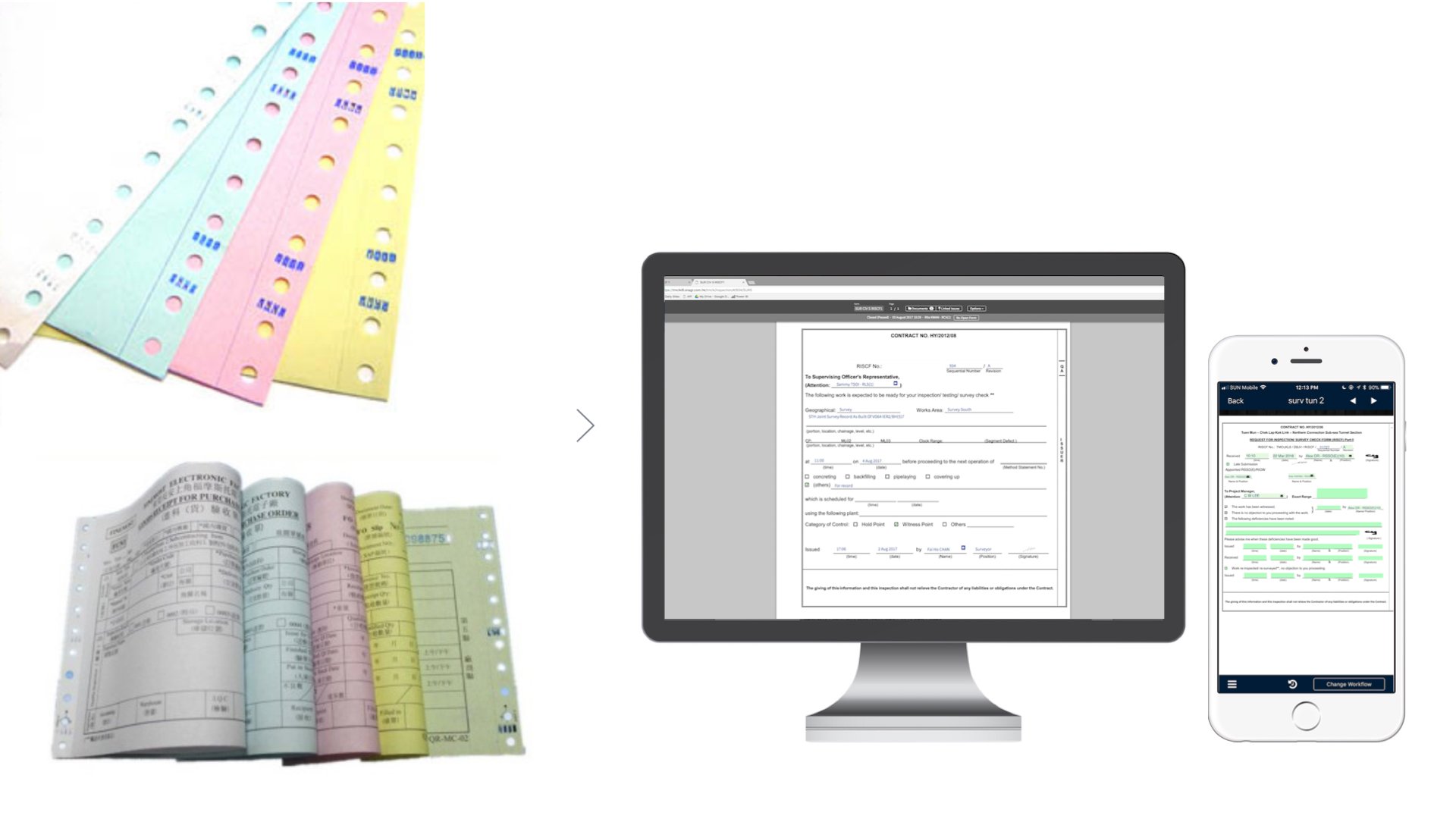
The inspection team submits up to hundreds of Request of Inspection by paper to the developer each day. The submissions are made physically on site. Each submission has 4 copies, so relevant parties keep one for their reference at each workflow stage.
 **How did SnagR help?**
1. Digitalise Request for Inspections submissions
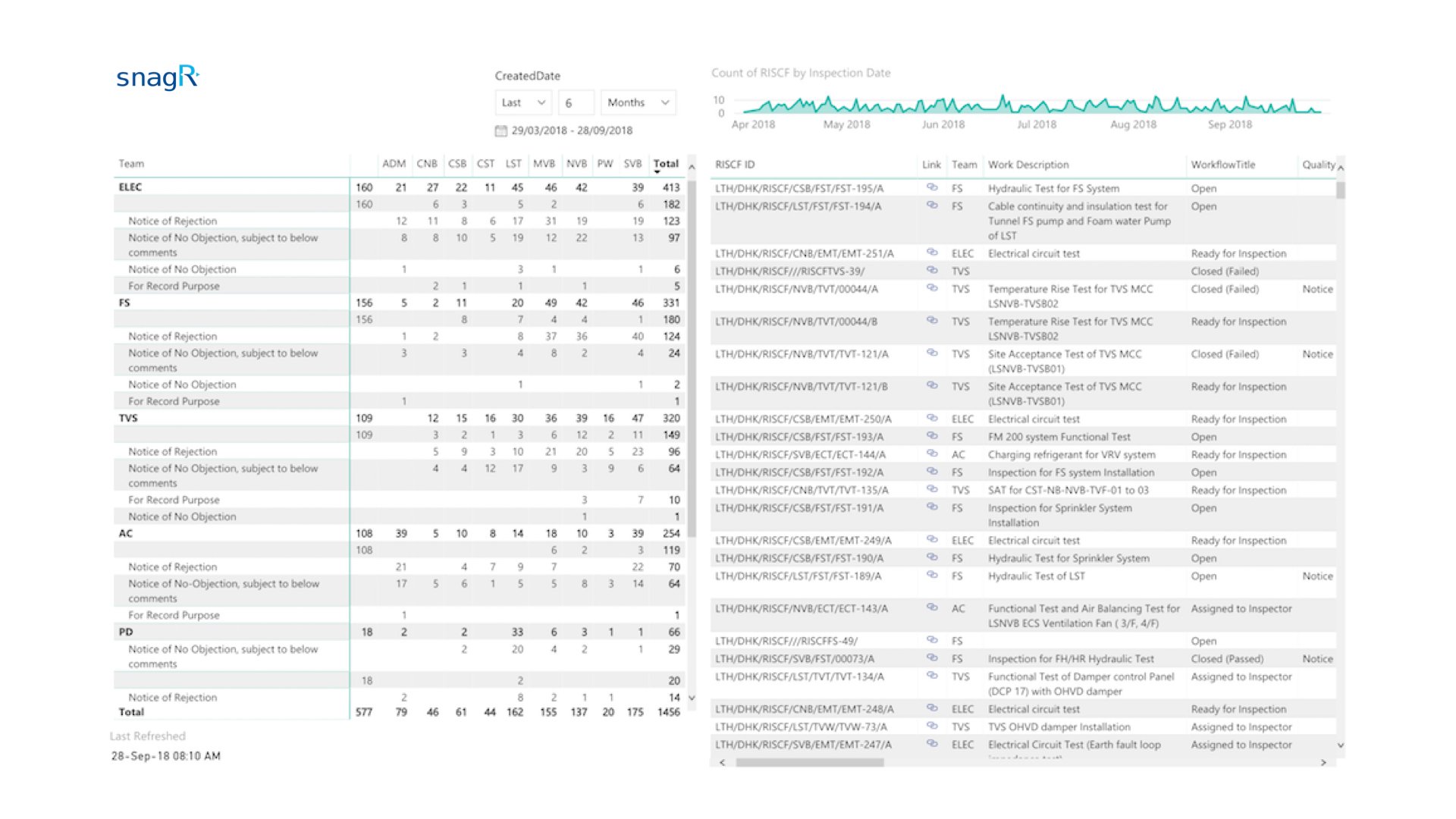
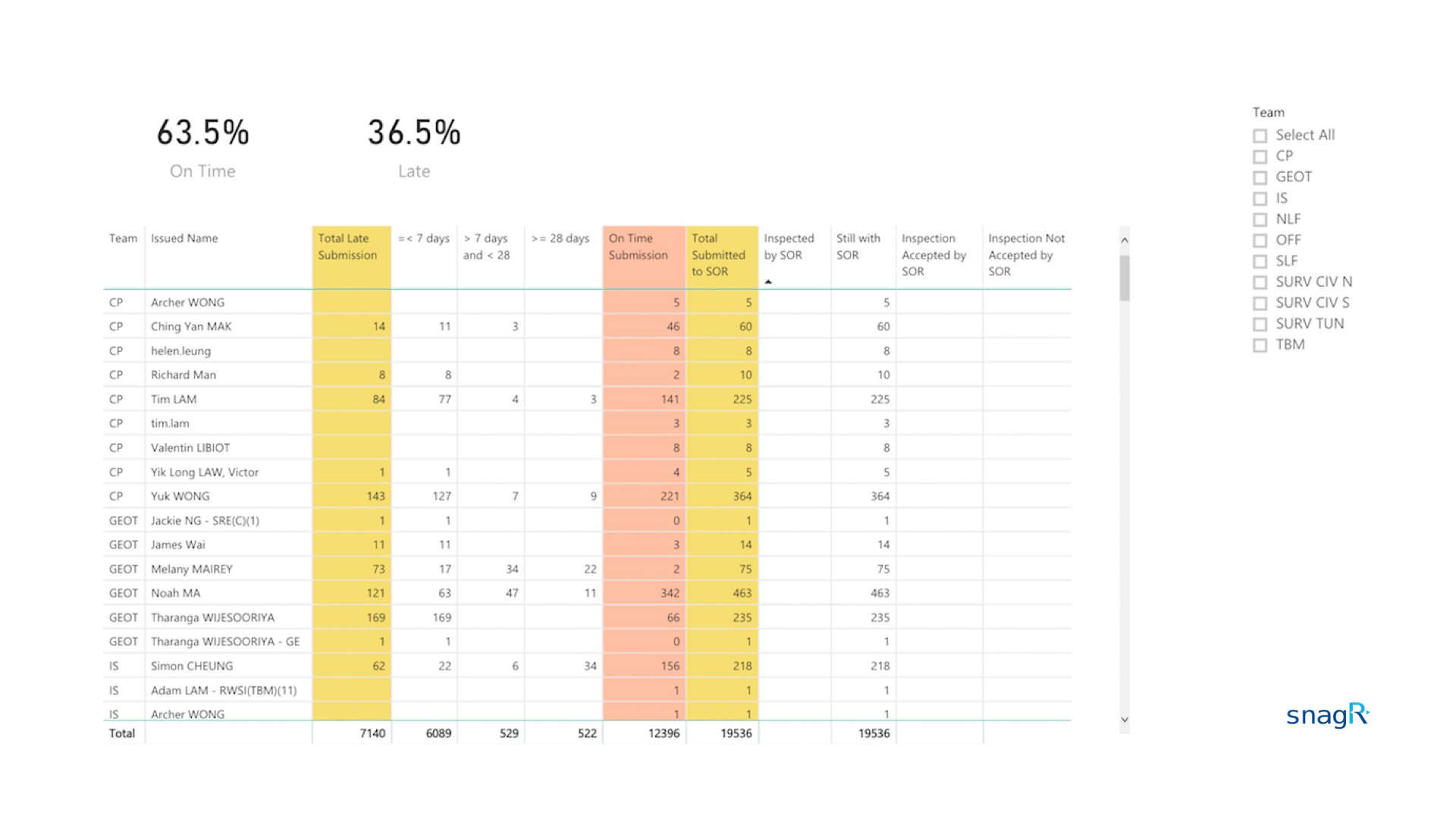
2. Automate reporting to summarise submission statuses by location, trade and sub trade
3. Enable search for Request for Inspections by keyword text in the form, submission date, location, etc.
**A\*\*\*\*fter** Implementing SnagR
The Request for Inspection form is [digitalised](/en/set-up-project/forms-company-level/how-do-i-digitalise-a-form) on SnagR. Engineers can submit the form via website or app based on their preference. Their existing workflow is mirrored in SnagR by using custom workflow.
**How did SnagR help?**
1. Digitalise Request for Inspections submissions
2. Automate reporting to summarise submission statuses by location, trade and sub trade
3. Enable search for Request for Inspections by keyword text in the form, submission date, location, etc.
**A\*\*\*\*fter** Implementing SnagR
The Request for Inspection form is [digitalised](/en/set-up-project/forms-company-level/how-do-i-digitalise-a-form) on SnagR. Engineers can submit the form via website or app based on their preference. Their existing workflow is mirrored in SnagR by using custom workflow.
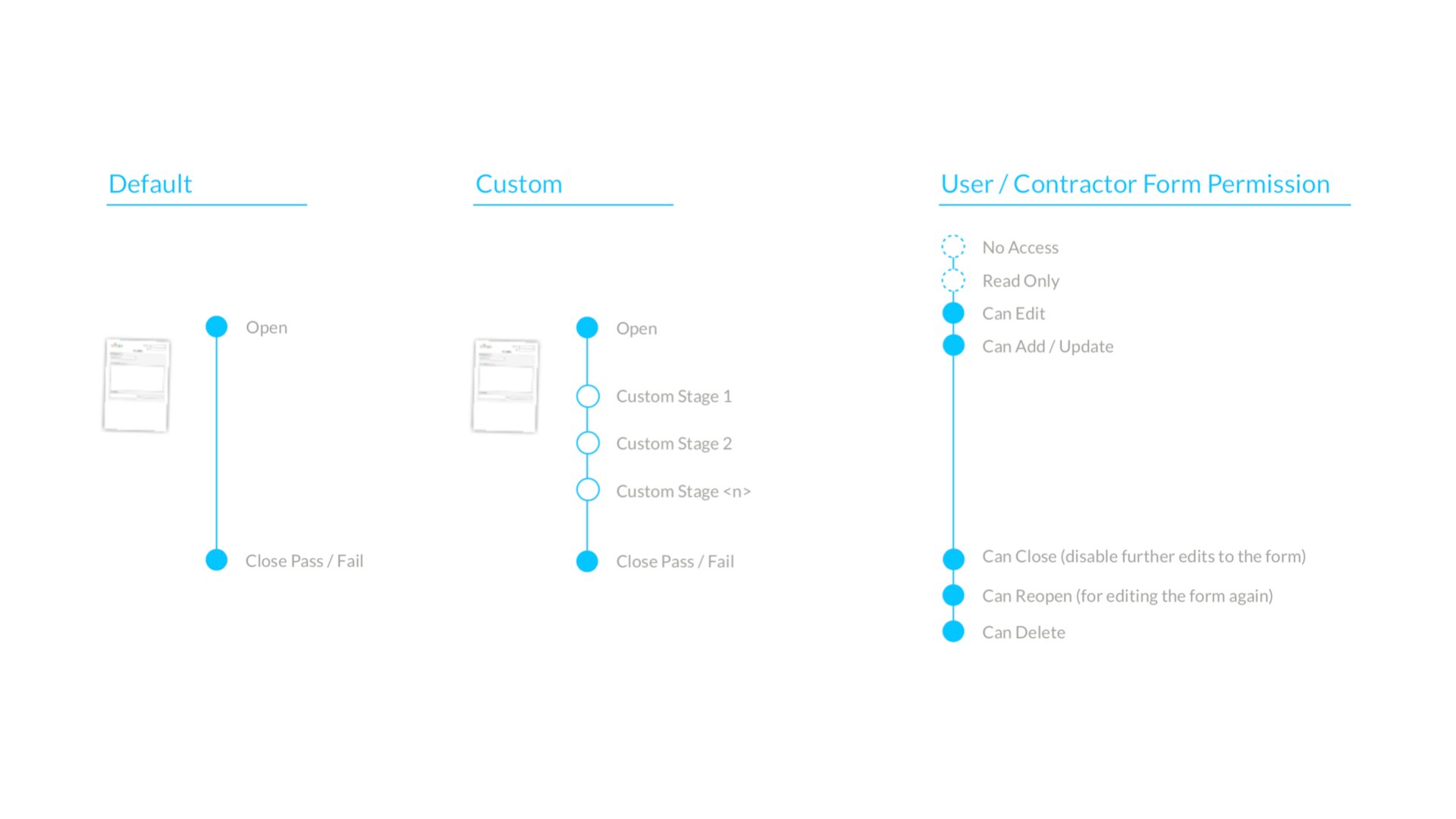
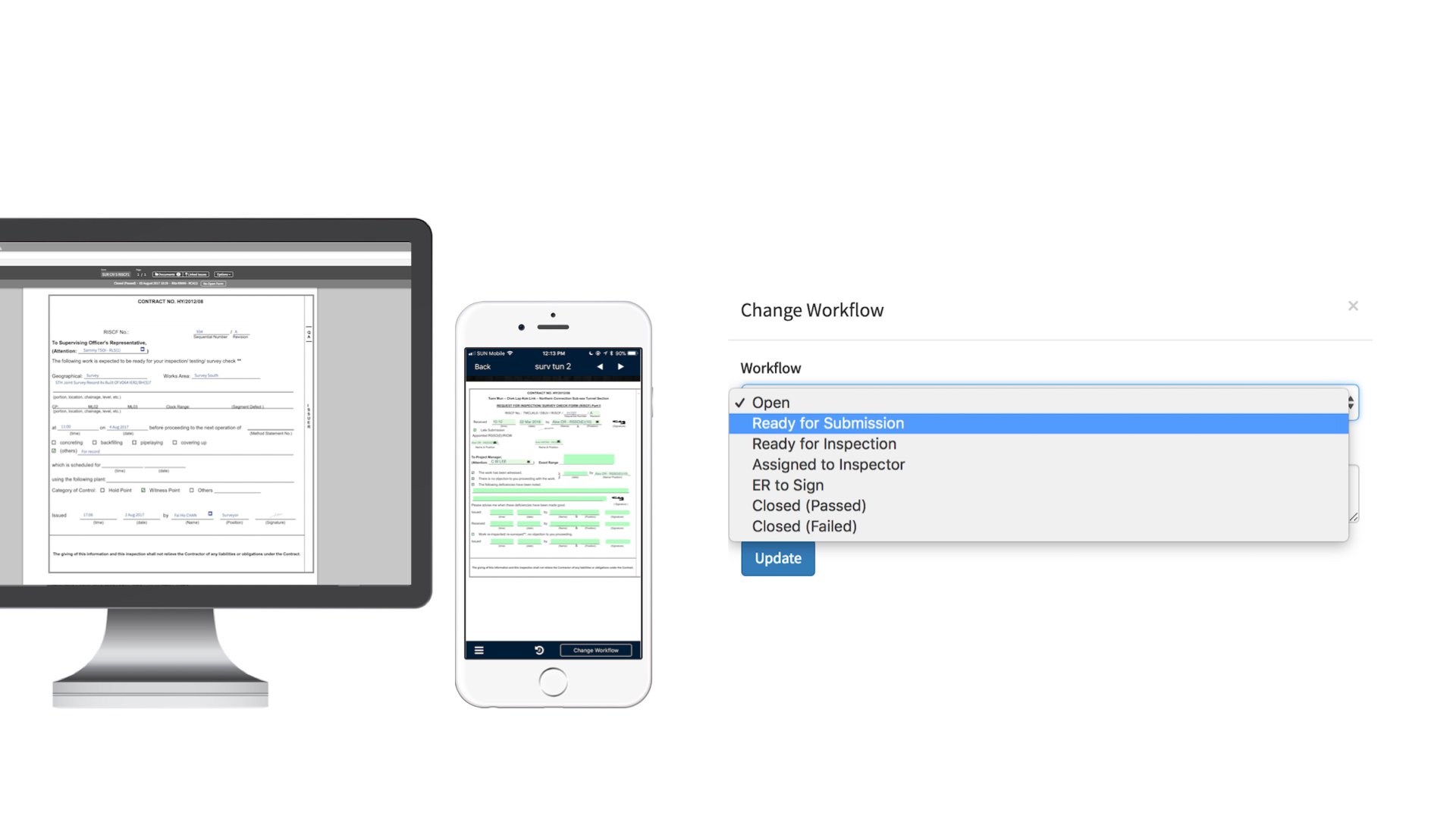 Collaboration takes place, and multiple parties are involved in the process. Teams are configured with a permission set to protect data integrity.
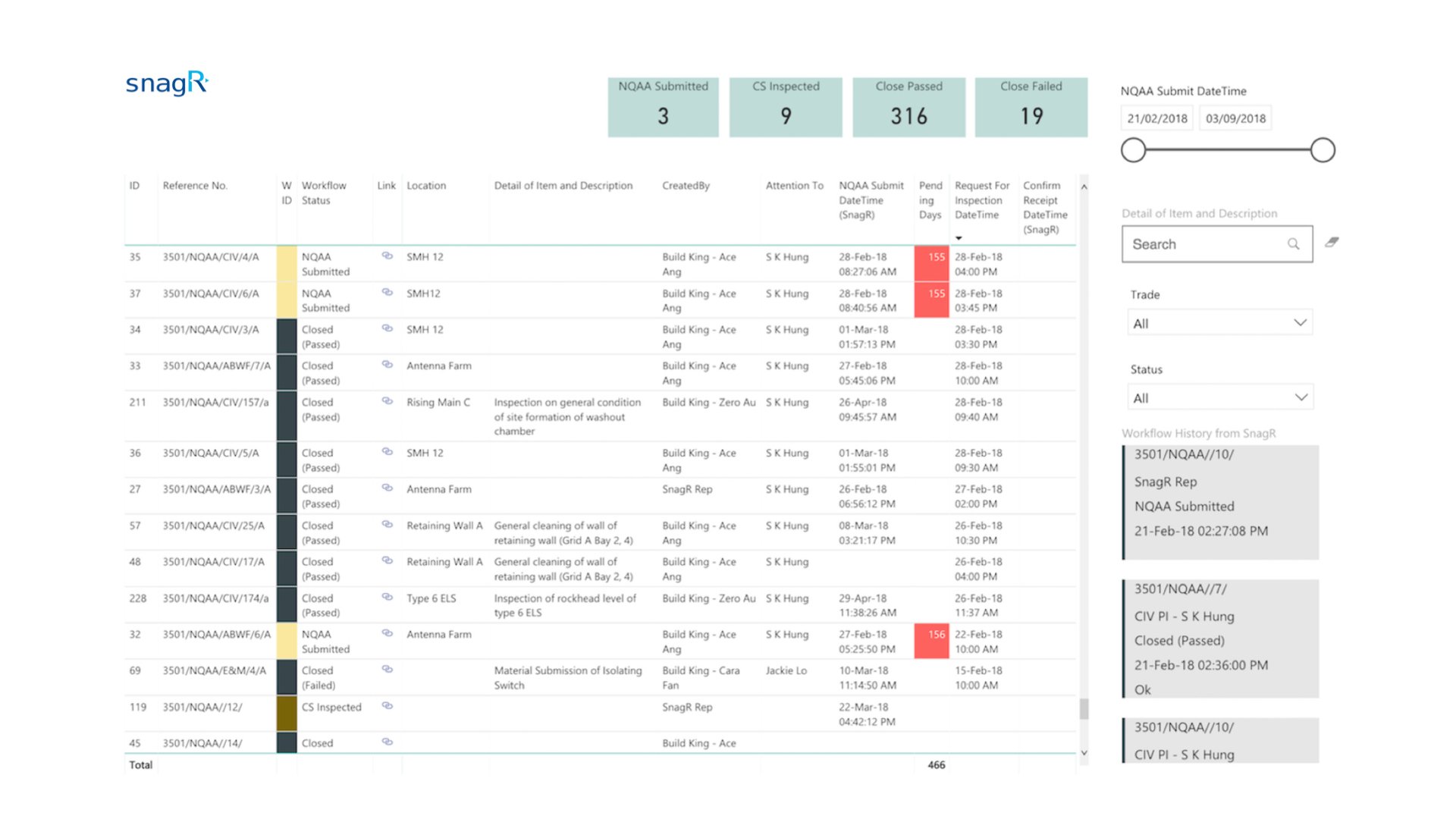
 Here are some examples of automated reporting:
 **What is required to set this up?**
1. [Request for Inspection form](/en/set-up-project/forms-company-level/how-do-i-digitalise-a-form) in PDF, png or jpeg
2. List of [users](/en/set-up-project/accounts-and-permissions-project-level/how-to-add-users-to-project) and [contractors](/en/set-up-project/accounts-and-permissions-project-level/how-to-add-contractors-to-project) who will have to submit the form
3. List of [current workflow stages](/en/set-up-project/forms-company-level/how-to-design-inspections-in-snagr) and mappings to permission sets for teams or users
4. List of [locations](/en/set-up-project/locations-project-level/how-to-set-up-locations-on-drawings) that require Request for Inspections submissions
5. Existing statistical reports (if any)
***Note***
Here are the main features used in SnagR:
1. [Submit forms](/en/forms/submit-forms/how-to-complete-forms-on-device)
2. [Search forms](/en/forms/find-and-edit-forms/how-can-i-search-for-forms)
3. [Custom Dashboard](/en/reporting/analytics/how-do-i-see-custom-dashboard)
**What is required to set this up?**
1. [Request for Inspection form](/en/set-up-project/forms-company-level/how-do-i-digitalise-a-form) in PDF, png or jpeg
2. List of [users](/en/set-up-project/accounts-and-permissions-project-level/how-to-add-users-to-project) and [contractors](/en/set-up-project/accounts-and-permissions-project-level/how-to-add-contractors-to-project) who will have to submit the form
3. List of [current workflow stages](/en/set-up-project/forms-company-level/how-to-design-inspections-in-snagr) and mappings to permission sets for teams or users
4. List of [locations](/en/set-up-project/locations-project-level/how-to-set-up-locations-on-drawings) that require Request for Inspections submissions
5. Existing statistical reports (if any)
***Note***
Here are the main features used in SnagR:
1. [Submit forms](/en/forms/submit-forms/how-to-complete-forms-on-device)
2. [Search forms](/en/forms/find-and-edit-forms/how-can-i-search-for-forms)
3. [Custom Dashboard](/en/reporting/analytics/how-do-i-see-custom-dashboard)