> ## Documentation Index
> Fetch the complete documentation index at: https://kb.snagr.co.uk/llms.txt
> Use this file to discover all available pages before exploring further.
# [Export Formulier Content naar Excel] Hoe stel ik een template op?
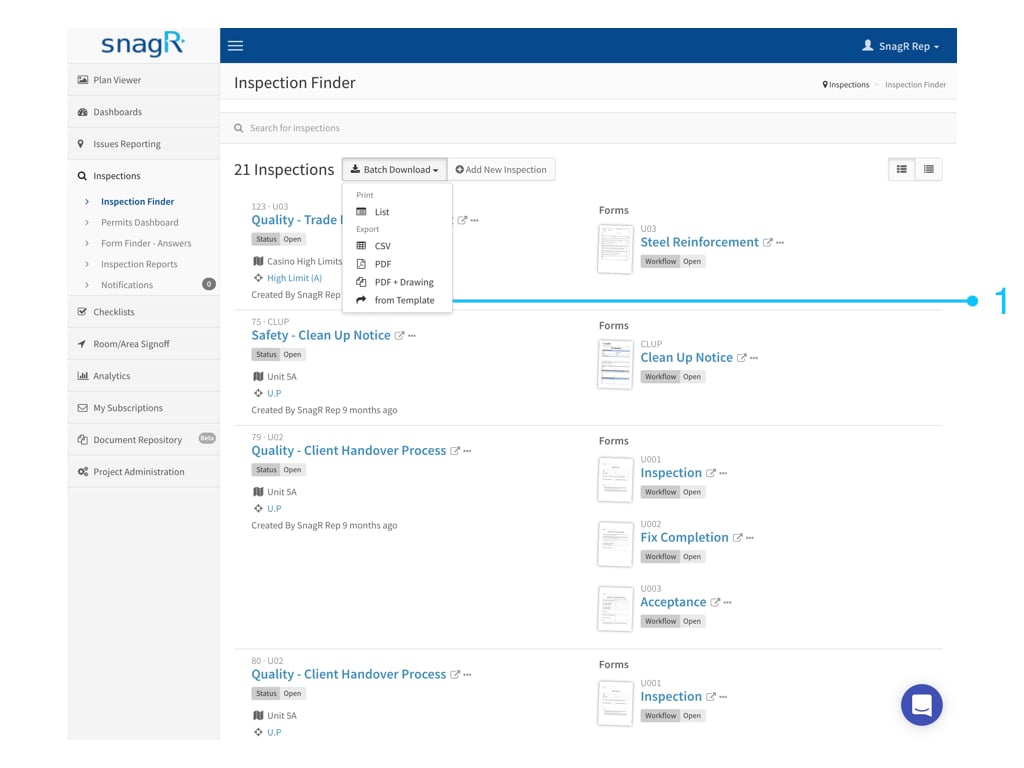
Wanneer dit template is aangemaakt, kan jouw team formulier content exporteren naar een CSV bestand door te klikken op **Partij Download** en dan te kiezen voor **Van Template**.
 **Website**
Log in op een project.
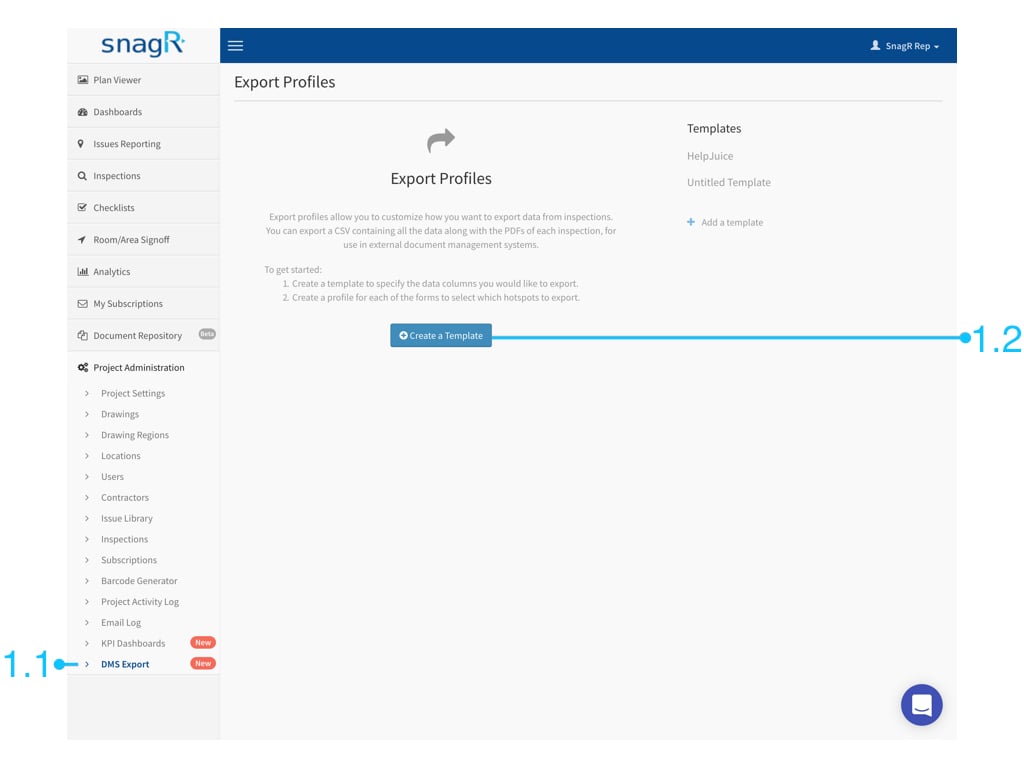
Ga naar **Project Administratie > DMS Export > Maak een Template**.
**Website**
Log in op een project.
Ga naar **Project Administratie > DMS Export > Maak een Template**.
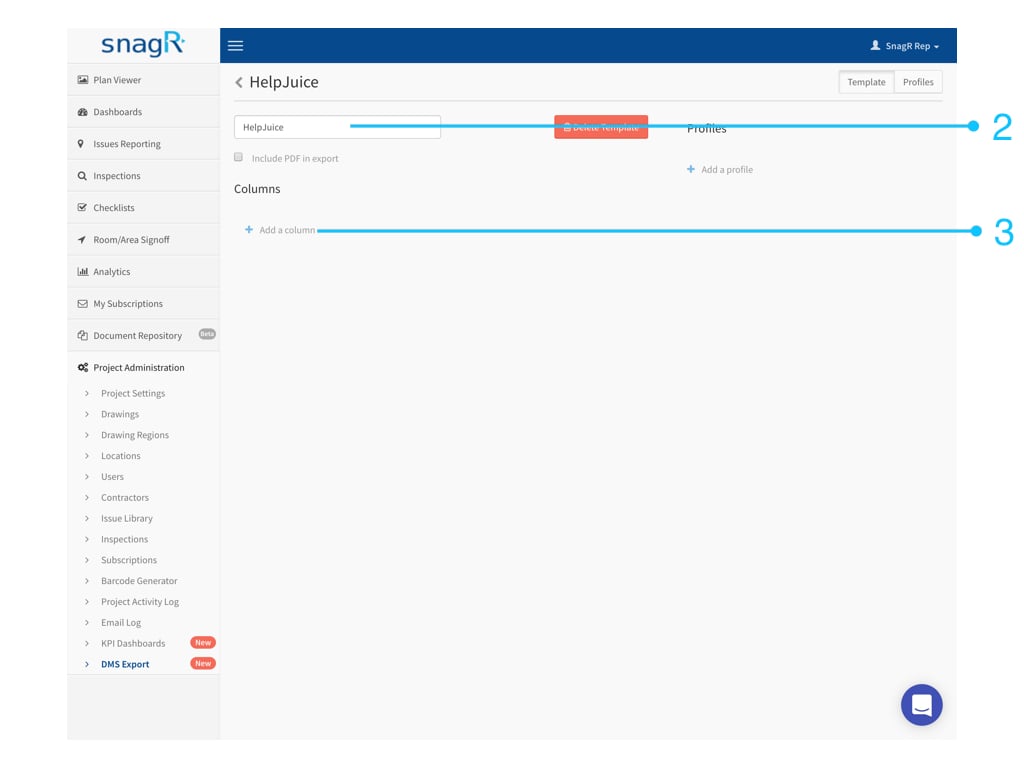
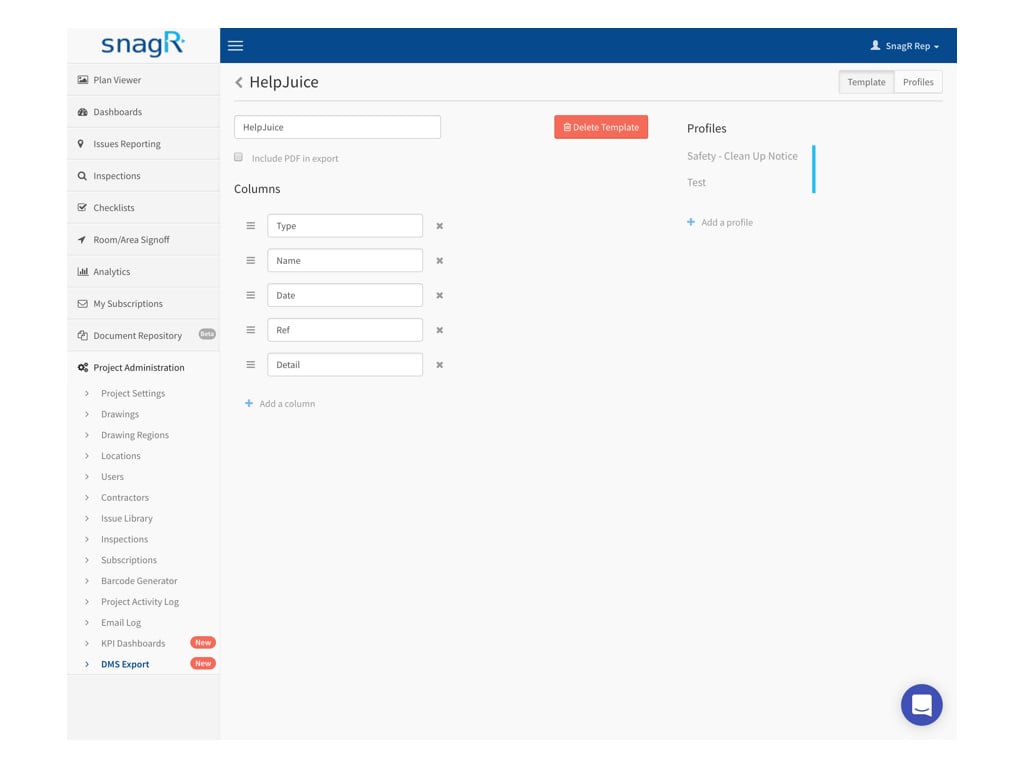
 Geef de template een naam en klik op **Kolom Toevoegen**
 om een kolom te maken. Herhaal deze actie om het aantal gewenste kolommen in Excel formaat te krijgen.
 **Geef de kolommen een naam** en druk vervolgens op **Profiel Toevoegen**
 .
.
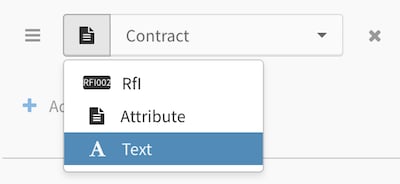
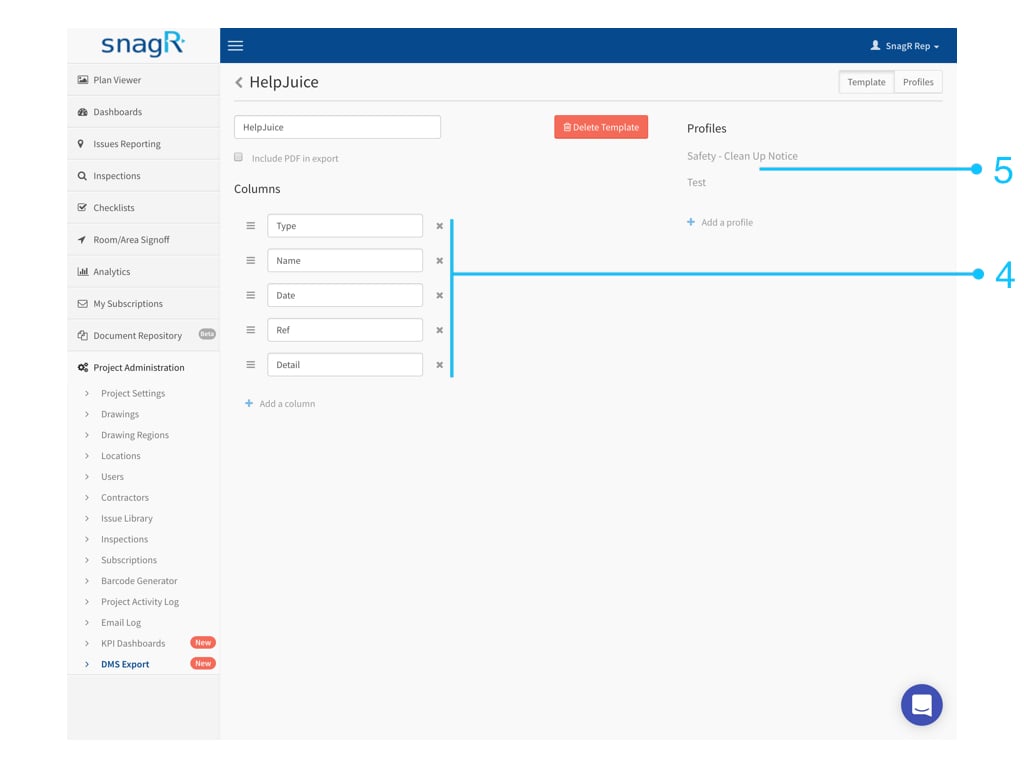 Bij **Profielen kan** kan je de kolommen koppelen aan:
1. Formulier velden
2. Attributen
3. Tekst
### 1. Formulier Velden
Formulier velden zijn de gegevens die zijn ingevoerd in het formulier.\
**Selecteer** een formulier.
Bij **Profielen kan** kan je de kolommen koppelen aan:
1. Formulier velden
2. Attributen
3. Tekst
### 1. Formulier Velden
Formulier velden zijn de gegevens die zijn ingevoerd in het formulier.\
**Selecteer** een formulier.
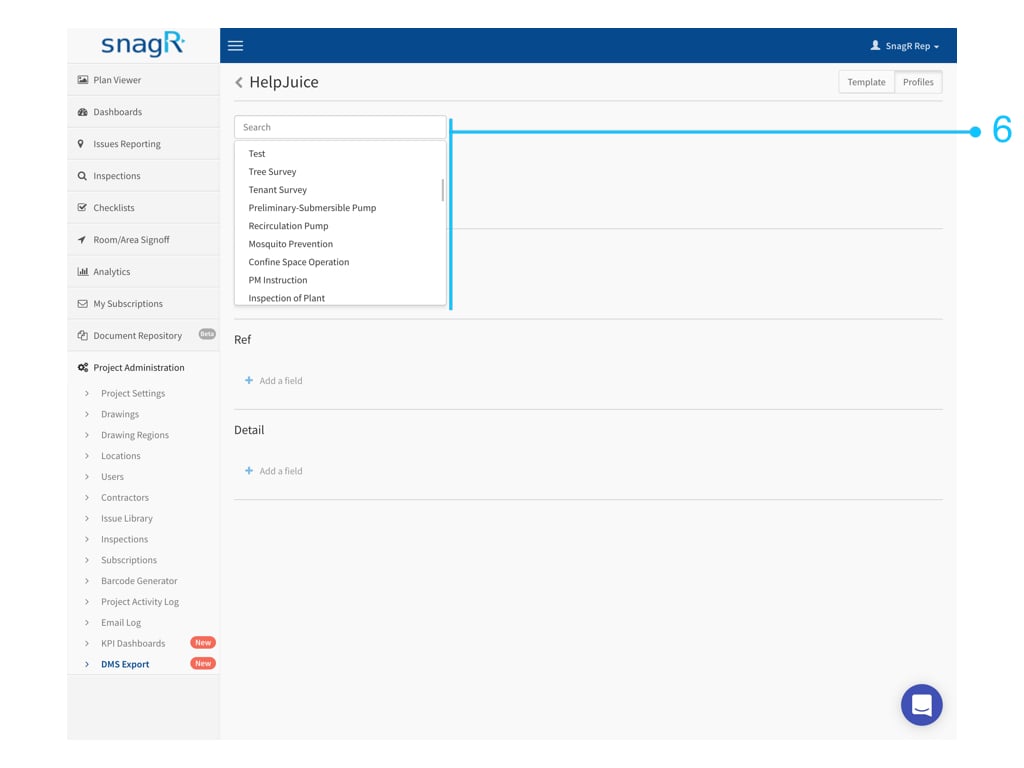 In de volgende drop down lijst **kies** je de naam van het veld in het formulier.
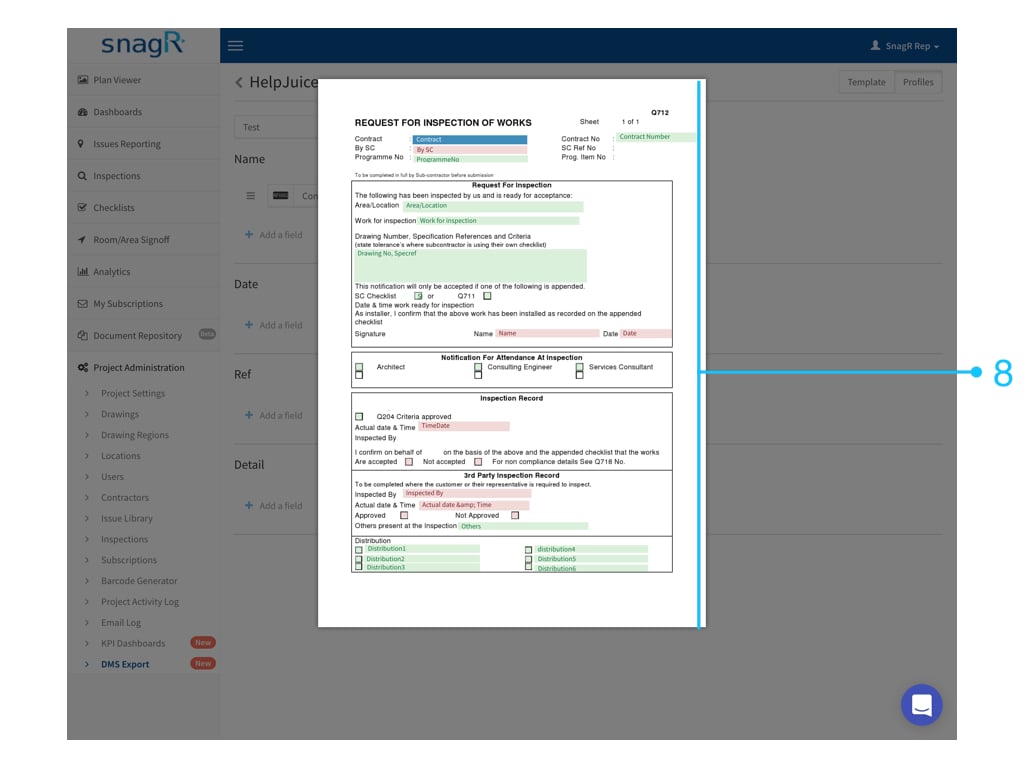
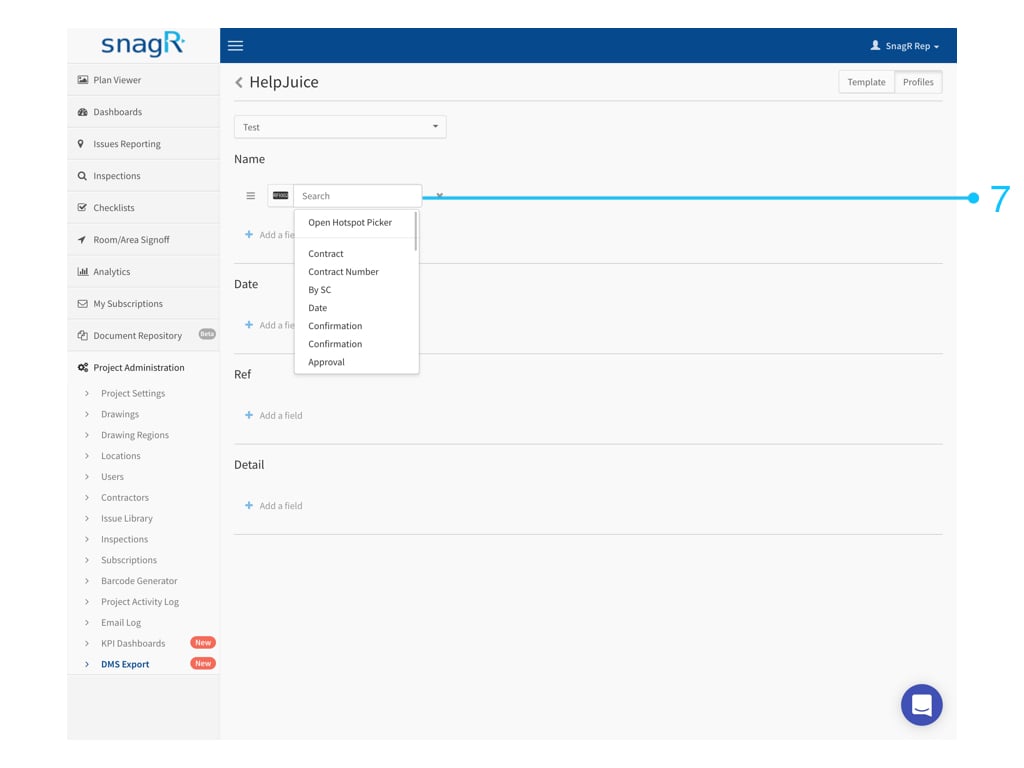 ***Waarom zie ik alleen maar Hotspot zonder naam in de drop down lijst?***\
Waarschijnlijk is het formulier opgezet zonder dat er titels zijn toegewezen aan de individuele velden.
In dit geval open je de bovenste optie **Open Hotspot Kiezer** om de gewenste hotspot direct te selecteren.
***Waarom zie ik alleen maar Hotspot zonder naam in de drop down lijst?***\
Waarschijnlijk is het formulier opgezet zonder dat er titels zijn toegewezen aan de individuele velden.
In dit geval open je de bovenste optie **Open Hotspot Kiezer** om de gewenste hotspot direct te selecteren.
 ### 2. Attributen
Attributen is informatie betreffend het formulier zoals de tekening naam of waar het formulier is gemaakt, het projectnummer, de gebruiker die het formulier heeft toevoegd, etc...
Kies **Attribute**.
### 2. Attributen
Attributen is informatie betreffend het formulier zoals de tekening naam of waar het formulier is gemaakt, het projectnummer, de gebruiker die het formulier heeft toevoegd, etc...
Kies **Attribute**.
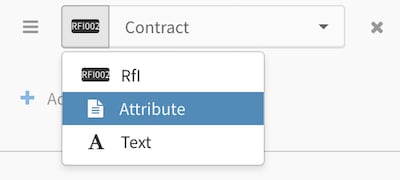 **Selecteer** een attribute.
 ### 3. Tekst
Kies **Tekst**
### 3. Tekst
Kies **Tekst**
 ***
*** Waar kan ik Tekst voor gebruiken?***
Er kunnen meer dan één veld in een kolom zetten. Dit houdt in dat je formulier velden, attributen en tekst kan **combineren**. Een voorbeeld is het tekstveld te gebruiken als scheidingsteken:
Waar kan ik Tekst voor gebruiken?***
Er kunnen meer dan één veld in een kolom zetten. Dit houdt in dat je formulier velden, attributen en tekst kan **combineren**. Een voorbeeld is het tekstveld te gebruiken als scheidingsteken:
 **Kan het template gegevens uit meerdere formulieren halen?**
Dat kan, klik op **Profiel Toevoegen** en ga verder naar het inrichten van de kolommen.
**Kan het template gegevens uit meerdere formulieren halen?**
Dat kan, klik op **Profiel Toevoegen** en ga verder naar het inrichten van de kolommen.
 Dat is alles! Wanneer de template klaar is, **probeer hem uit**.
Klik [hier](/nl/formulieren/formulieren-exporteren/hoe-exporteer-ik-formuliergegevens-naar-excel) om te zien hoe je data exporteert van een Template.
Dat is alles! Wanneer de template klaar is, **probeer hem uit**.
Klik [hier](/nl/formulieren/formulieren-exporteren/hoe-exporteer-ik-formuliergegevens-naar-excel) om te zien hoe je data exporteert van een Template.