> ## Documentation Index
> Fetch the complete documentation index at: https://kb.snagr.co.uk/llms.txt
> Use this file to discover all available pages before exploring further.
# APP一直顯示Checking Credentials...,發生甚麼事了?
這種情況下通常是你輸入了錯誤的URL導致的,請你再次檢查以確保你是輸入了正確的URL。
 注意了! URL的結尾沒是有 " / " 的.
比如, [https://demo40.snagr.com.hk/training/](https://demo40.snagr.com.hk/training/) 是錯誤。[https://demo40.snagr.com.hk/training](https://demo40.snagr.com.hk/training) 才是正確的。
**「打字太麻煩了!」**
為了保證你輸入的資料一定是正確的,你可以掃描二維碼來登入你的項目。
點擊下列地方就可以掃描二維碼。
注意了! URL的結尾沒是有 " / " 的.
比如, [https://demo40.snagr.com.hk/training/](https://demo40.snagr.com.hk/training/) 是錯誤。[https://demo40.snagr.com.hk/training](https://demo40.snagr.com.hk/training) 才是正確的。
**「打字太麻煩了!」**
為了保證你輸入的資料一定是正確的,你可以掃描二維碼來登入你的項目。
點擊下列地方就可以掃描二維碼。
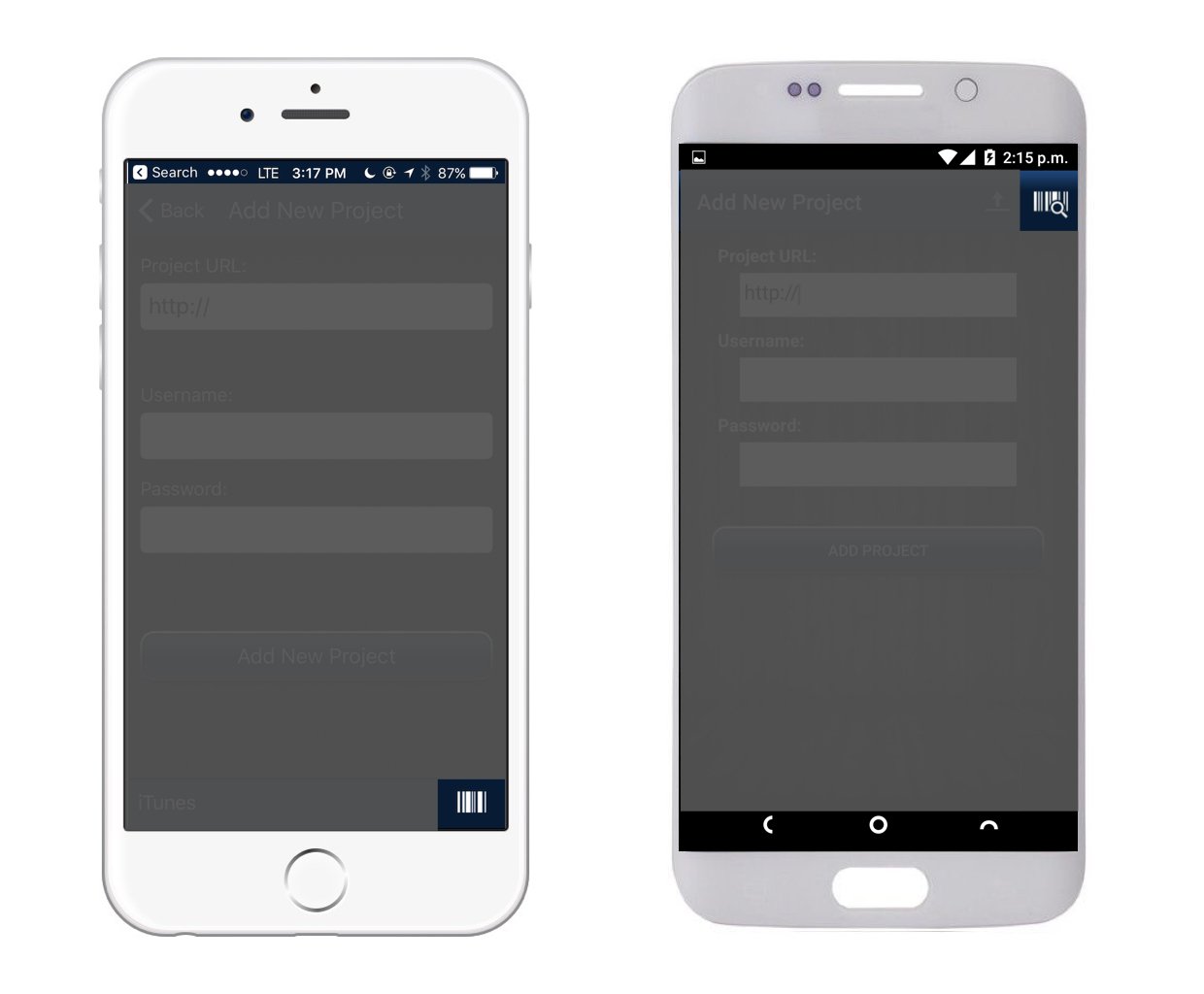 掃描二維碼,你的項目名稱和用戶名就會被自動填寫好啦。
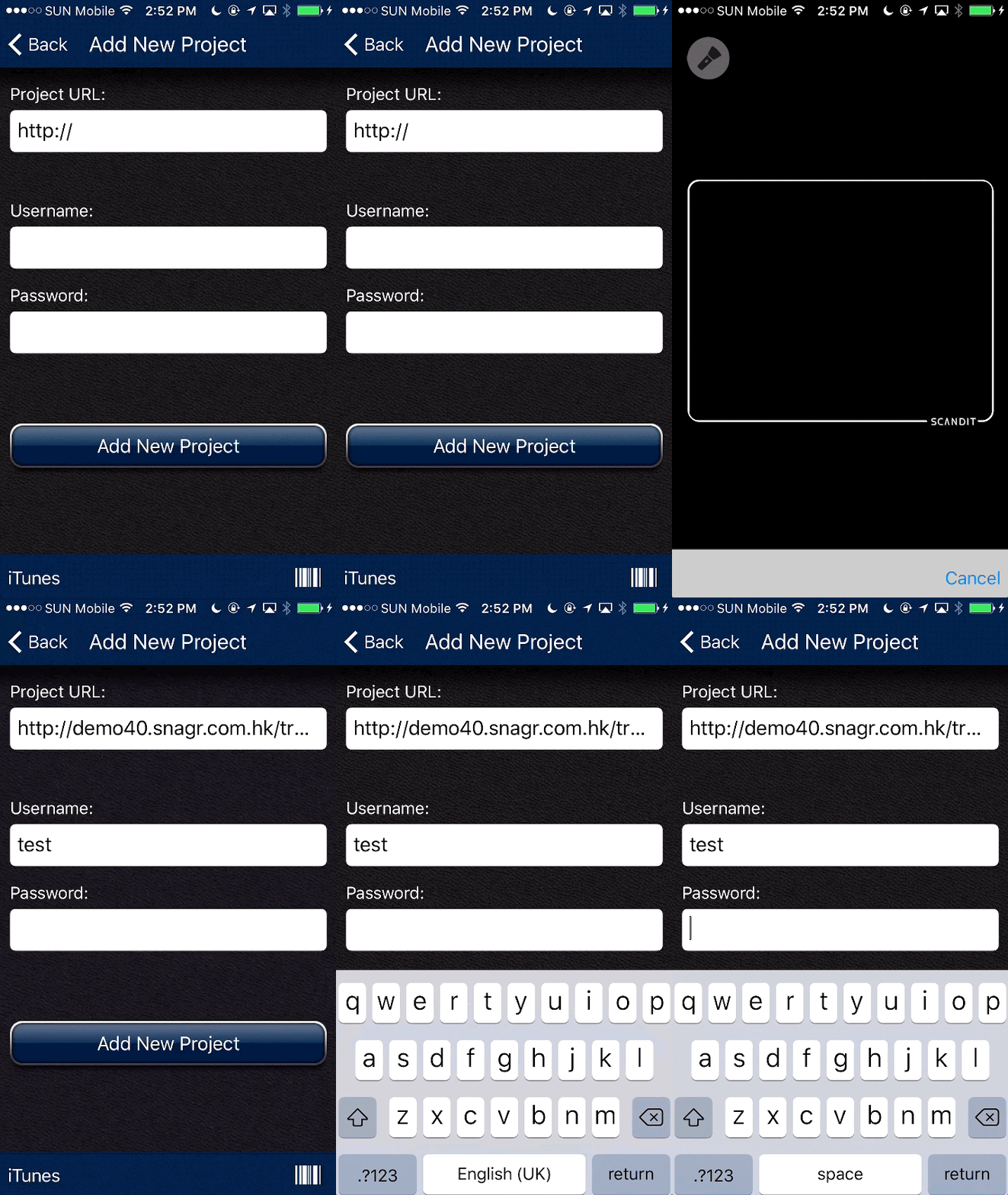 你只需輸入你的密碼就可以順利使用SnagR了。