> ## Documentation Index
> Fetch the complete documentation index at: https://kb.snagr.co.uk/llms.txt
> Use this file to discover all available pages before exploring further.

# 如何搜索表格？

<img src="https://mintcdn.com/snagr/Fc-Qgss-VatVIL0b/images/uploads/123669-if_icons_mobile_1564515.png?fit=max&auto=format&n=Fc-Qgss-VatVIL0b&q=85&s=33c23172e831246883598cbf05523c0d" alt="if icons mobile 1564515" width="20" data-path="images/uploads/123669-if_icons_mobile_1564515.png" /> **移動設備**

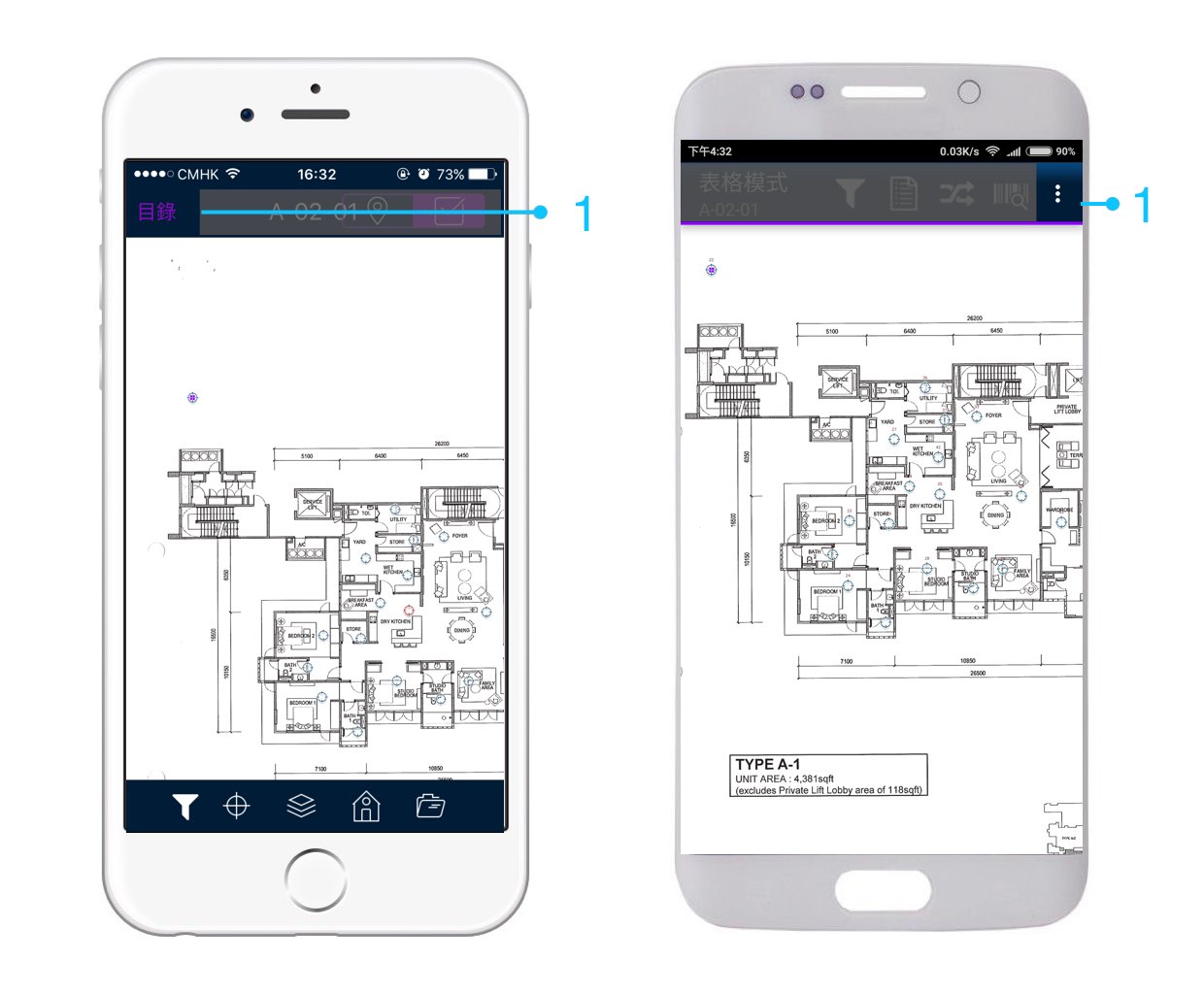
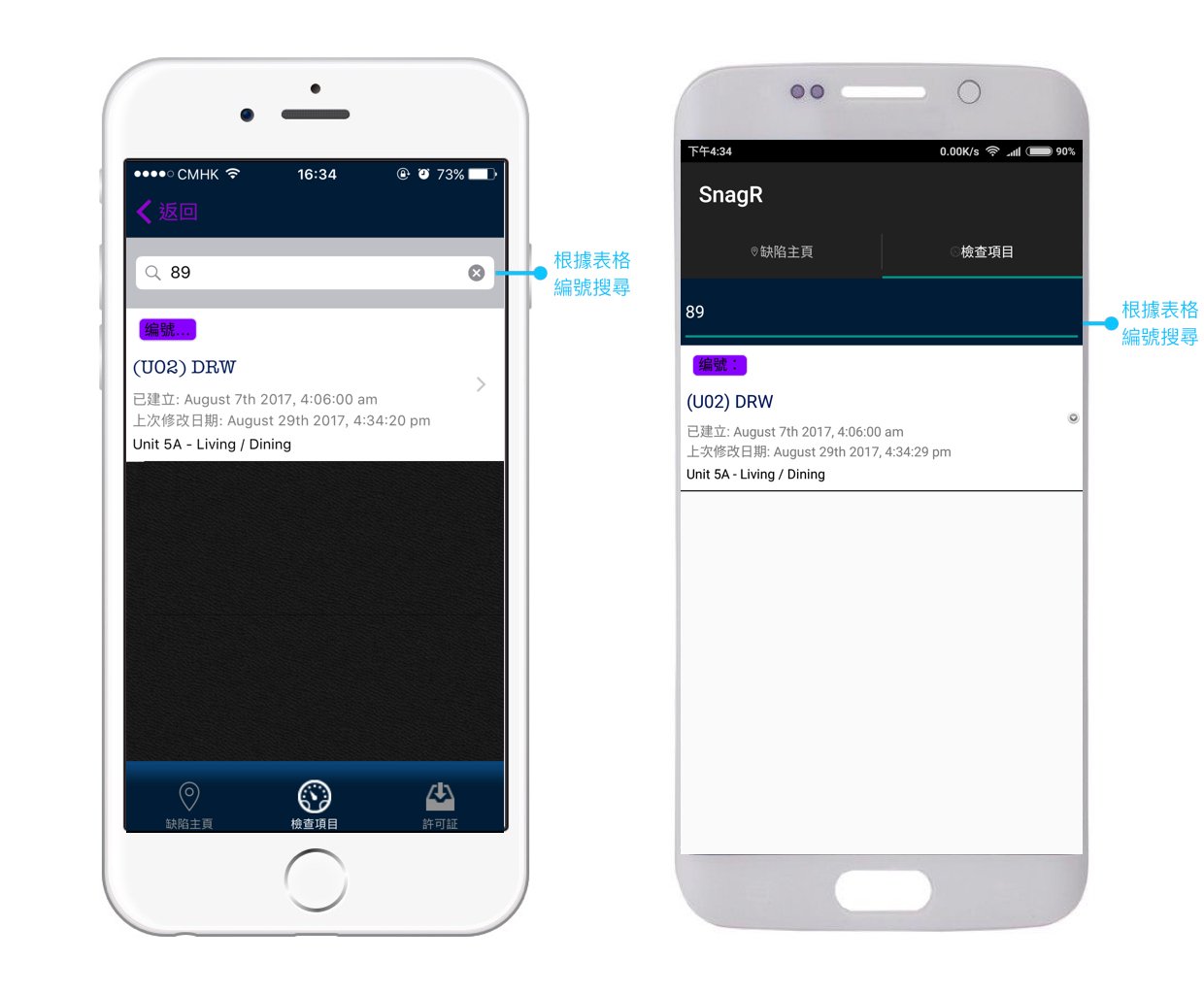
<img src="https://mintcdn.com/snagr/26fJMTfGLYFOzD3W/images/direct/1520331721606-Form-Mode_Device-TRA.023.jpeg?fit=max&auto=format&n=26fJMTfGLYFOzD3W&q=85&s=73a18ca695f5474f52d6da8a98d27d41" alt="Form Mode Device TRA.023" width="1240" height="1024" data-path="images/direct/1520331721606-Form-Mode_Device-TRA.023.jpeg" />

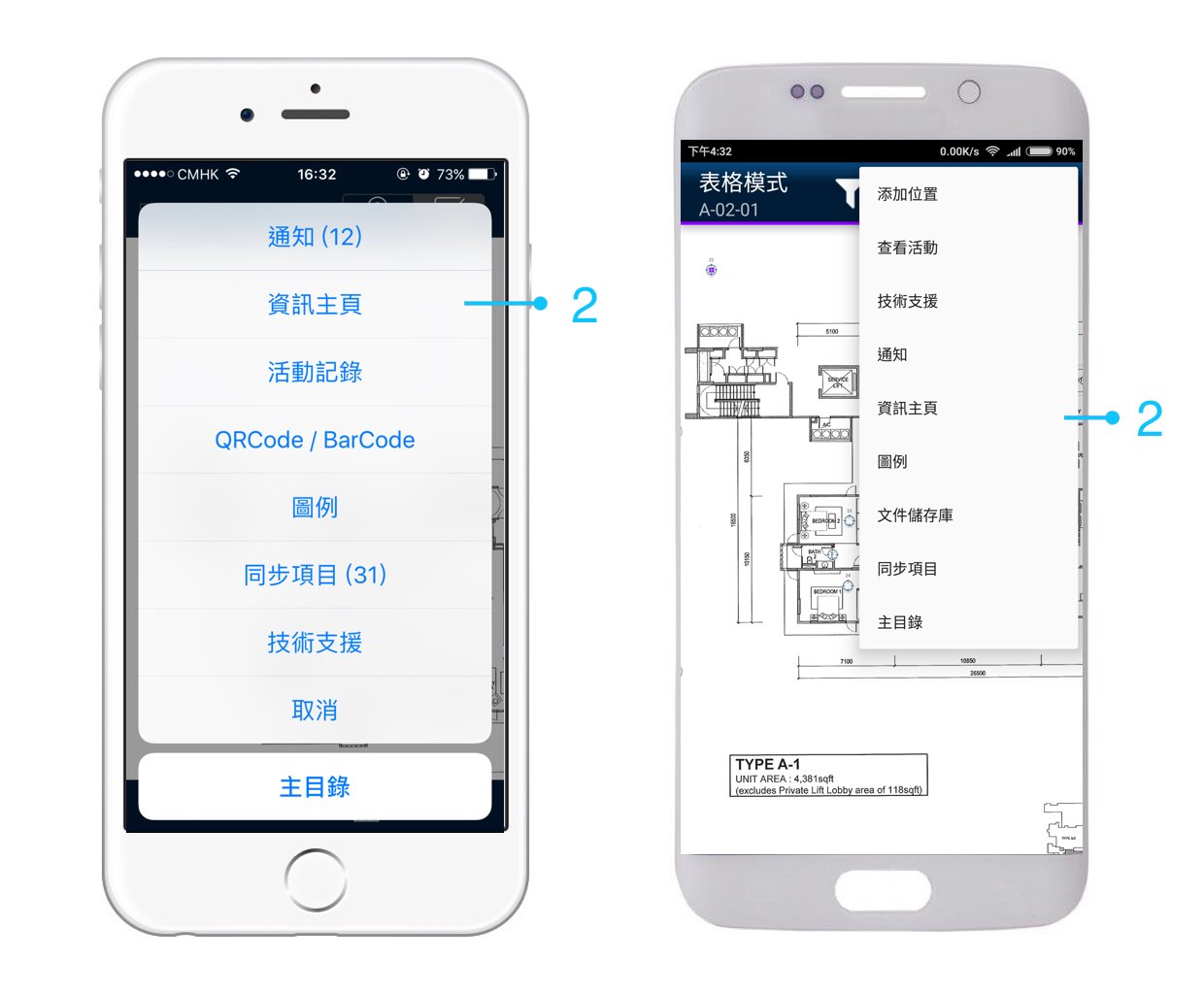
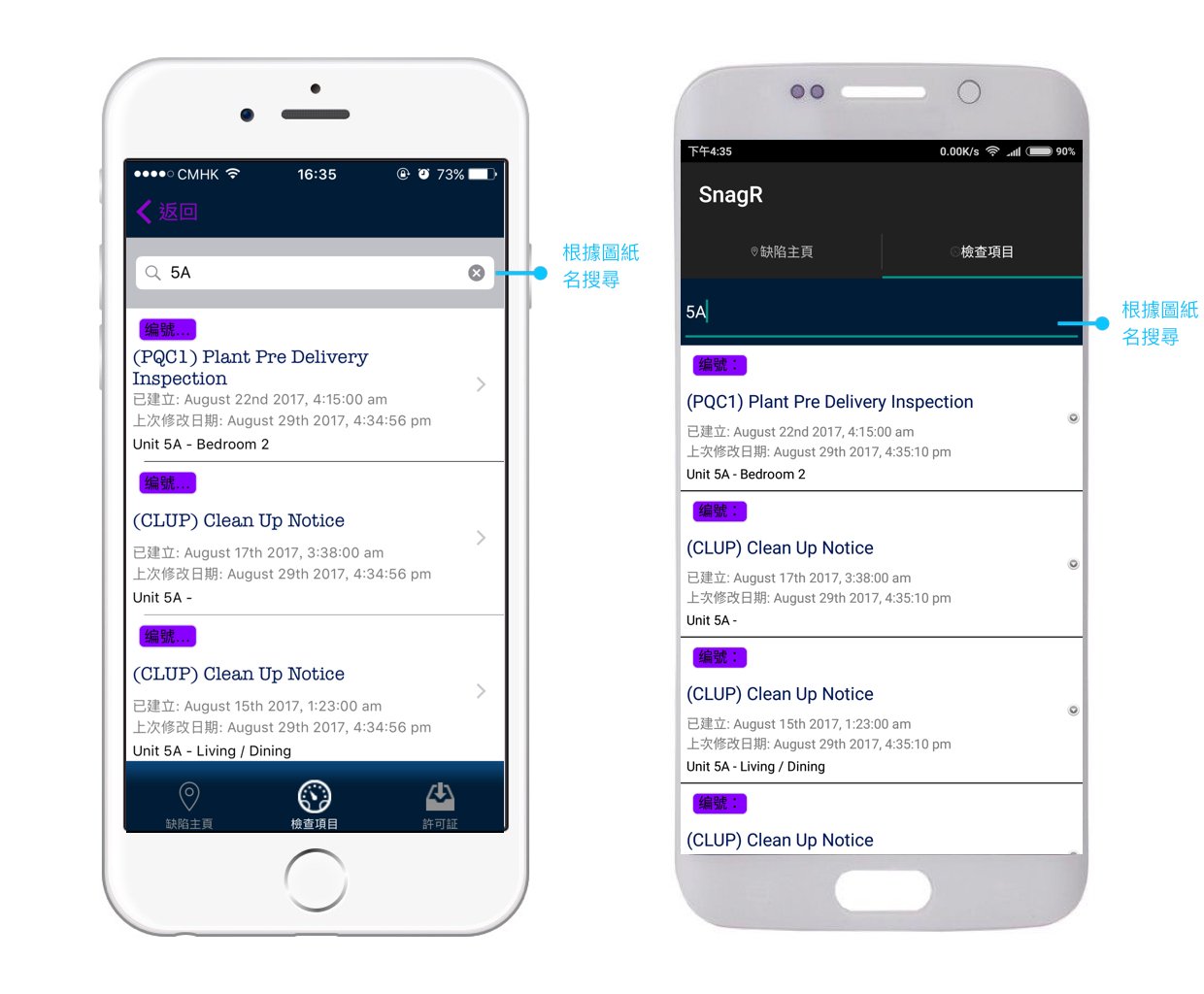
<img src="https://mintcdn.com/snagr/26fJMTfGLYFOzD3W/images/direct/1520331771810-Form-Mode_Device-TRA.024.jpeg?fit=max&auto=format&n=26fJMTfGLYFOzD3W&q=85&s=aacbc285a3b1e15584bc4d7f0e63530c" alt="Form Mode Device TRA.024" width="1240" height="1024" data-path="images/direct/1520331771810-Form-Mode_Device-TRA.024.jpeg" />

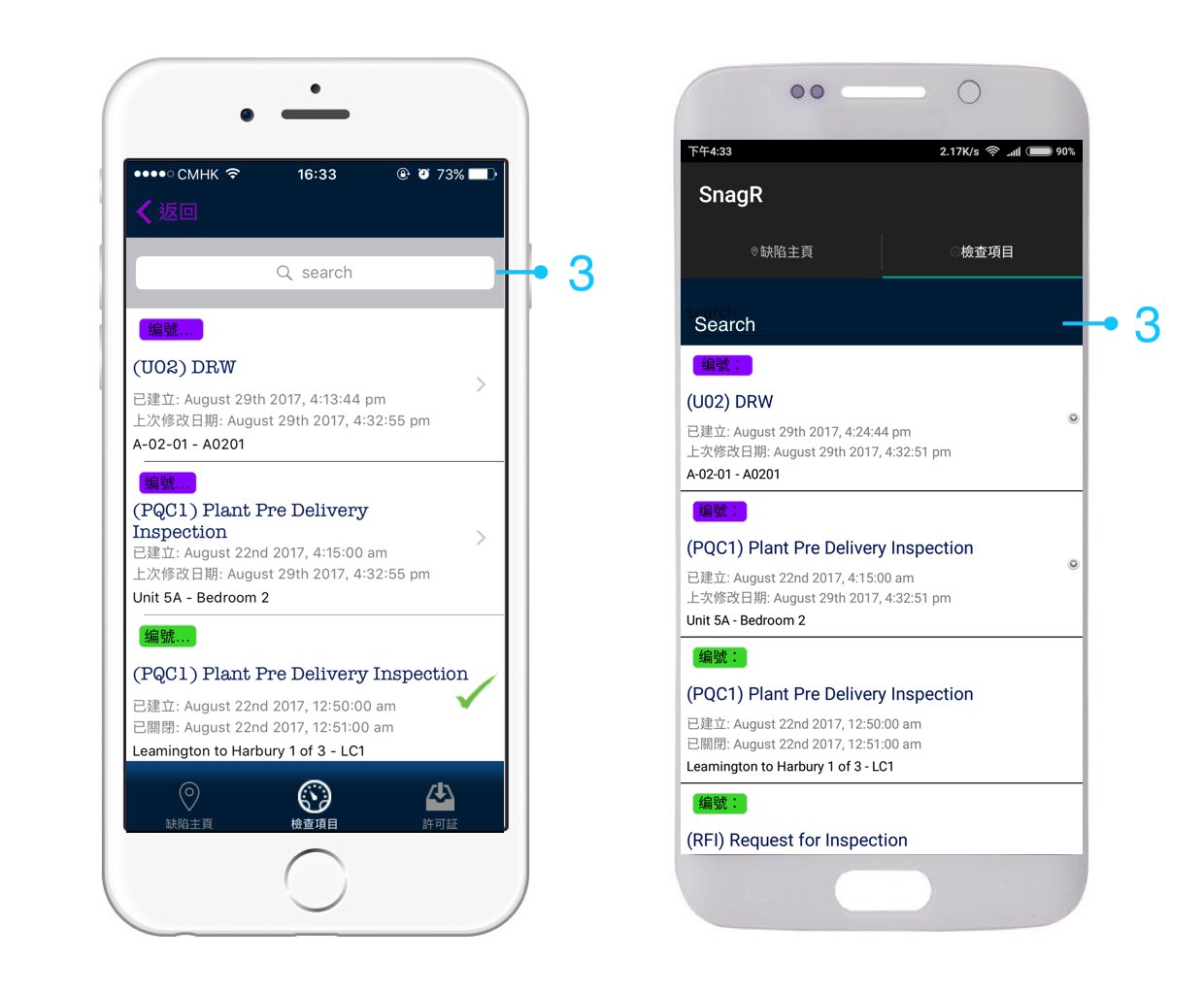
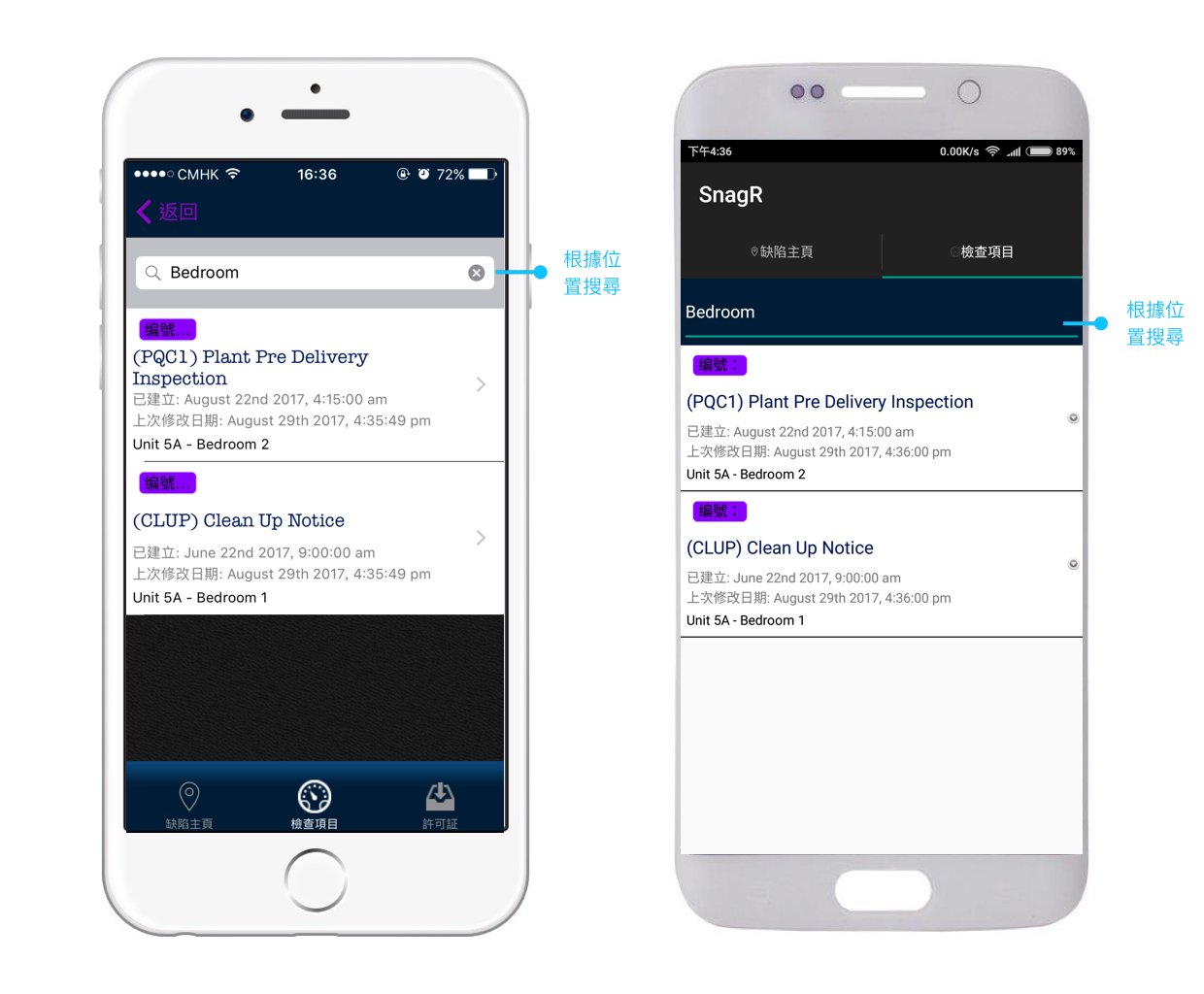
<img src="https://mintcdn.com/snagr/26fJMTfGLYFOzD3W/images/direct/1520331885611-Form-Mode_Device-TRA.025.jpeg?fit=max&auto=format&n=26fJMTfGLYFOzD3W&q=85&s=eeec976331841030ba52548807be39b8" alt="Form Mode Device TRA.025" width="1240" height="1024" data-path="images/direct/1520331885611-Form-Mode_Device-TRA.025.jpeg" />

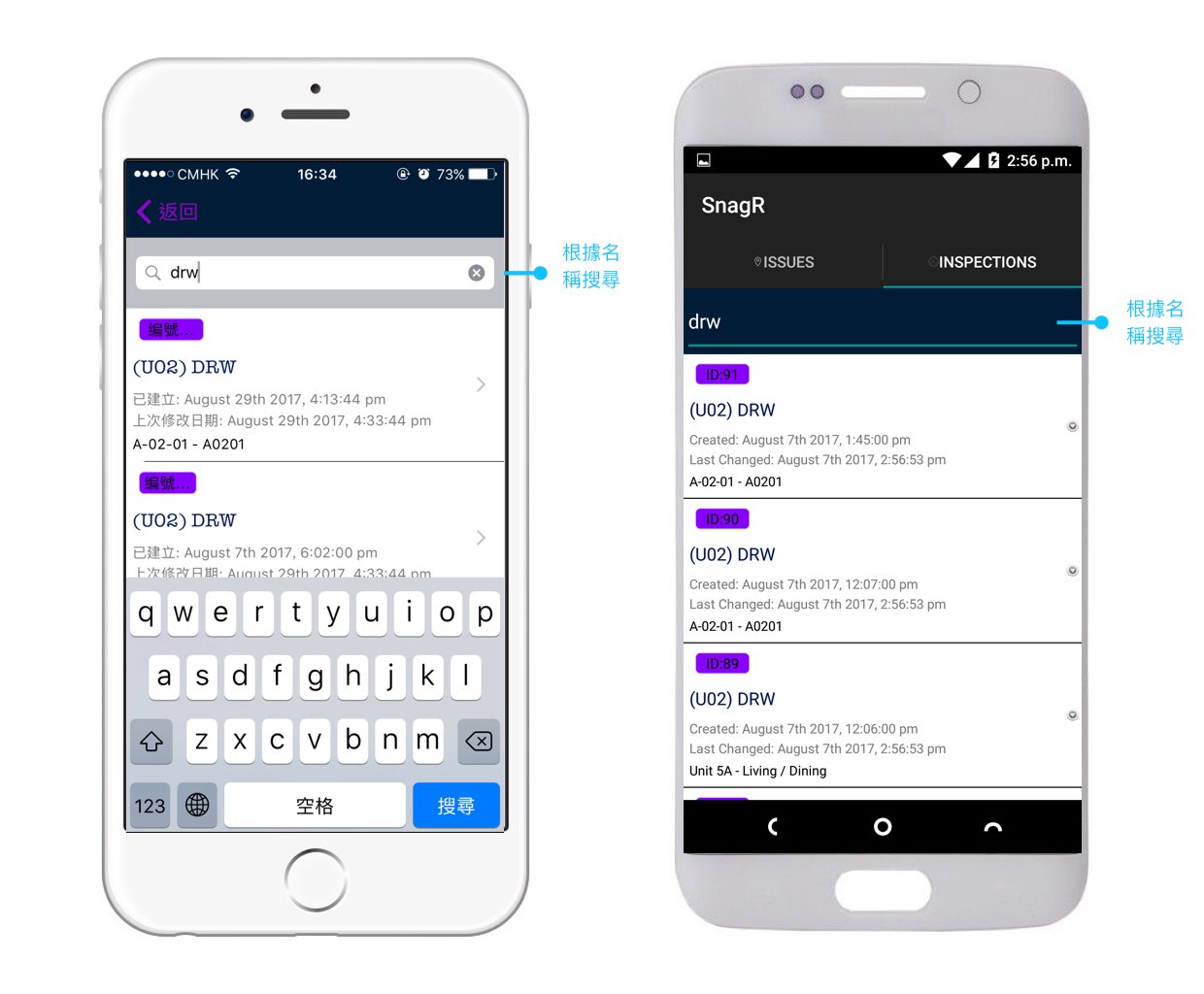
<img src="https://mintcdn.com/snagr/26fJMTfGLYFOzD3W/images/direct/1520331906588-Form-Mode_Device-TRA99.001.jpeg?fit=max&auto=format&n=26fJMTfGLYFOzD3W&q=85&s=265a858334db0c5a45168463a816cfb6" alt="Form Mode Device TRA99.001" width="1240" height="1024" data-path="images/direct/1520331906588-Form-Mode_Device-TRA99.001.jpeg" />

<img src="https://mintcdn.com/snagr/26fJMTfGLYFOzD3W/images/direct/1520332120542-Form-Mode_Device-TRA99.002.jpeg?fit=max&auto=format&n=26fJMTfGLYFOzD3W&q=85&s=6ec223c11d2824f19d3a3cd2f8530dbd" alt="Form Mode Device TRA99.002" width="1240" height="1024" data-path="images/direct/1520332120542-Form-Mode_Device-TRA99.002.jpeg" />

<img src="https://mintcdn.com/snagr/26fJMTfGLYFOzD3W/images/direct/1520332142439-Form-Mode_Device-TRA99.003.jpeg?fit=max&auto=format&n=26fJMTfGLYFOzD3W&q=85&s=1a2332509f46906b99b4c5d6acb7cd67" alt="Form Mode Device TRA99.003" width="1240" height="1024" data-path="images/direct/1520332142439-Form-Mode_Device-TRA99.003.jpeg" />

<img src="https://mintcdn.com/snagr/26fJMTfGLYFOzD3W/images/direct/1520332944136-Form-Mode_Device-TRA99.004.jpeg?fit=max&auto=format&n=26fJMTfGLYFOzD3W&q=85&s=e2106ca0d9955b8249ecaf2b075668e8" alt="Form Mode Device TRA99.004" width="1240" height="1024" data-path="images/direct/1520332944136-Form-Mode_Device-TRA99.004.jpeg" />

<img src="https://mintcdn.com/snagr/Fc-Qgss-VatVIL0b/images/uploads/123693-if_ic_tv_48px_352186.png?fit=max&auto=format&n=Fc-Qgss-VatVIL0b&q=85&s=06b23e0223986004fba7bbb6aa8febb3" alt="if ic tv 48px 352186" width="20" data-path="images/uploads/123693-if_ic_tv_48px_352186.png" /> **網頁版**

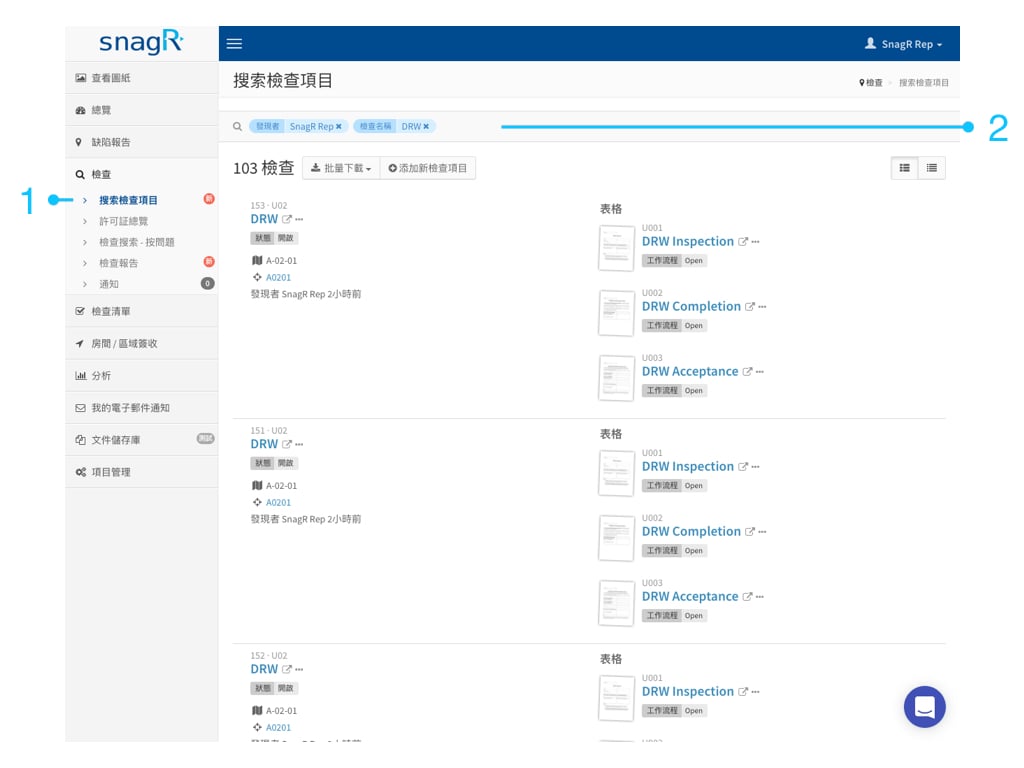
只要點擊檢查就可以啦。

<img src="https://mintcdn.com/snagr/26fJMTfGLYFOzD3W/images/direct/1520333016481-Website-Form-Mode_Tra.011.jpeg?fit=max&auto=format&n=26fJMTfGLYFOzD3W&q=85&s=2a487942e4bc9fb8c25689596efd5def" alt="Website Form Mode Tra.011" width="1024" height="768" data-path="images/direct/1520333016481-Website-Form-Mode_Tra.011.jpeg" />

我可以**根據什麼**來搜索？\
你可以根據表格的名字，誰創建了這個缺陷，何時創建或者被關閉。\
在頂部的統一搜索區，你可以輸入**關鍵詞**來直接搜索結果。同時也可以採用**多個搜索標籤**來更加精準地找到你的目標。

**如何**以日期範圍內查找表格？

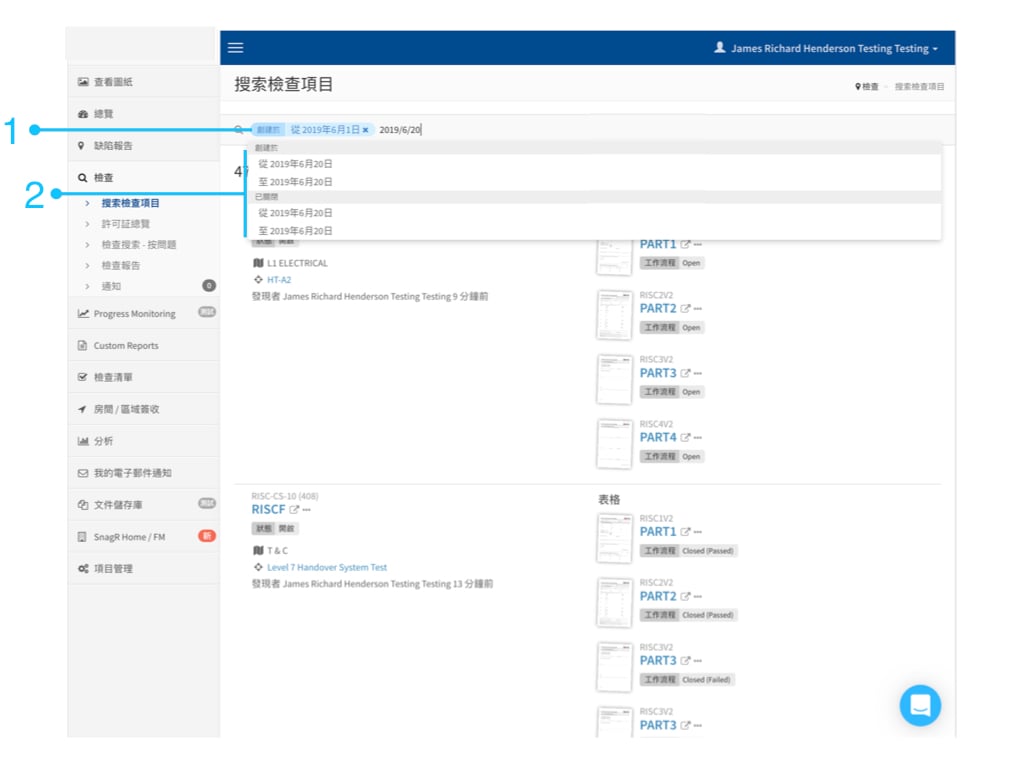
假設您正在尋找2019年6月1日至2019年6月20日期間創建的表格。

在下面的示例中，您輸入了2019年6月1日，選擇從2019年6月1日創建。然後輸入2019年6月20日(2019/6/20)，並選擇至2019年6月20日。

<img src="https://mintcdn.com/snagr/GUfrrXrBk3sEqRqF/images/direct/1561458294183-Website-Form-Mode_Tra.001.jpeg?fit=max&auto=format&n=GUfrrXrBk3sEqRqF&q=85&s=7aa61e73e7301fc3d244f7295238f854" alt="Website Form Mode Tra.001" width="1024" height="768" data-path="images/direct/1561458294183-Website-Form-Mode_Tra.001.jpeg" />

關閉日期也是如此; 您只需要通過插入關閉日期和關閉日期來指定範圍。

<img src="https://mintcdn.com/snagr/lG5zeW-JZpPjZFoL/images/uploads/127041-Red_Flag_Emoji.png?fit=max&auto=format&n=lG5zeW-JZpPjZFoL&q=85&s=122220a995f6a719dddaffb5de76ce80" alt="Red Flag Emoji" width="20" data-path="images/uploads/127041-Red_Flag_Emoji.png" /> 了解如何[完成表格](/zh-hant/forms/submit-forms/286924)，[如何將缺陷鏈接到表格上](/zh-hant/forms/link-issues-and-documents-to-forms/289403)並[附上文件](/zh-hant/forms/link-issues-and-documents-to-forms/289405)。