Website
SnagR can help save all versions of files and view update history as files and drawings are modified, ensuring that users can use the latest version.
For example, if you have a new version of a drawing, you need to replace it so that the user does not refer to the old drawing.
Website
SnagR can help save all versions of files and view update history as files and drawings are modified, ensuring that users can use the latest version.
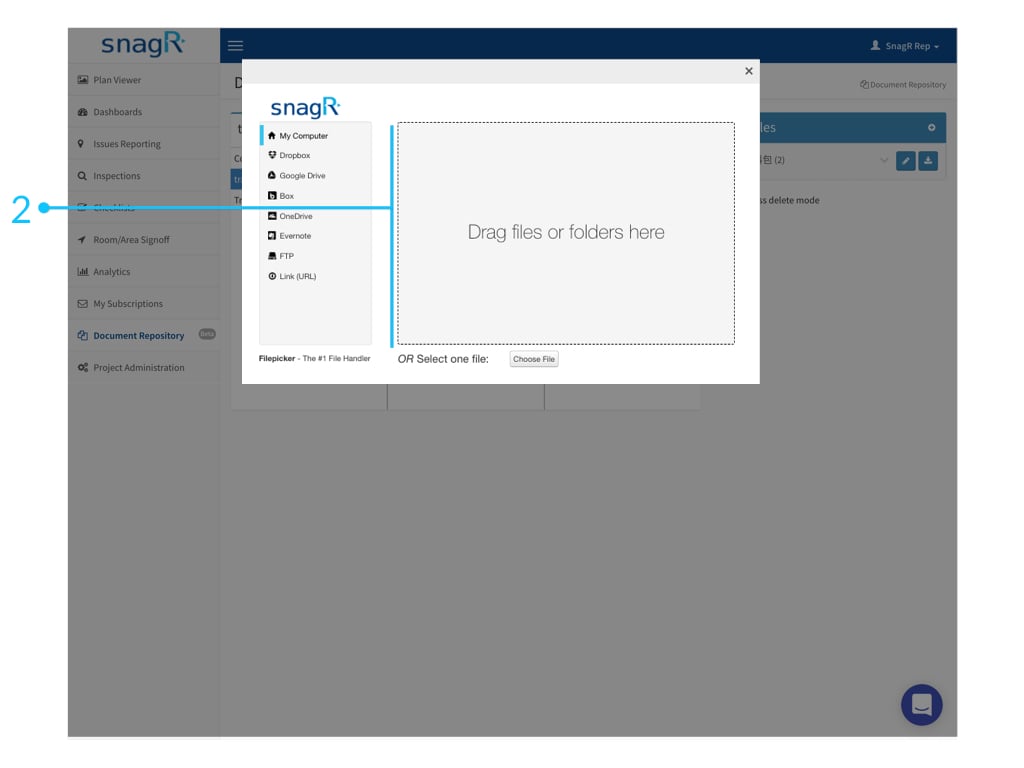
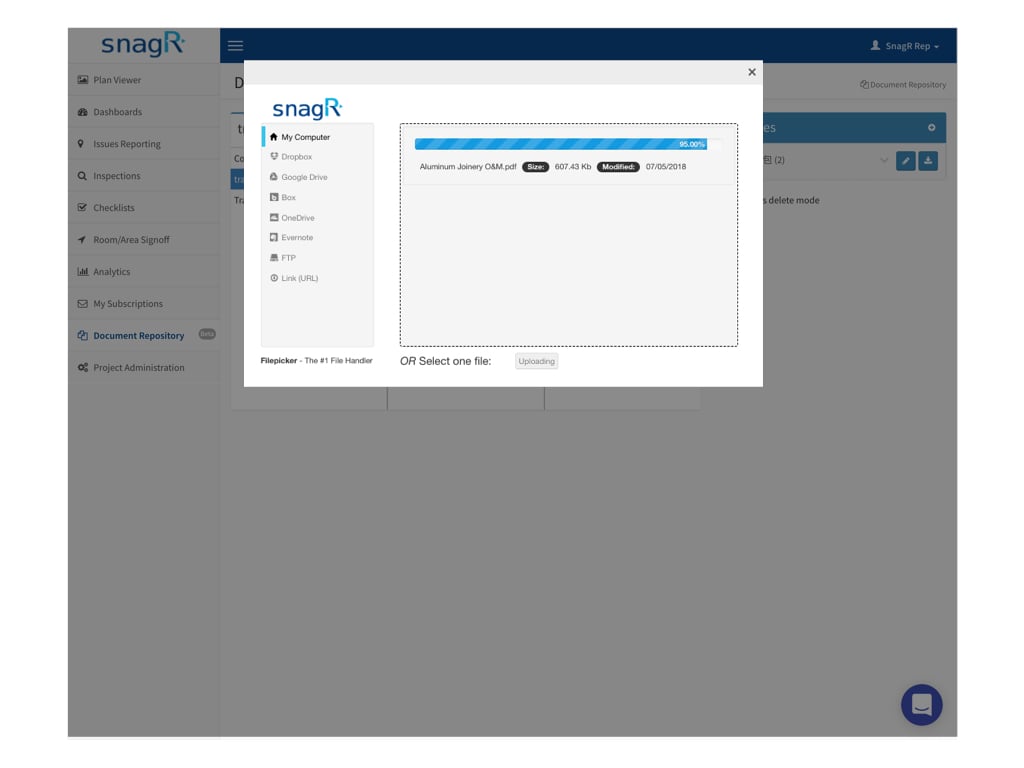
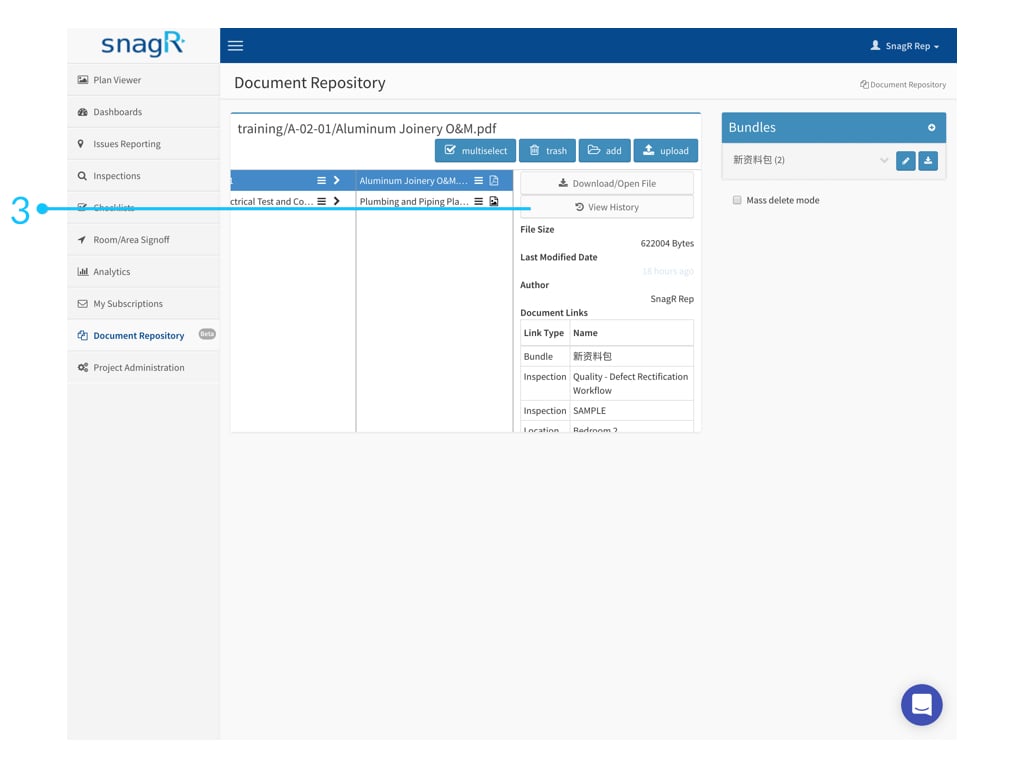
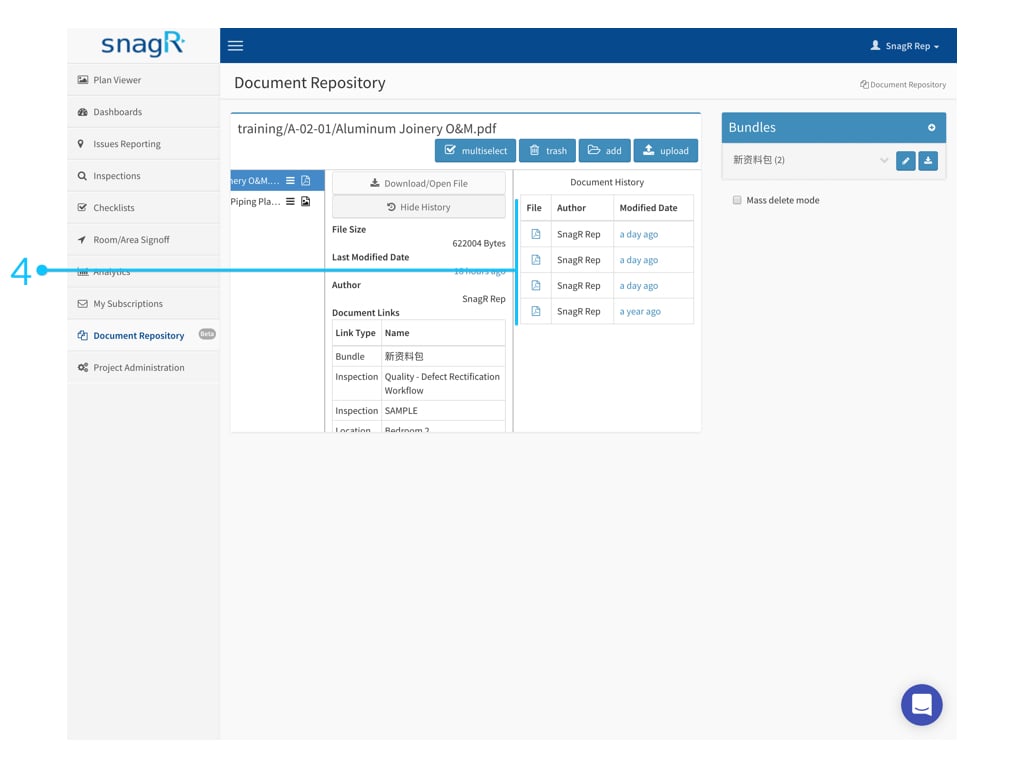
For example, if you have a new version of a drawing, you need to replace it so that the user does not refer to the old drawing.Therefore if you upload a new file to the same location (i.e. Folder) within the Document repository, the old file will be replaced. A history of the files uploaded / replaced can be seen The user can see the history of file upload/replacement files.
Alternatively if the new file is to be called something different from the original, you can either move the original file into a different folder such as ‘Previous Revisions’. Click on the folder in which the file(s) are stored that needs to be replaced and click upload.
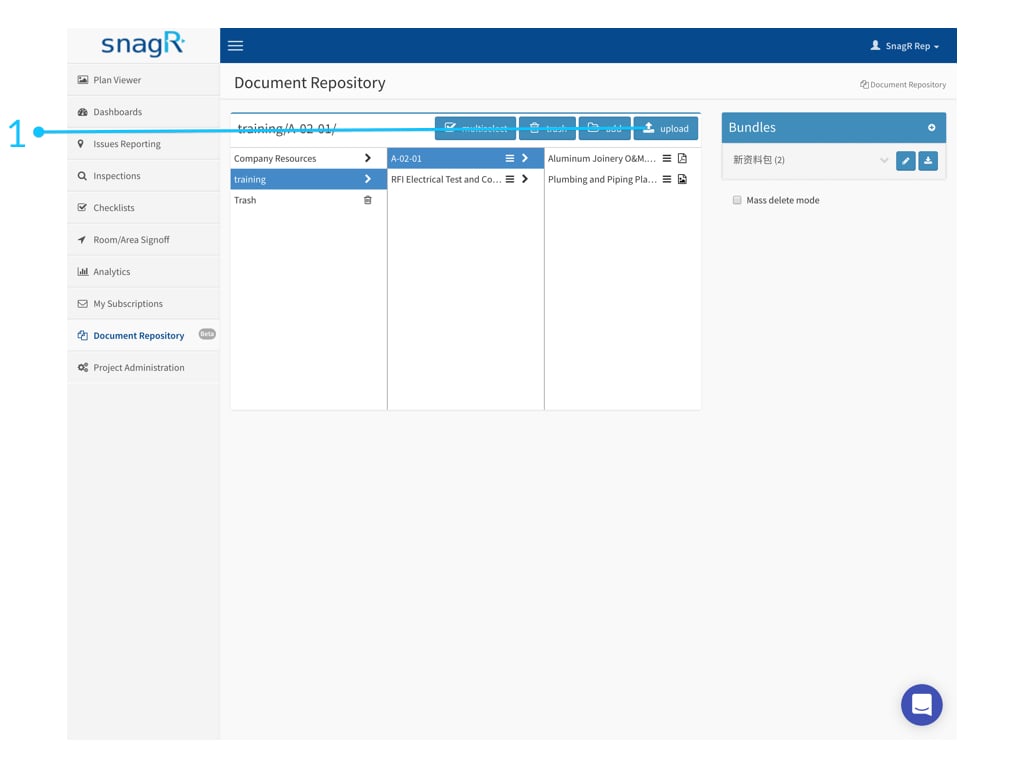
 If it is named differently then the original and the new file will exist as separate files