

 Device
First, be sure you are in issue mode in SnagR.
You will then have to add an issue based on a location, e.g. living room. Your location icon looks like this -

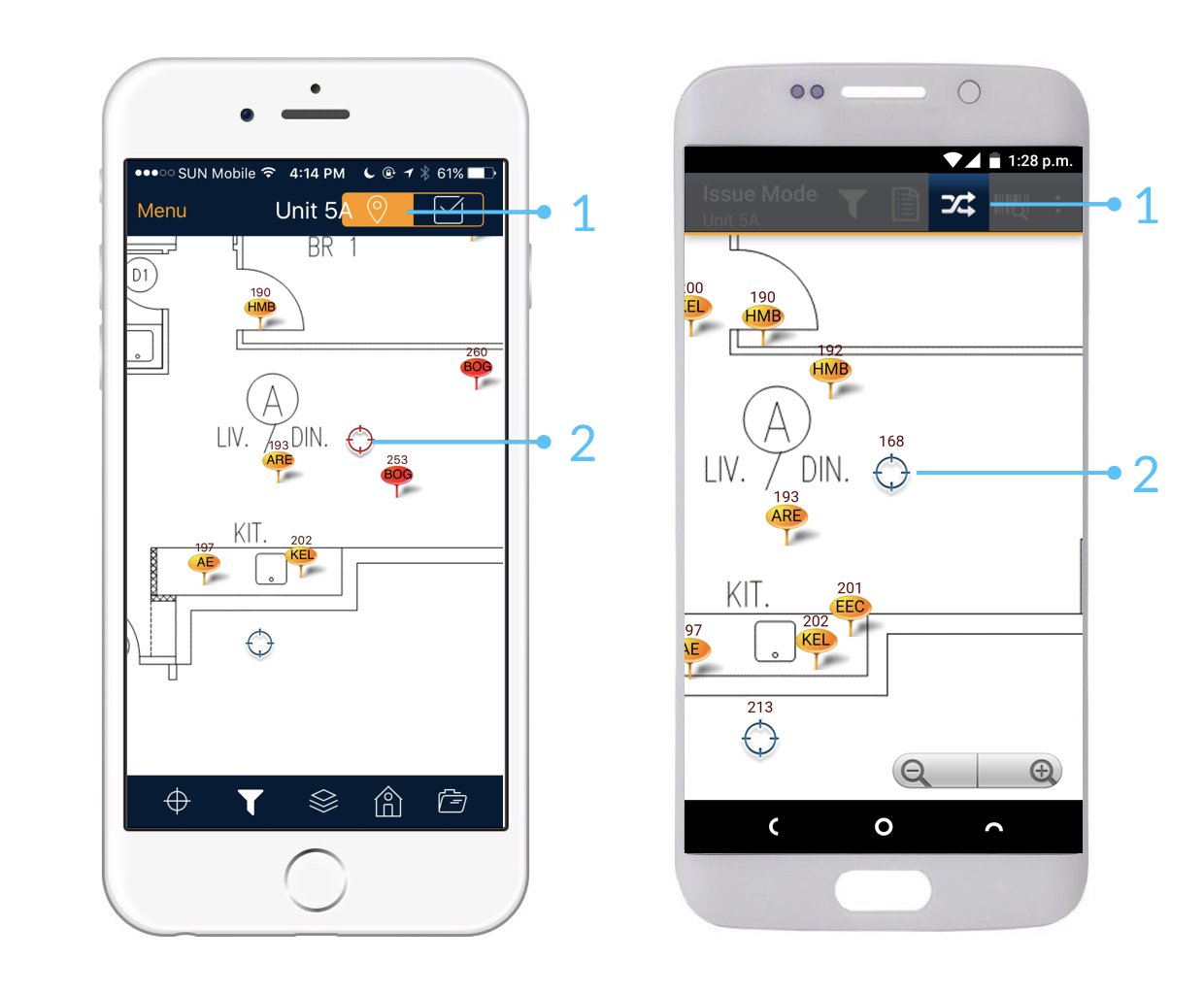
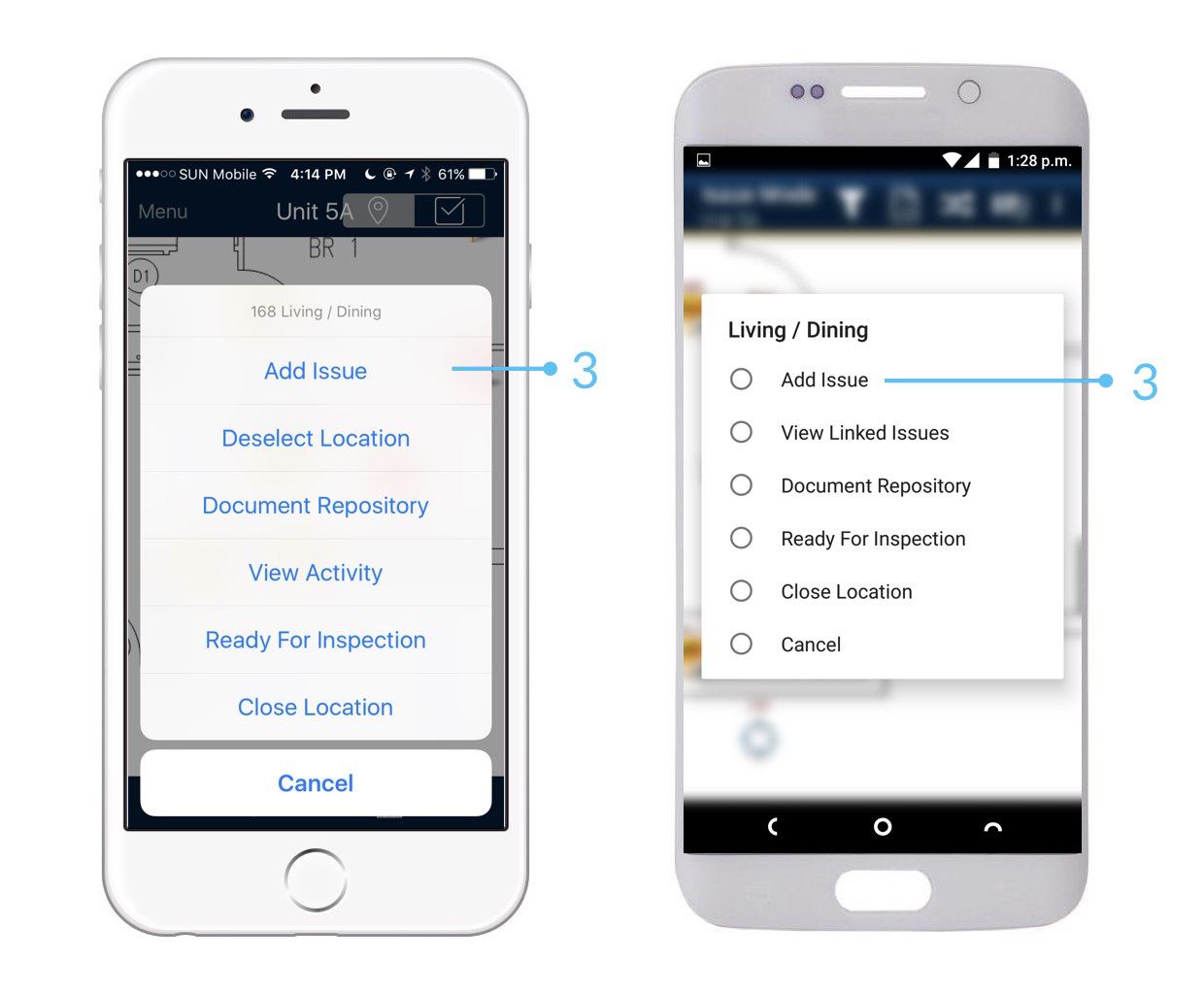
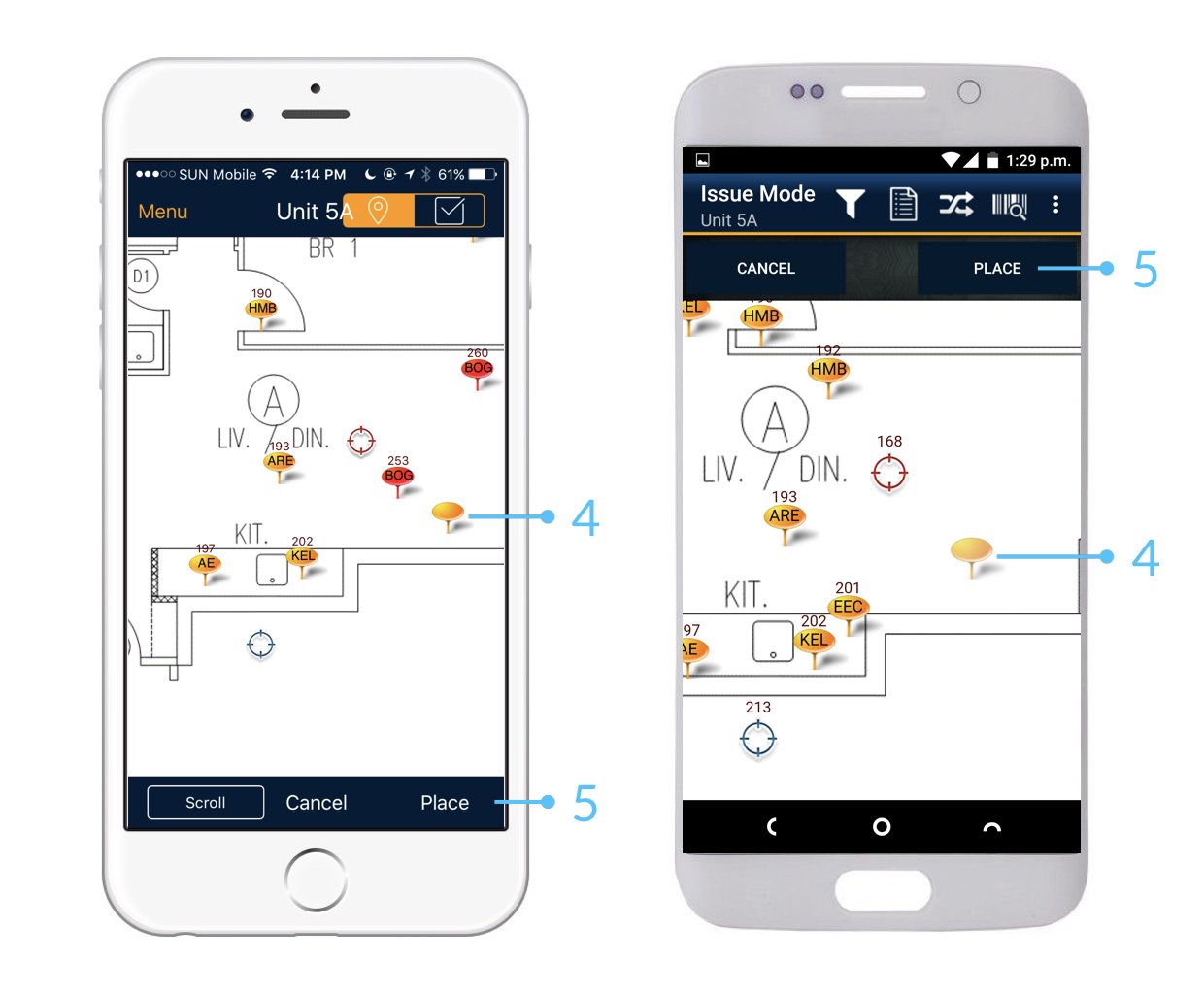
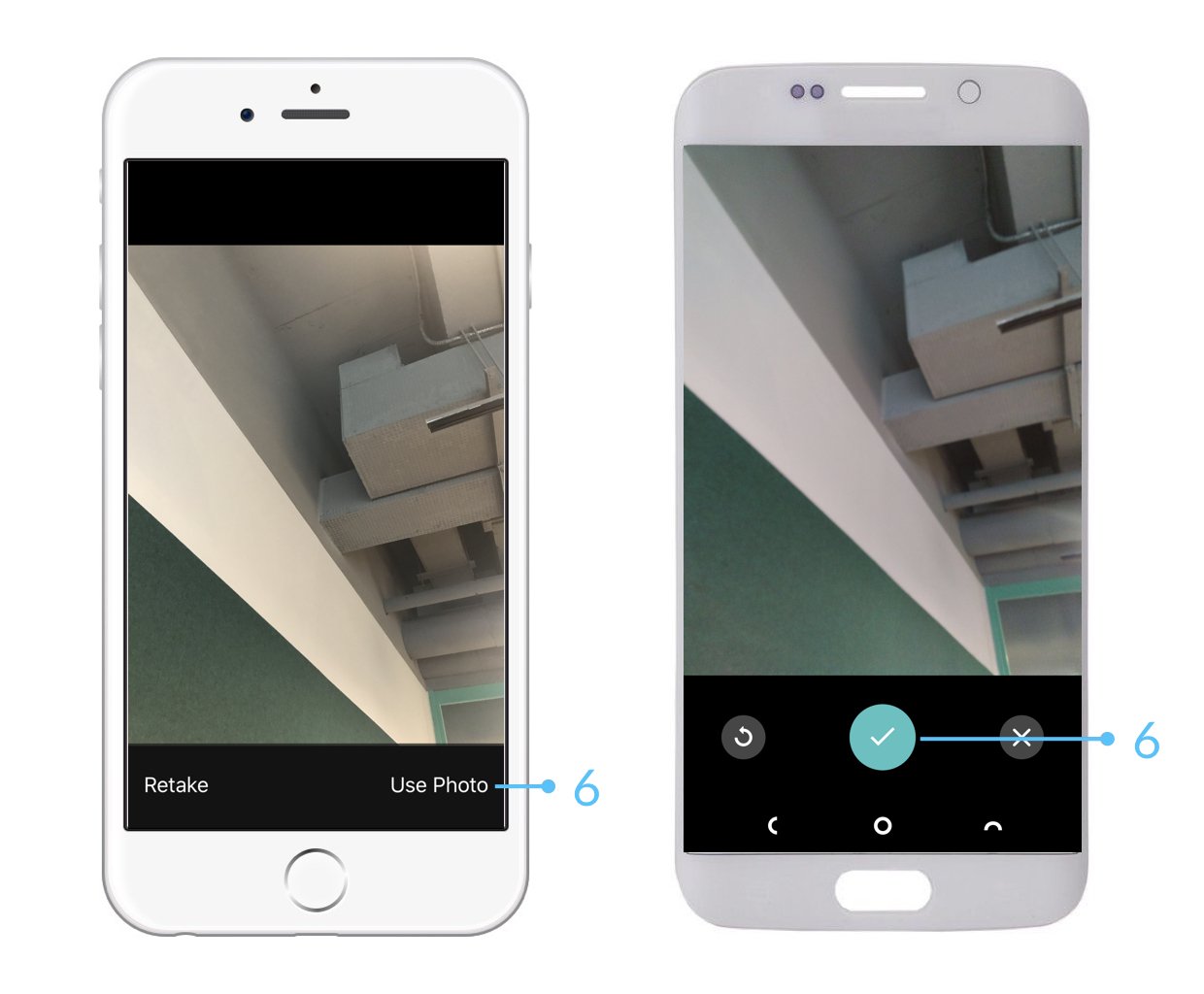
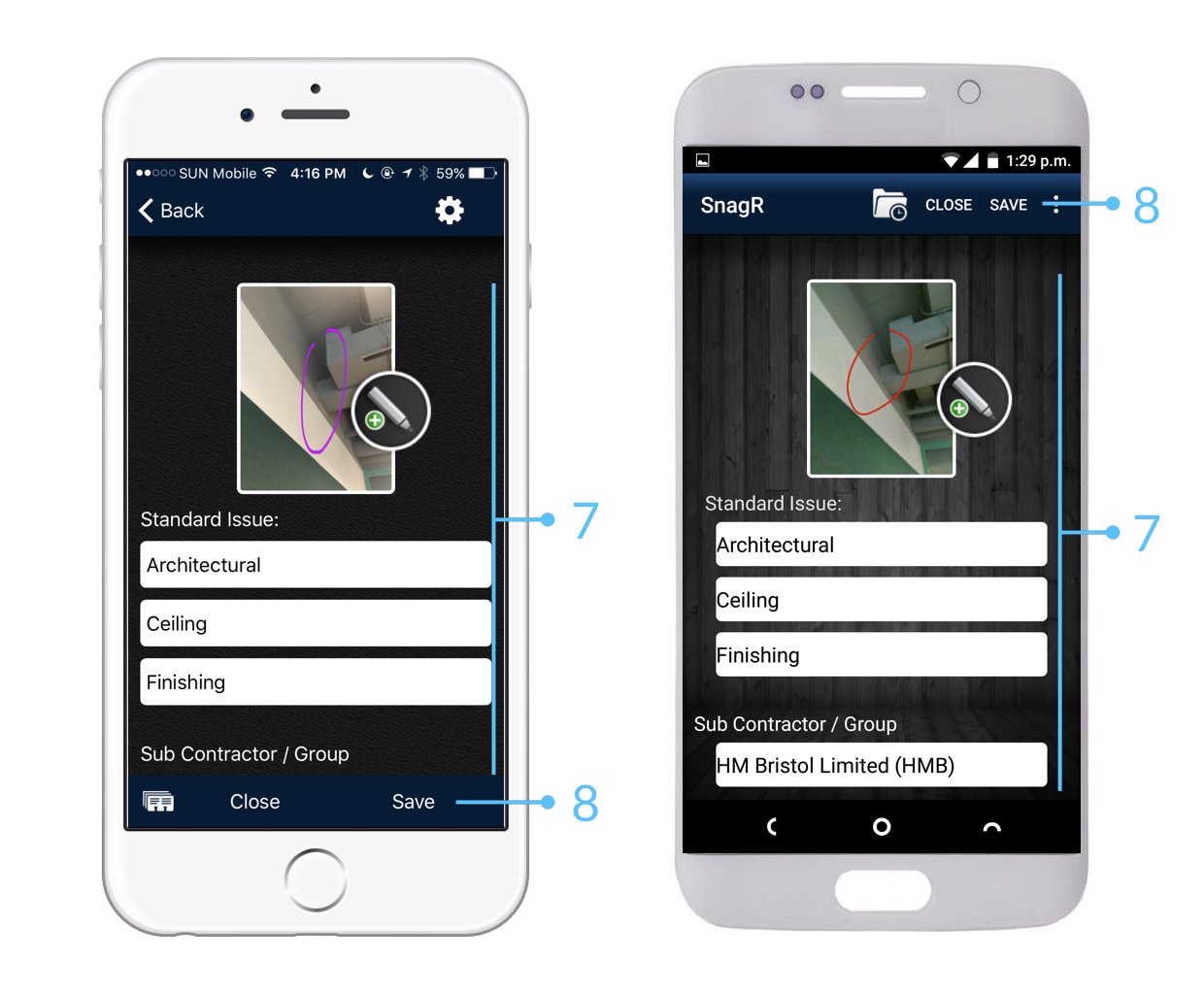
 After completing your onsite work, don’t forget to synchronise. This backs up your data and updates your project team.
 Website
The interface and process of creating issues at Plan Viewer runs entirely like the app.
Website
The interface and process of creating issues at Plan Viewer runs entirely like the app.
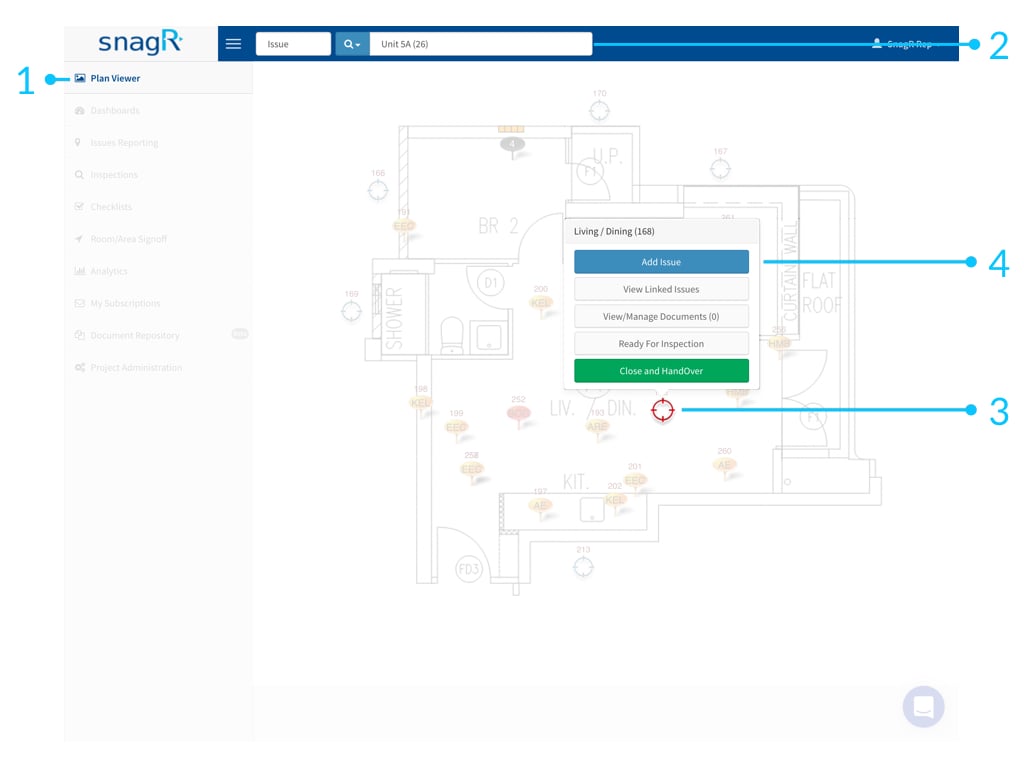 This does not require synchronisation as you are already online.
 Learn how to search and update issues.