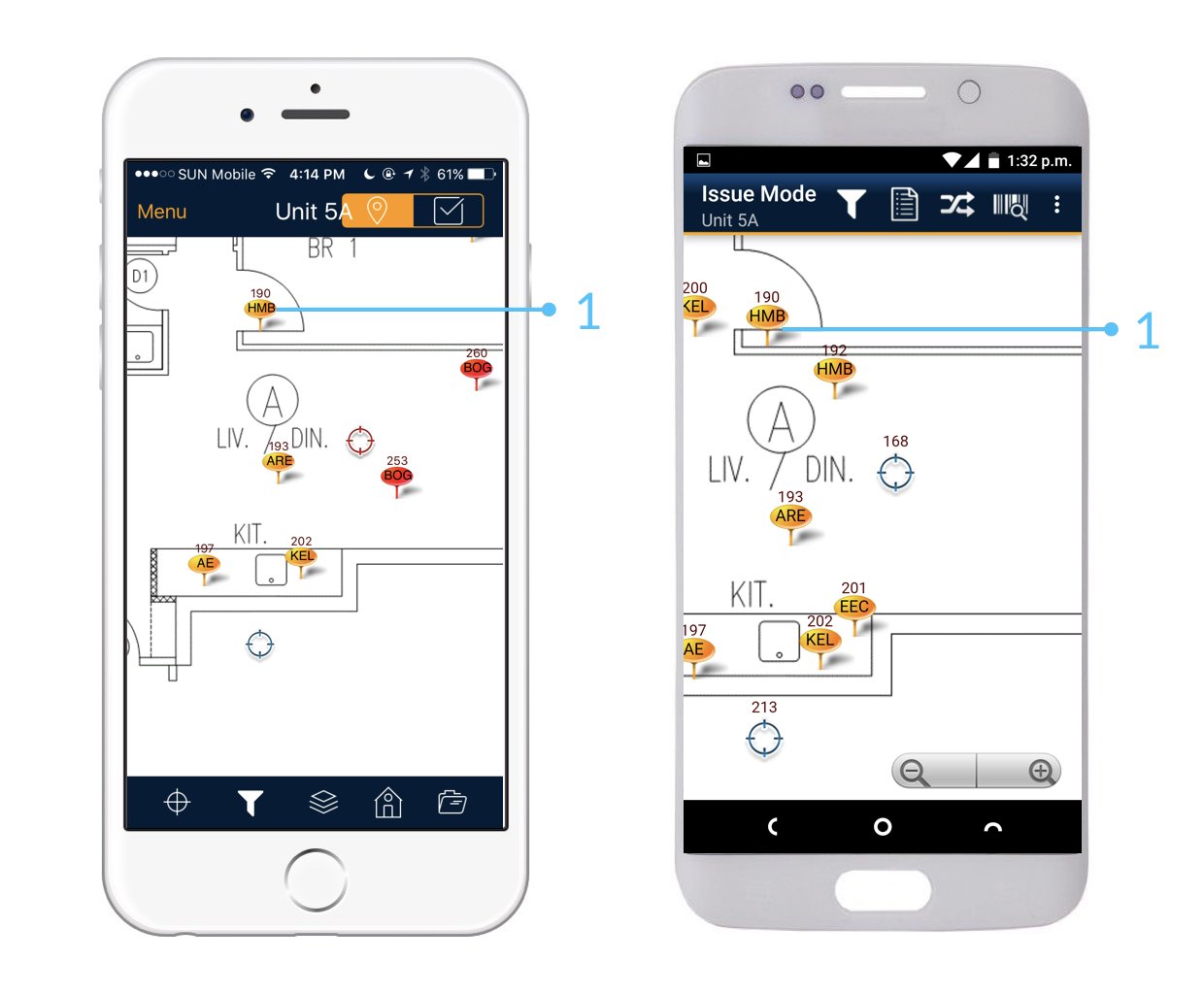
Device
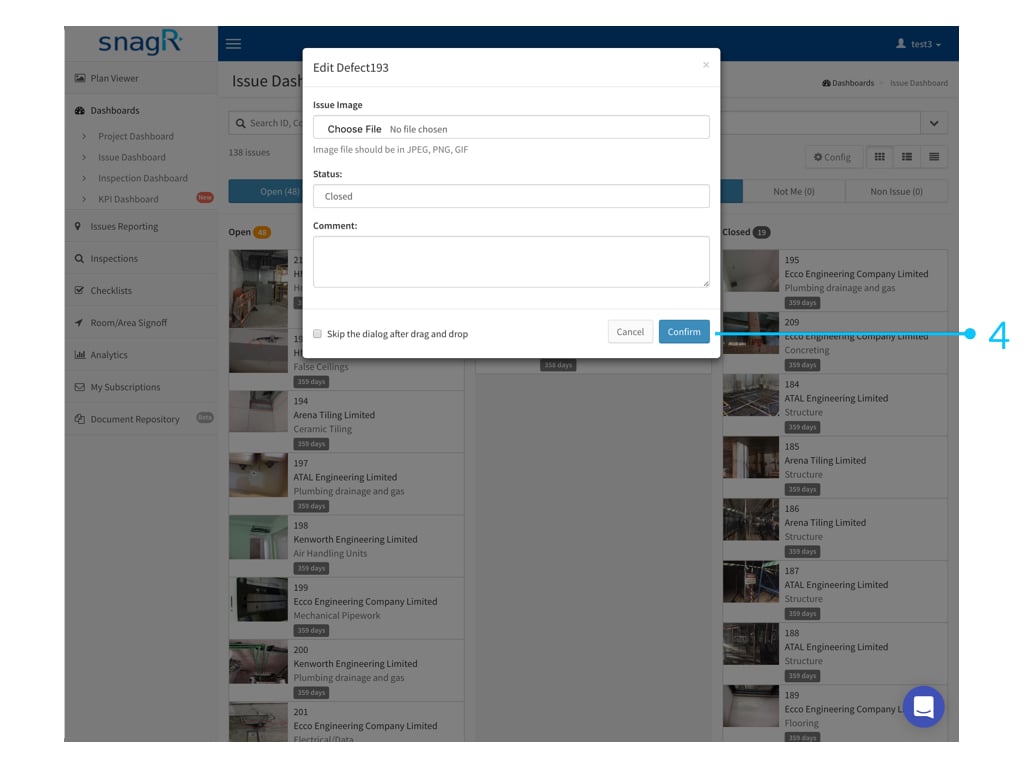
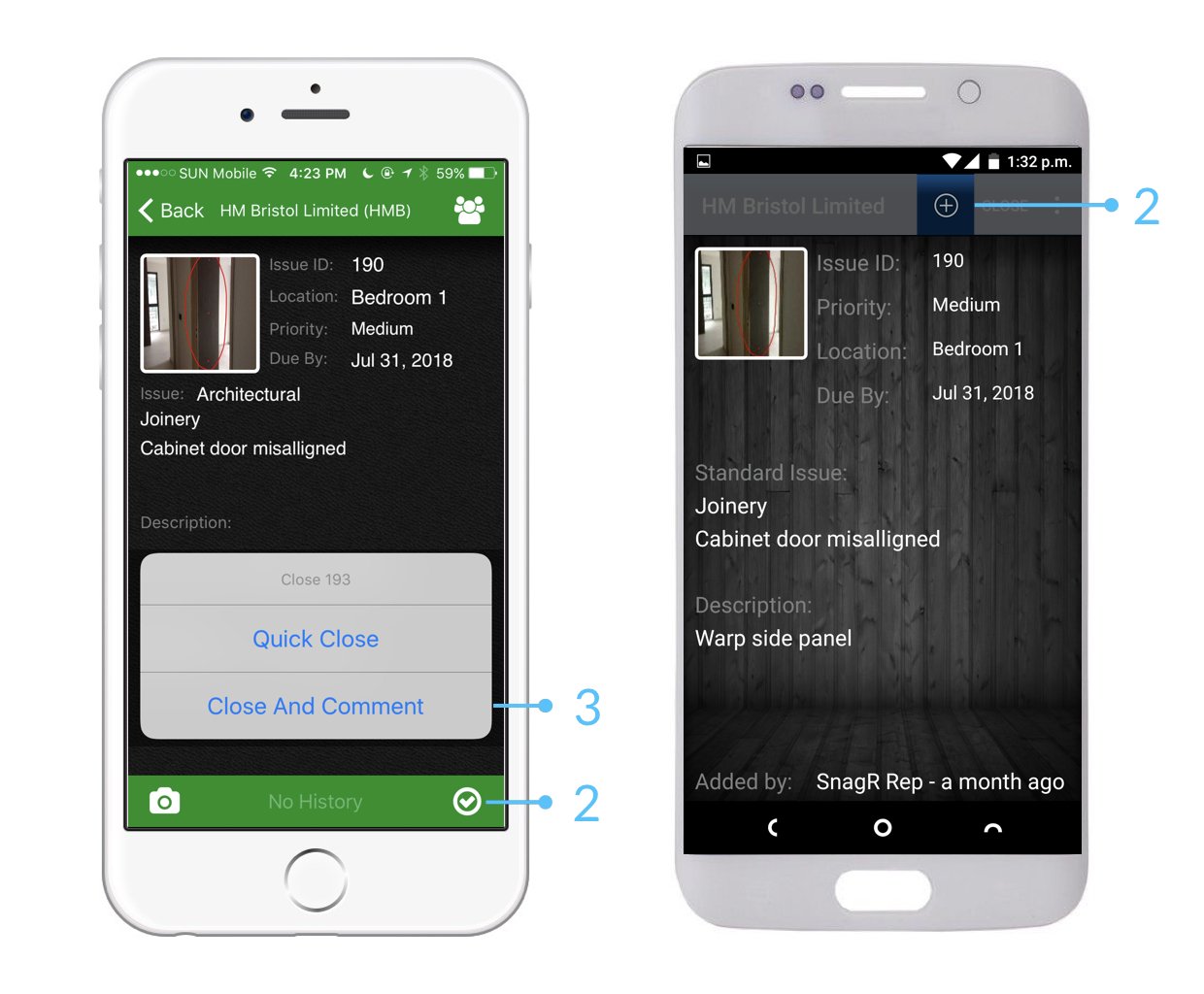
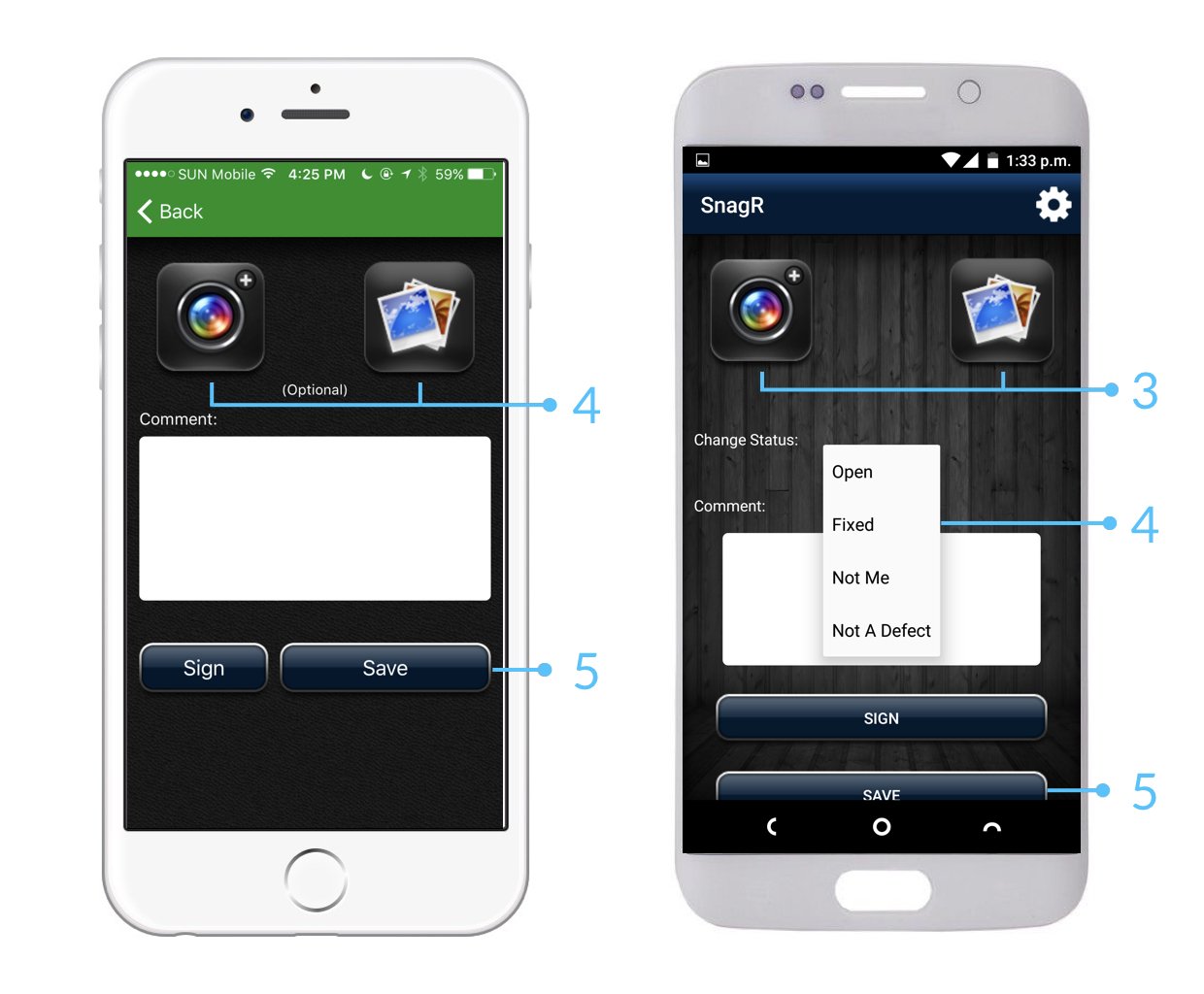
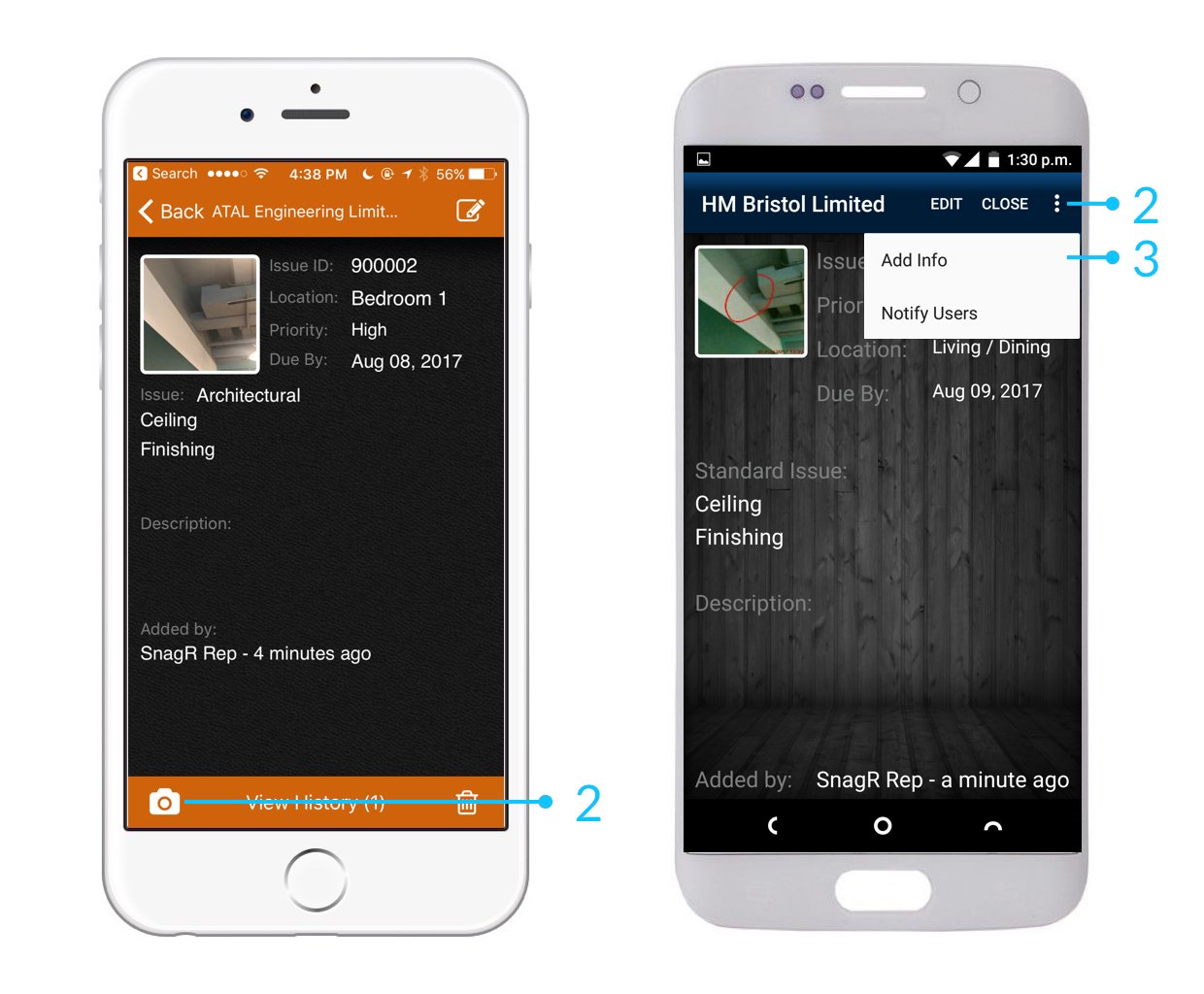
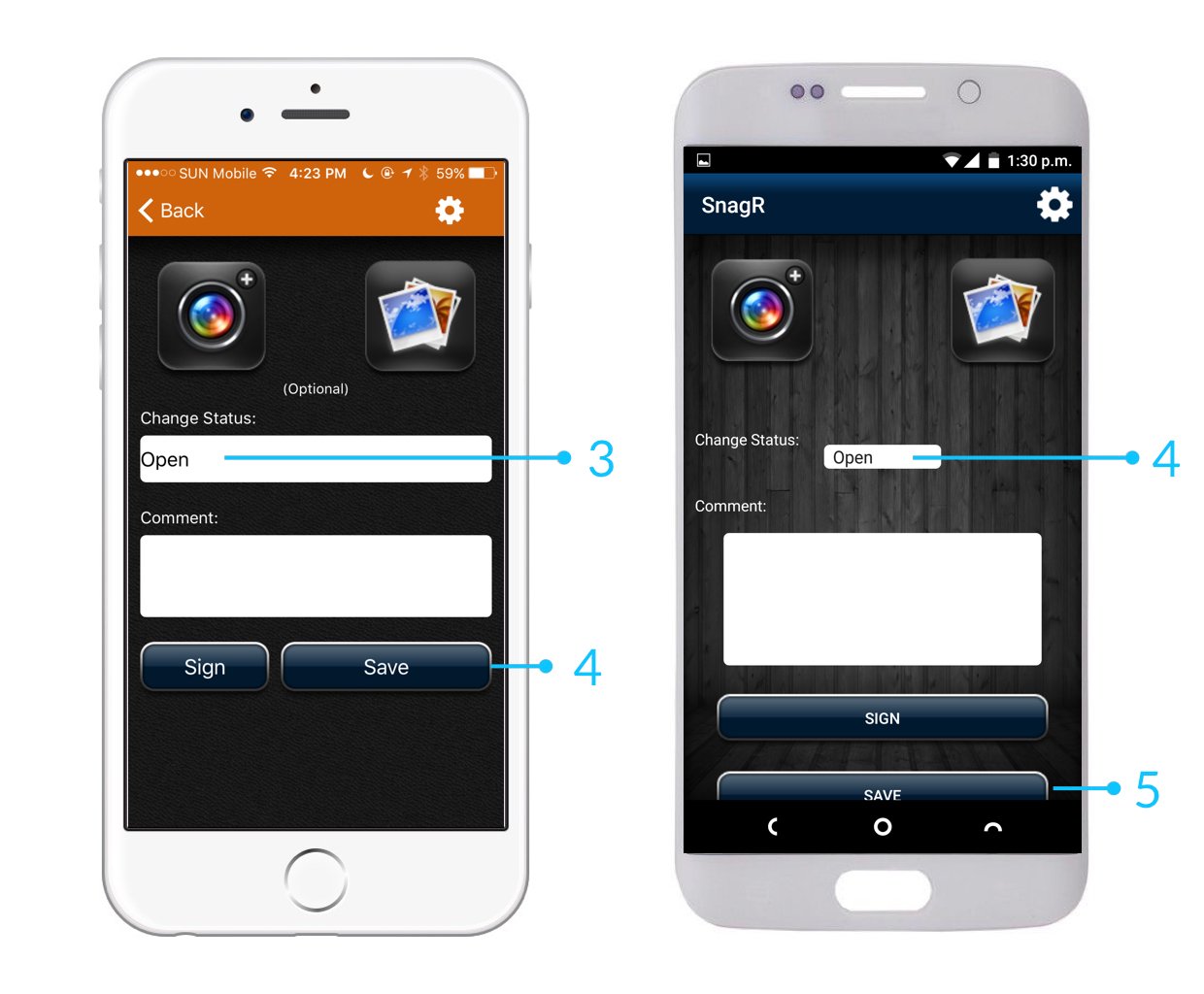
When you attempt to close issues, you have the option to:
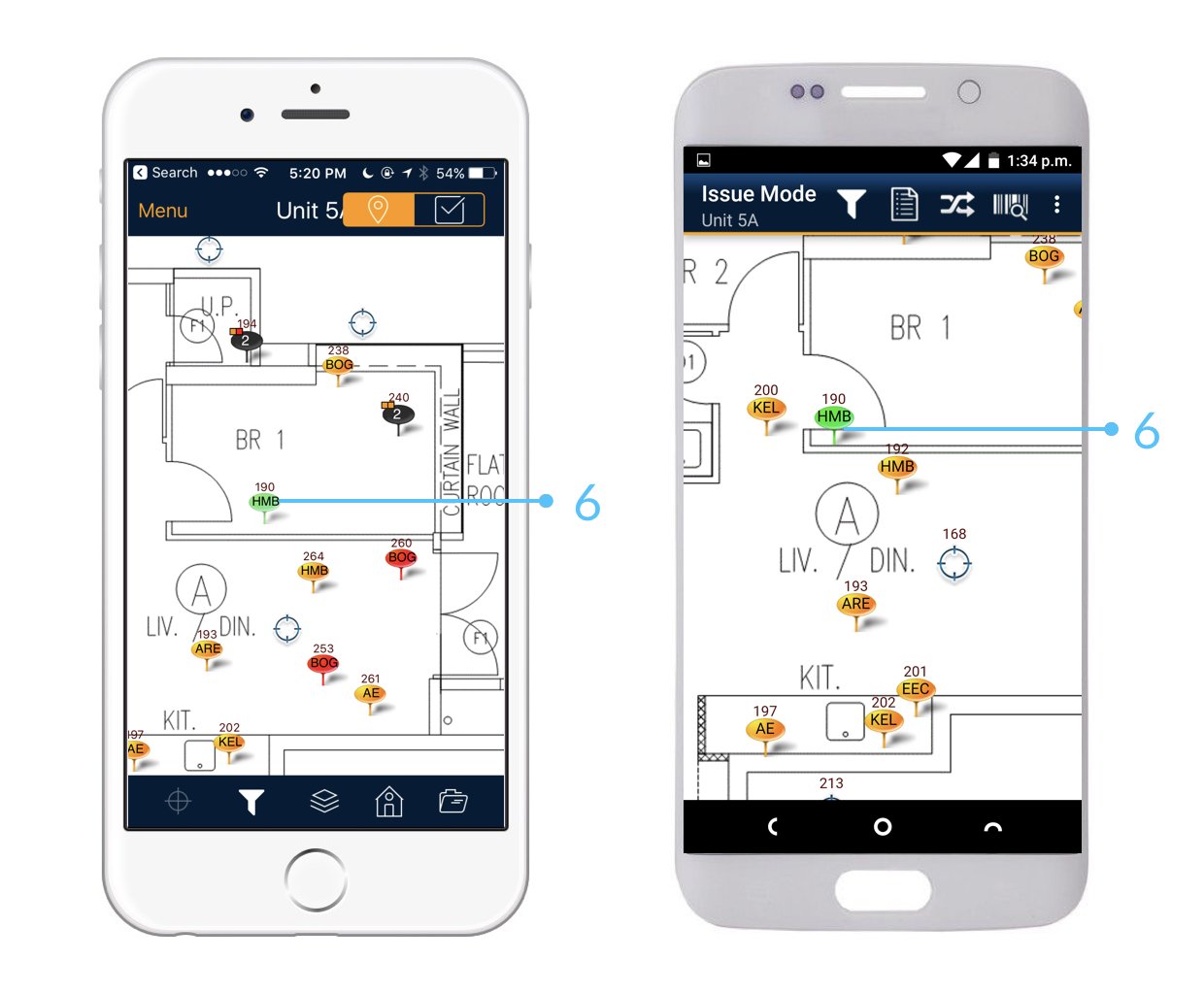
Quick close: change defect status / pin colour directly
Close and comment: change defect status / pin colour with photo attachments or comments
 It is best practice to update issues with photos so that it provides evidence and support to the record.
 Website
 Who can update issues?
Apart from Read Only users, all users and contractors on SnagR are able to update issue records.
How to update issues on website?
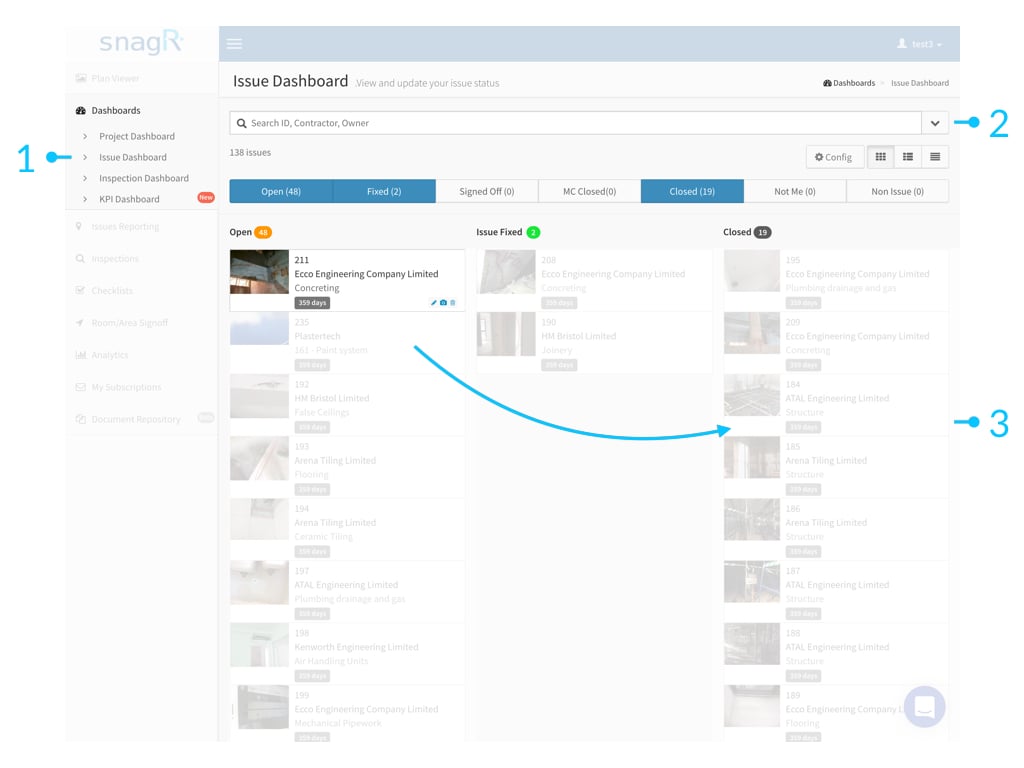
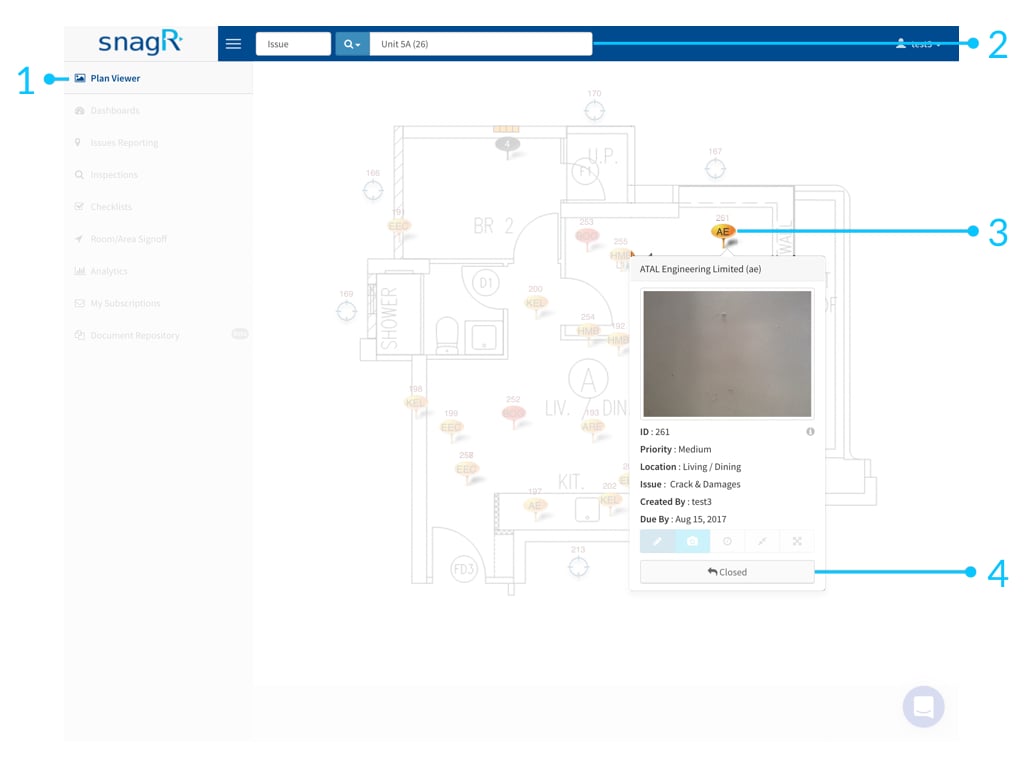
You can update issues at Issue Dashboard or Plan Viewer.
Issue Dashboard
Simply drag and drop the issue to the desired column.
Who can update issues?
Apart from Read Only users, all users and contractors on SnagR are able to update issue records.
How to update issues on website?
You can update issues at Issue Dashboard or Plan Viewer.
Issue Dashboard
Simply drag and drop the issue to the desired column.