

 Website
Login to the website, access the Appointment page in SnagR Home/FM.
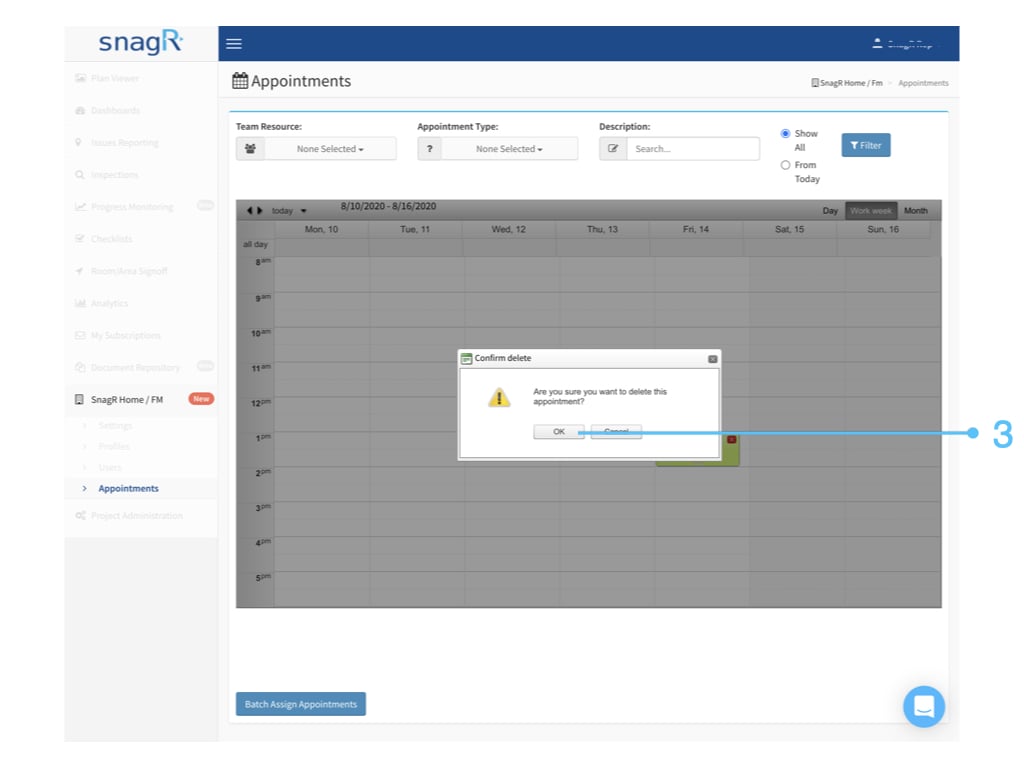
Hover your mouse over the appointment, the red cross will appear on the top right corner, click the red cross to request delete.
Website
Login to the website, access the Appointment page in SnagR Home/FM.
Hover your mouse over the appointment, the red cross will appear on the top right corner, click the red cross to request delete.

 Website
Login to the website, access the Appointment page in SnagR Home/FM.
Hover your mouse over the appointment, the red cross will appear on the top right corner, click the red cross to request delete.
Website
Login to the website, access the Appointment page in SnagR Home/FM.
Hover your mouse over the appointment, the red cross will appear on the top right corner, click the red cross to request delete.