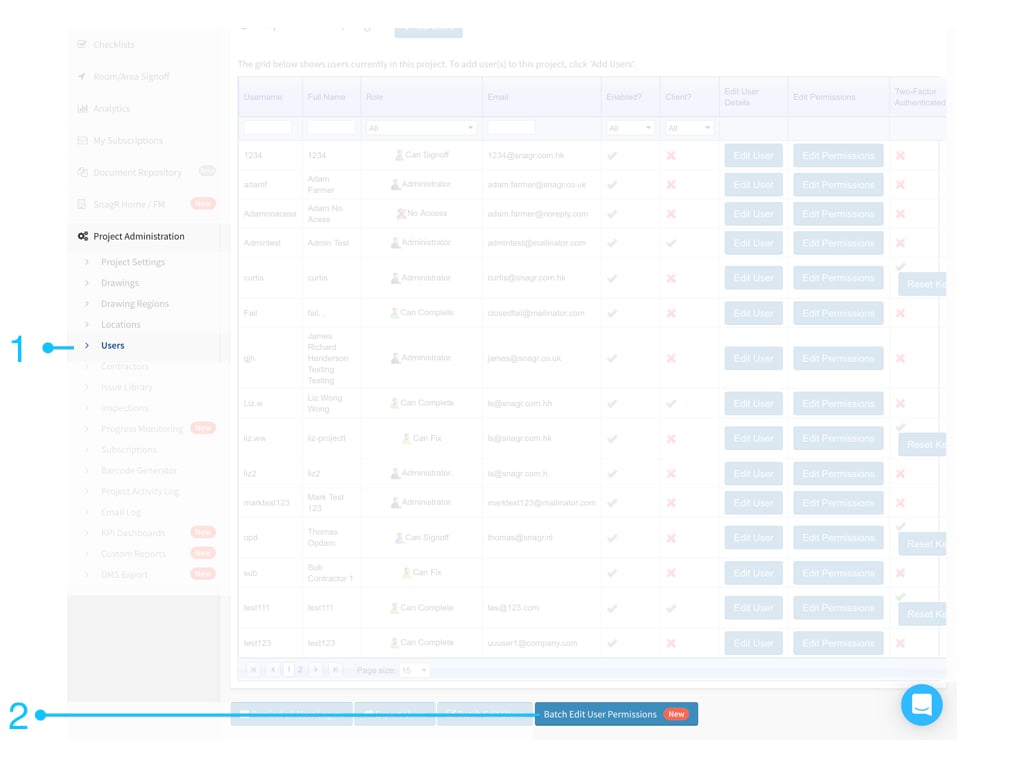
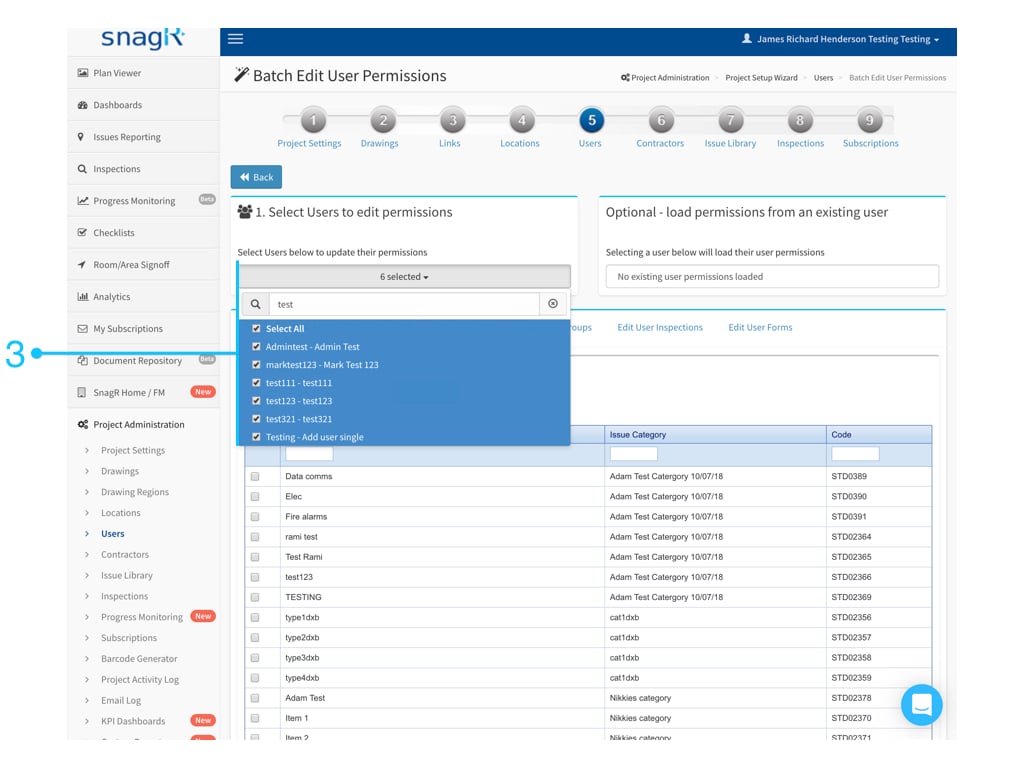
Are you ready?Here we go!“Project Administration” > “Users” > Batch Edit User Permissions”Select Users to edit permission
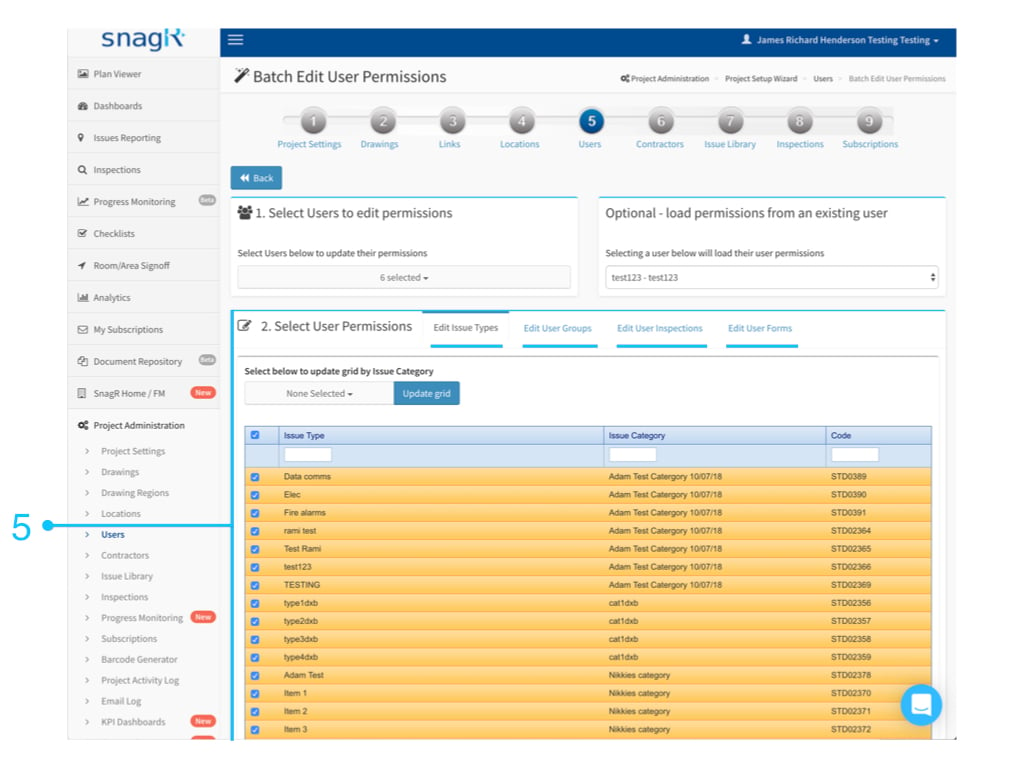
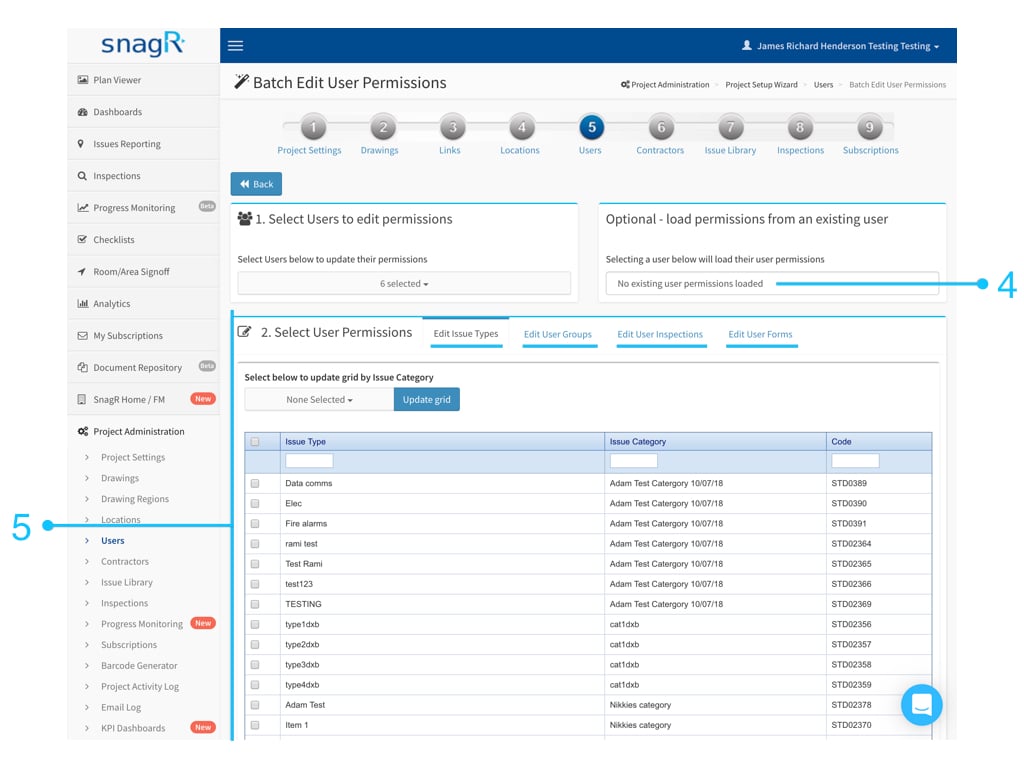
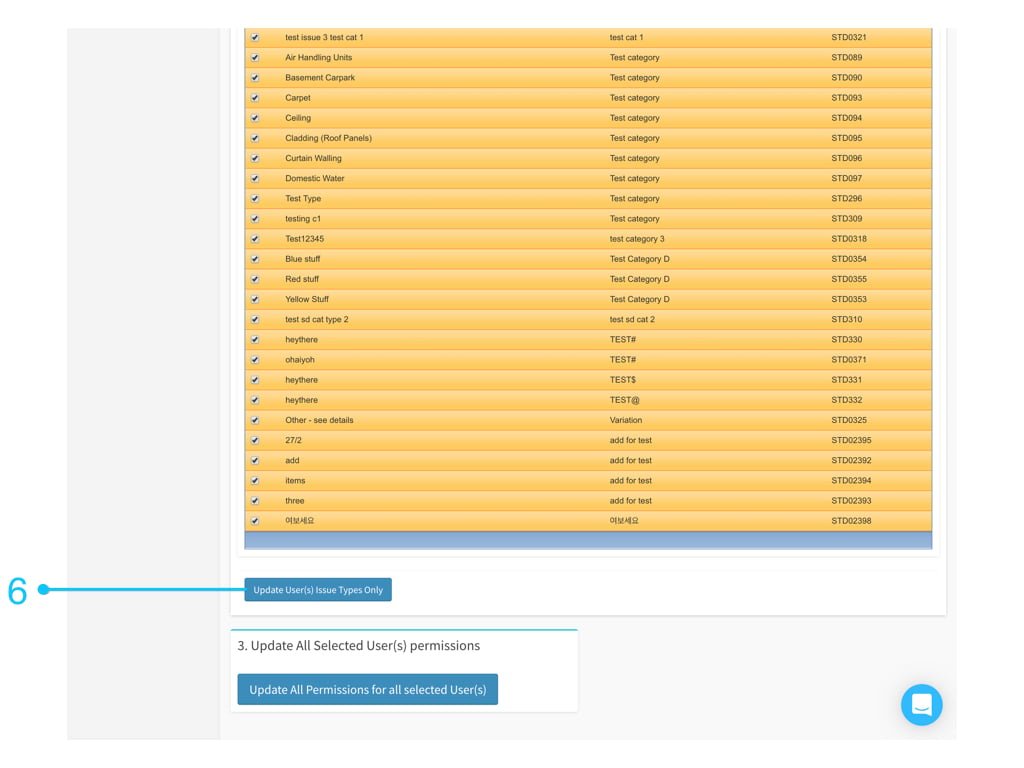
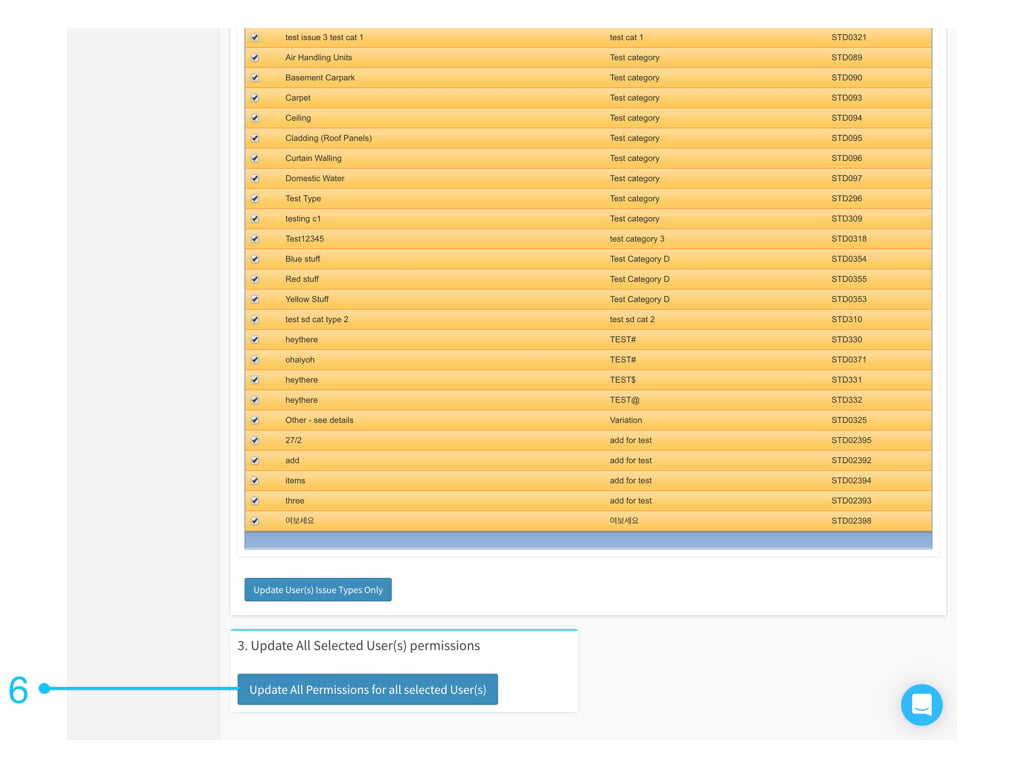
You can select multiple users by the search for a keyword.Option 1 - load permissionsIf there is an existing user who already has the permission which you want to clone, please select to loaded.Check the permission of each category.Option 2 - Create permissionsIf there are no existing user permissions to load, you have to edit the permissions of each category to the selected user(s).Then,Click “Update User(s) (xxxxxxxx) Only” to update specify category permission to selected user(s).OrClick “Update All Permissions for all selected User(s)” to update all categories permission to the selected user(s).
Assistant
Responses are generated using AI and may contain mistakes.