What were the challenges?
  1. Photos taken by the site team are uploaded to company’s hard drives manually each day
  2. Limited search functionalities in traditional folder structure, i.e. only able to search and sort photos by date or name
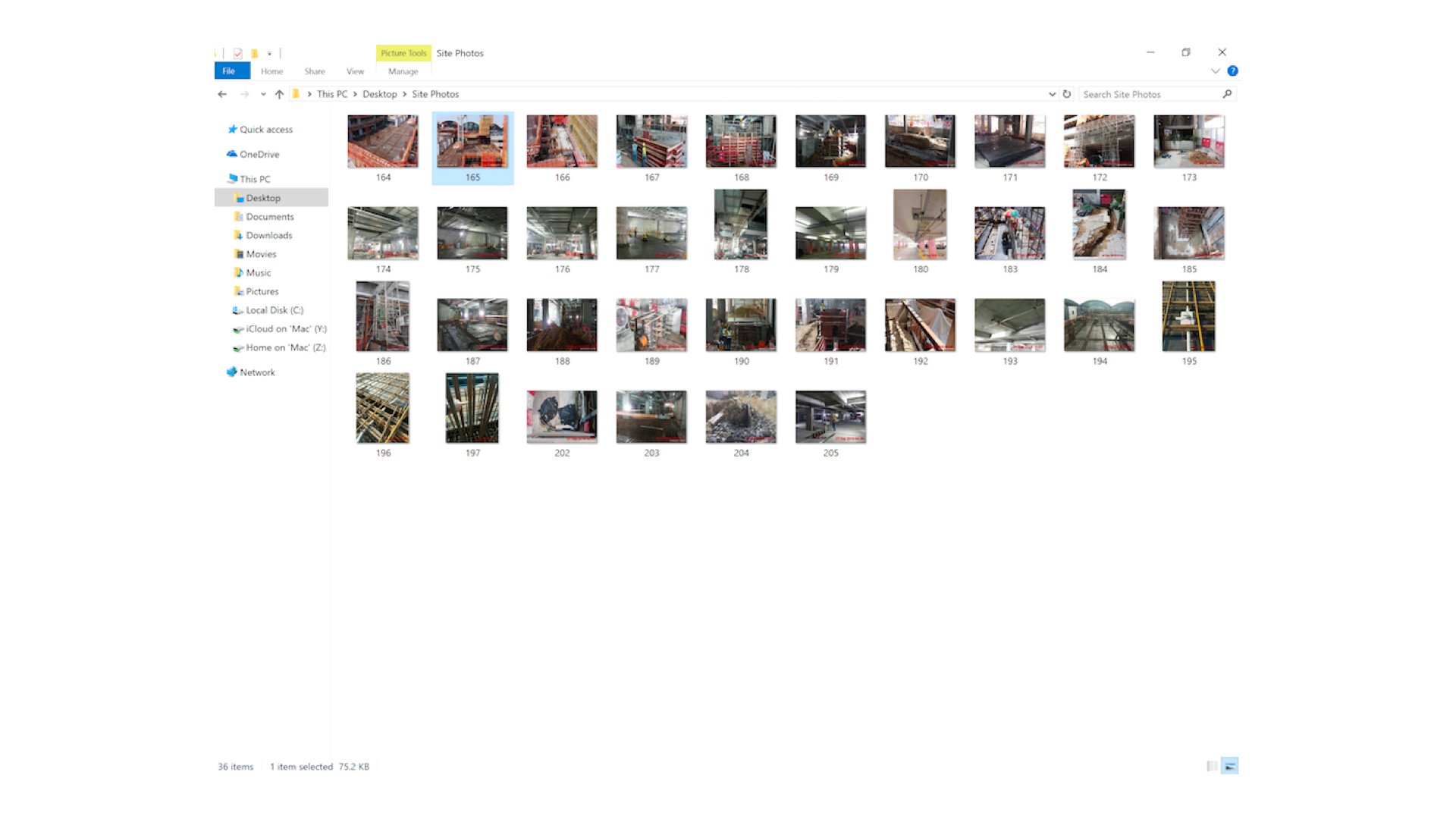
Before Implementing SnagR The site team continuously uploads site photos to a local hard drive every day. As time goes by, the amount piles up and this makes it more and more difficult to search and retrieve a photo in the folder. Success Stories Handover to Purchaser.015 How did SnagR help?
  1. Take site photos through the app and simply upload/synchronise all photos each day with a click
  2. Search for photos by photo category, trade, sub-trade, description, created date, created person, etc.
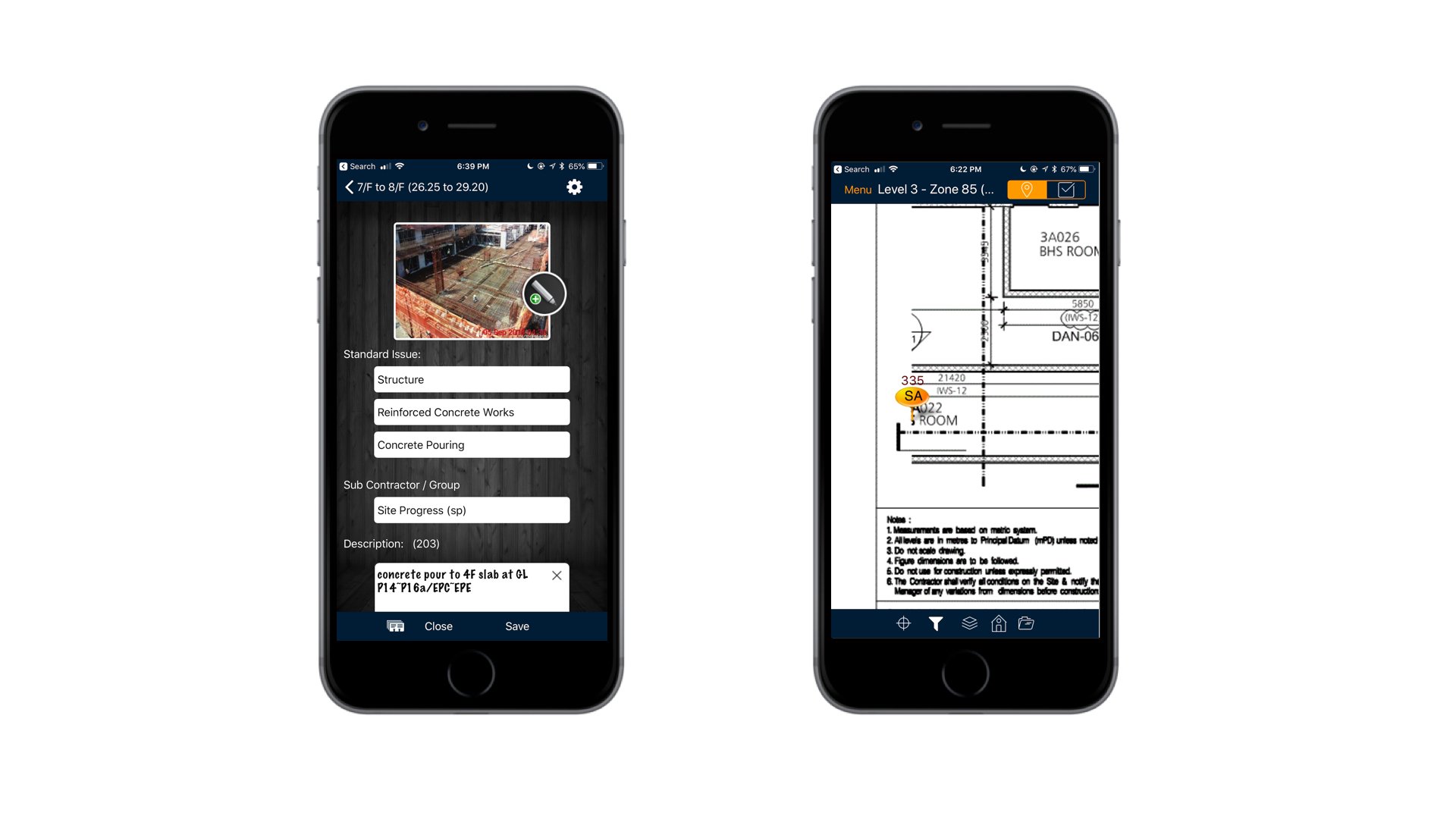
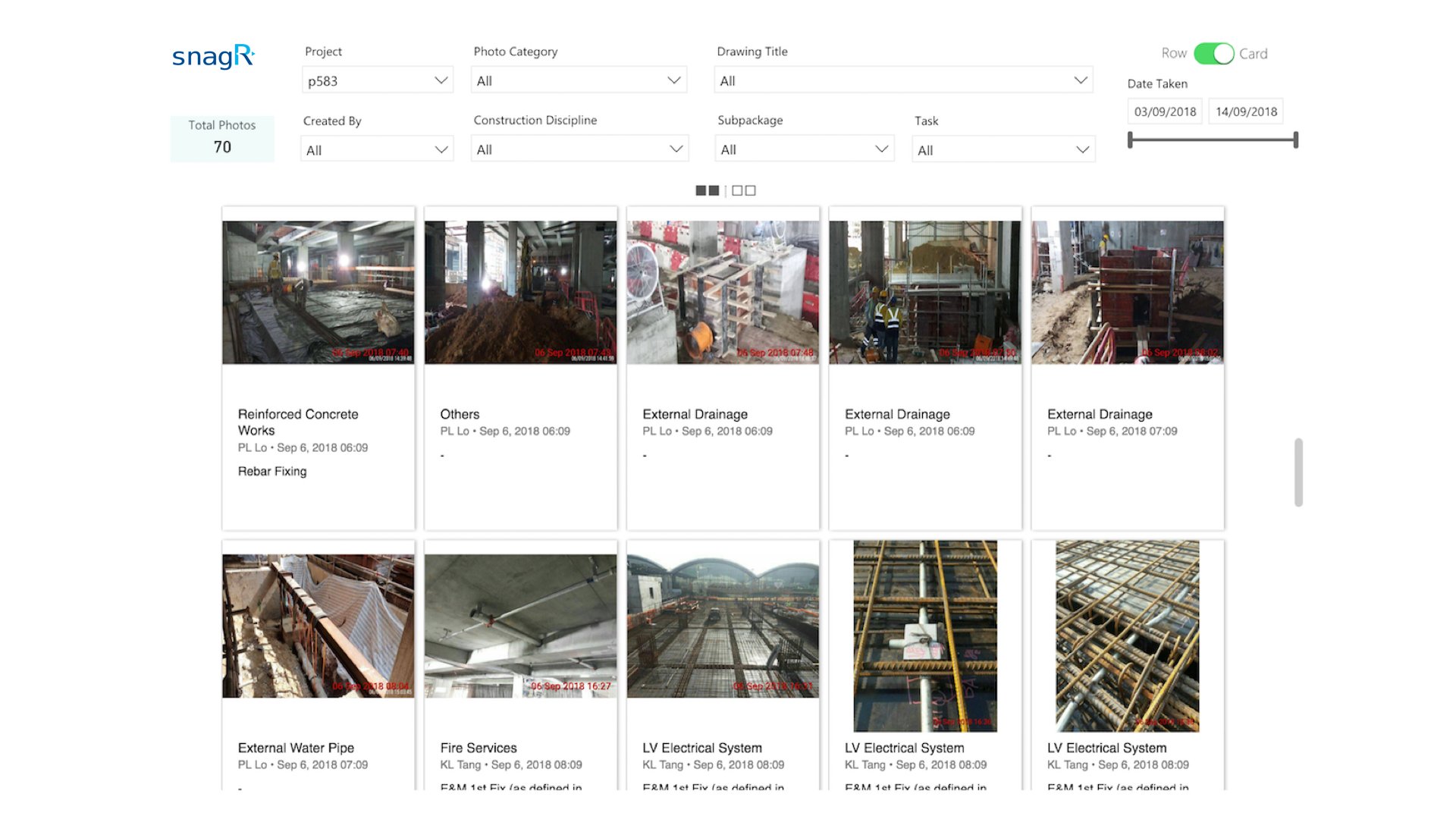
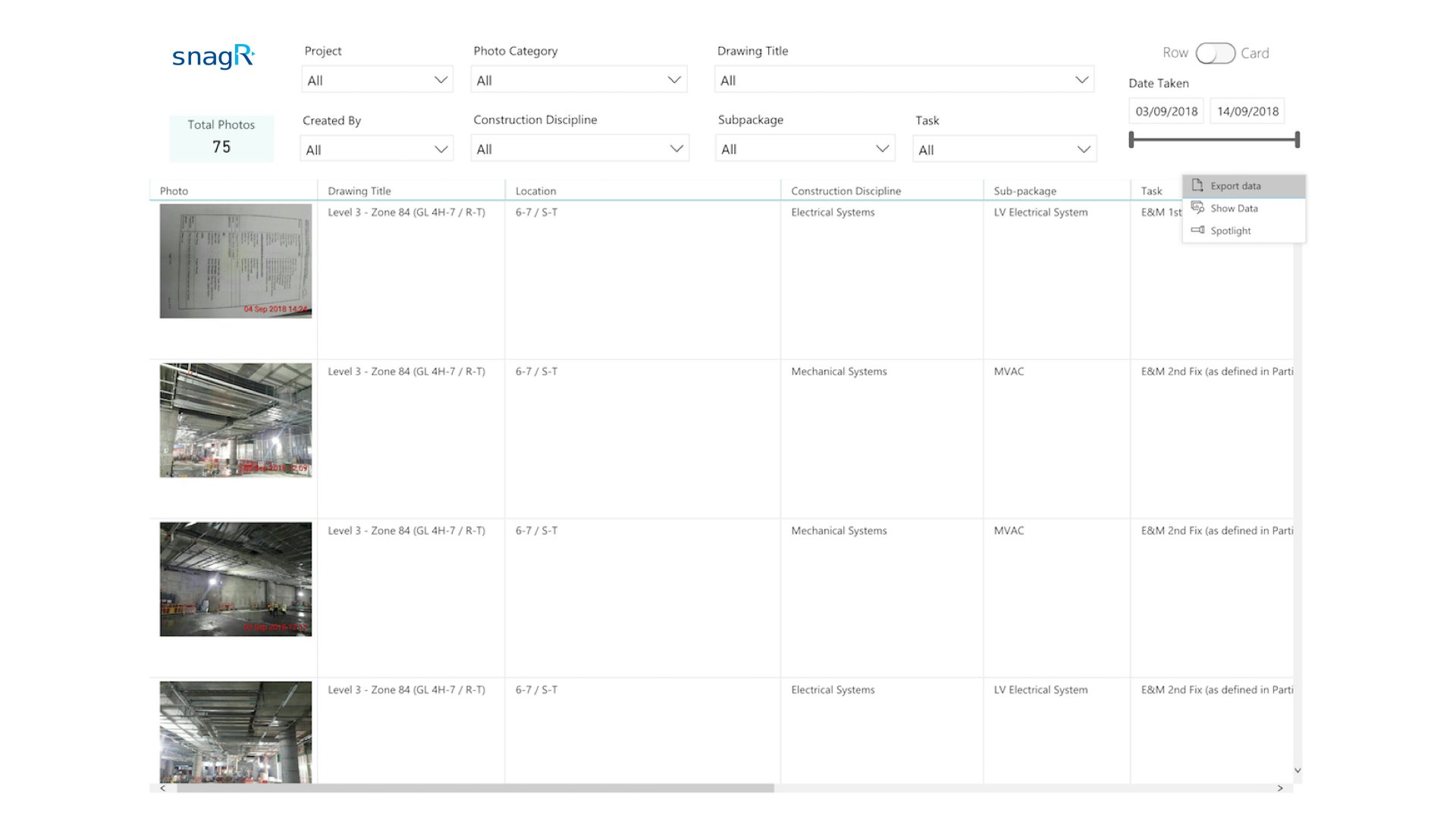
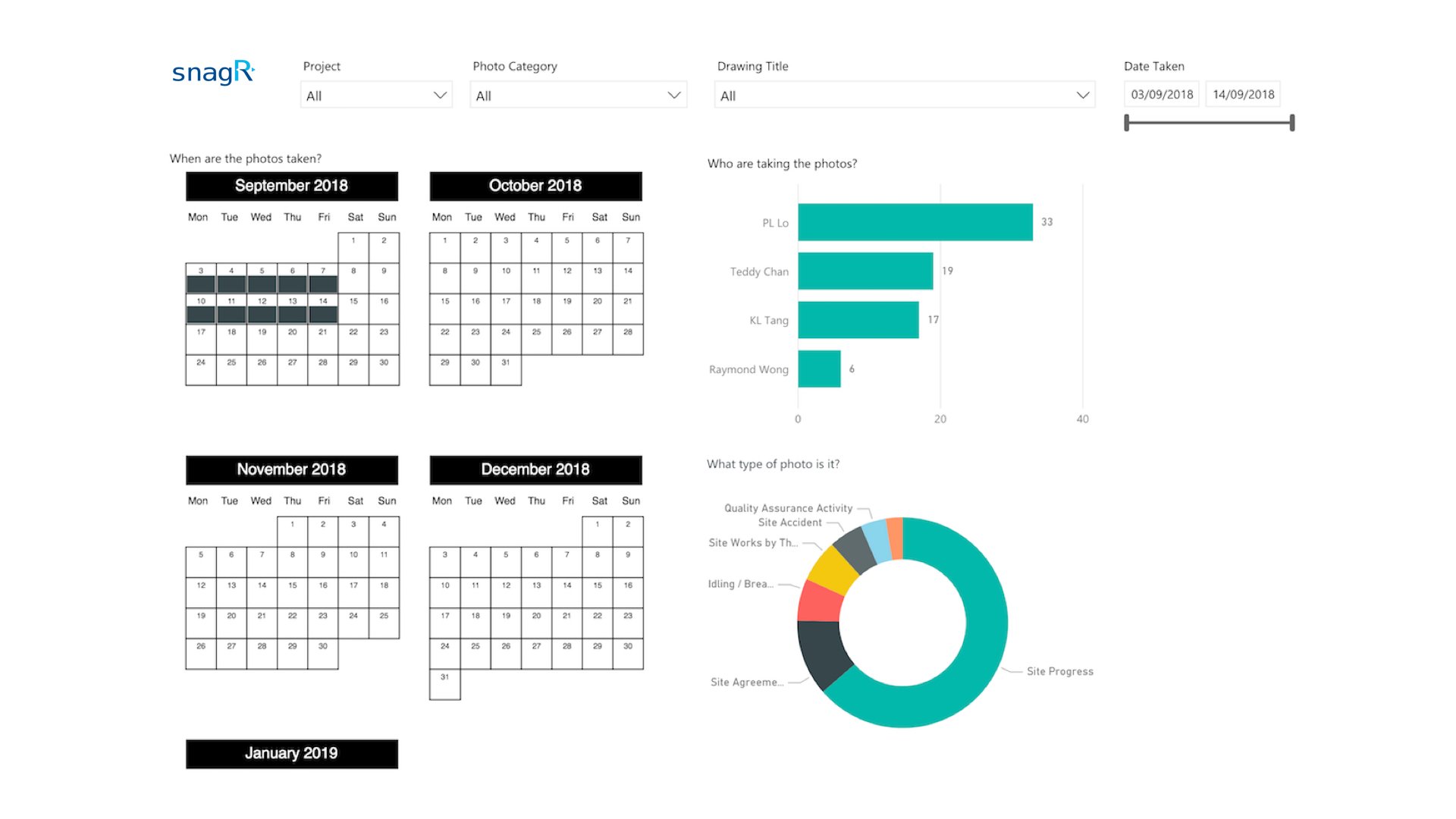
A****fter Implementing SnagR The process is the same but digitalised. As soon as the site team has taken photos and synchronised them from the mobile app, the data feeds into an automated dashboard that allows you to search all photos by a variety of filters. Success Stories Handover to Purchaser.016 This is an example of submitting photo diary through SnagR app: Success Stories Handover to Purchaser.017 Here is a sample dashboard where you can search for all photo diary entries: Success Stories Handover to Purchaser.017 The dashboard above is a card view of all photo diary entries, which can be searched and filtered by a number of criteria displayed at the top, e.g. project name, created date, trade, location. Success Stories Handover to Purchaser.018 The dashboard above is switched to a row view of all photo diary entries, which allows you to export data to Excel if necessary. Success Stories Handover to Purchaser.019 The charts above are an overview of the photo diaries: who make the most entries; what are the type of photo entries; and when are the photo taken. What is required to set this up?
  1. A 2 or 3 tier drop down list of photo categories and descriptions
  2. List of users who take photo diaries each day
  3. Layout plans to reference site photos to locations
Note Here are the main features used in SnagR:
  1. Submit issues
  2. Custom Dashboard