Can I remove the inspection template at company level?
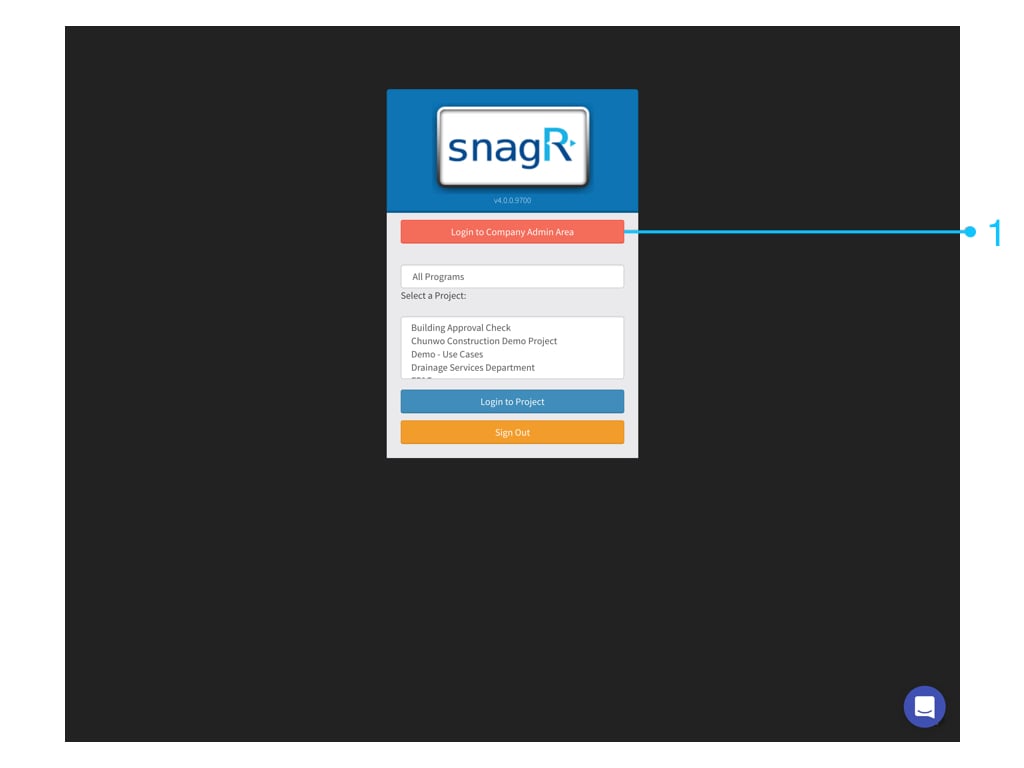
Note: after confirmation, this will permanently delete the inspection which will effect previously conducted inspection. Please contact SnagR support before undertaking this step if it is not a brand new inspection.WebsiteFirst, login to the Company Admin Area. Only Company admin can see this button.
The Form Inspections page will display. Already created inspections will display in the table.To edit an inspection click the edit button in the row of that inspection.A pop up box showing the inspection’s details will show.If you wish to remove the inspection entirely then click “Remove”.Fill in DELETE at the textfield if you are sure you want to delete this Inspection.
Assistant
Responses are generated using AI and may contain mistakes.


 Website
First, login to the Company Admin Area. Only Company admin can see this button.
Website
First, login to the Company Admin Area. Only Company admin can see this button.