

For example, you might need to update or add more form page.
This section shows how each inspection can be easily edited.
 The change will also affect to the previous form.
Login to Company Admin Area
Click on Company Inspections
Click on Inspections from the expanded drop-down menu
Already created inspections will display in the table.
The change will also affect to the previous form.
Login to Company Admin Area
Click on Company Inspections
Click on Inspections from the expanded drop-down menu
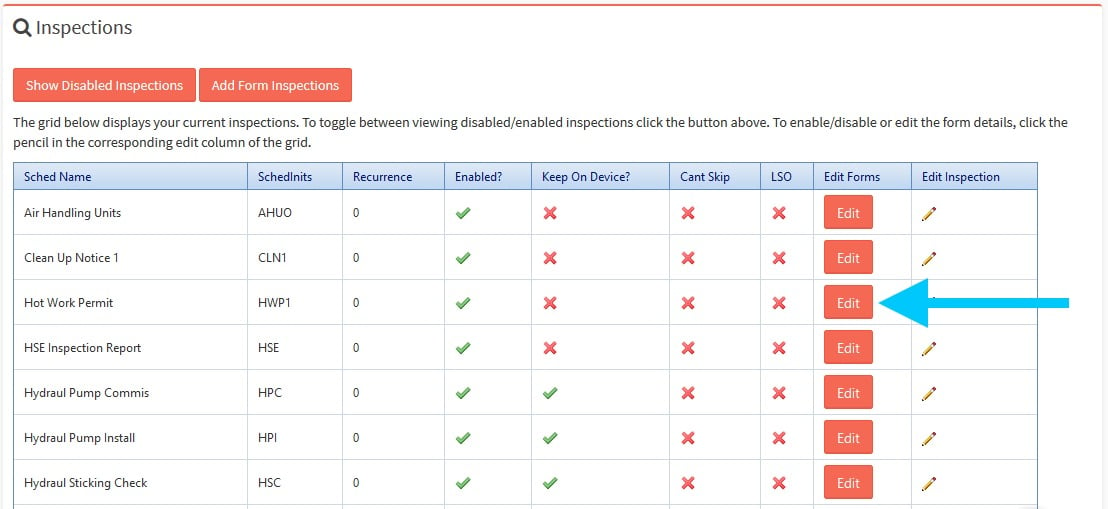
Already created inspections will display in the table.Please click the
 button in the row of that inspection to entry to the Manage Inspection’s Form page.
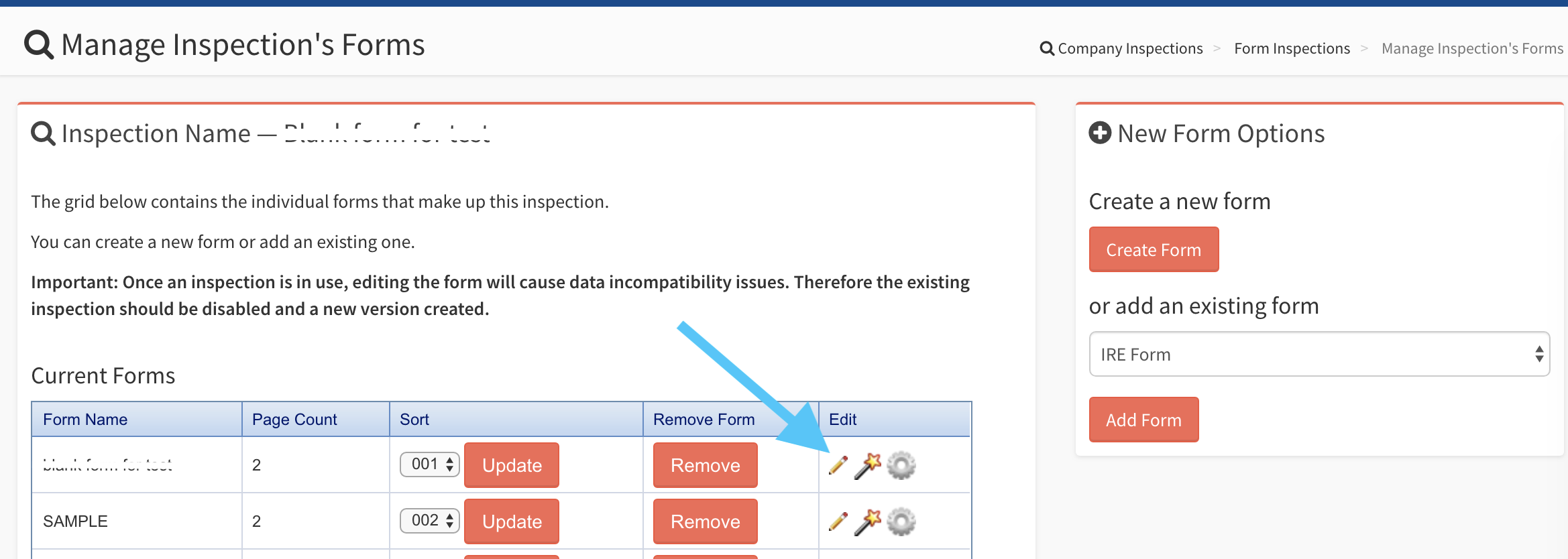
You are able to edit all of the details that you wish to change. If this form is going to have Closed(Passed) and Closed(Failed) as a closed option then select Has Pass/Fail? Once you disabled the form you can never enable it.
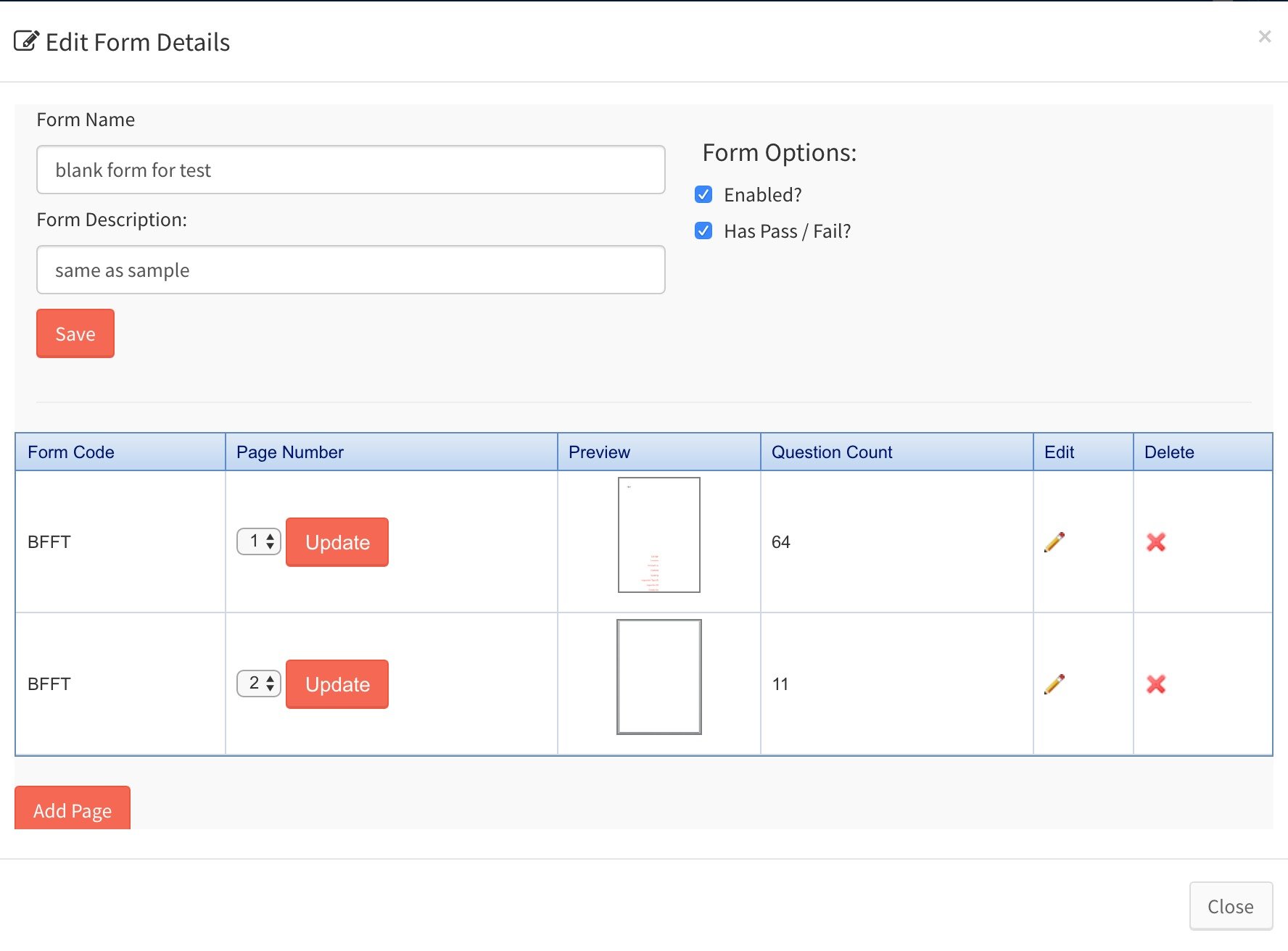
 Note: after confirmation, this will permanently change the inspection’s form which will affect previously conducted inspection. Please contact SnagR support before undertaking this step if it is not a brand new inspection.